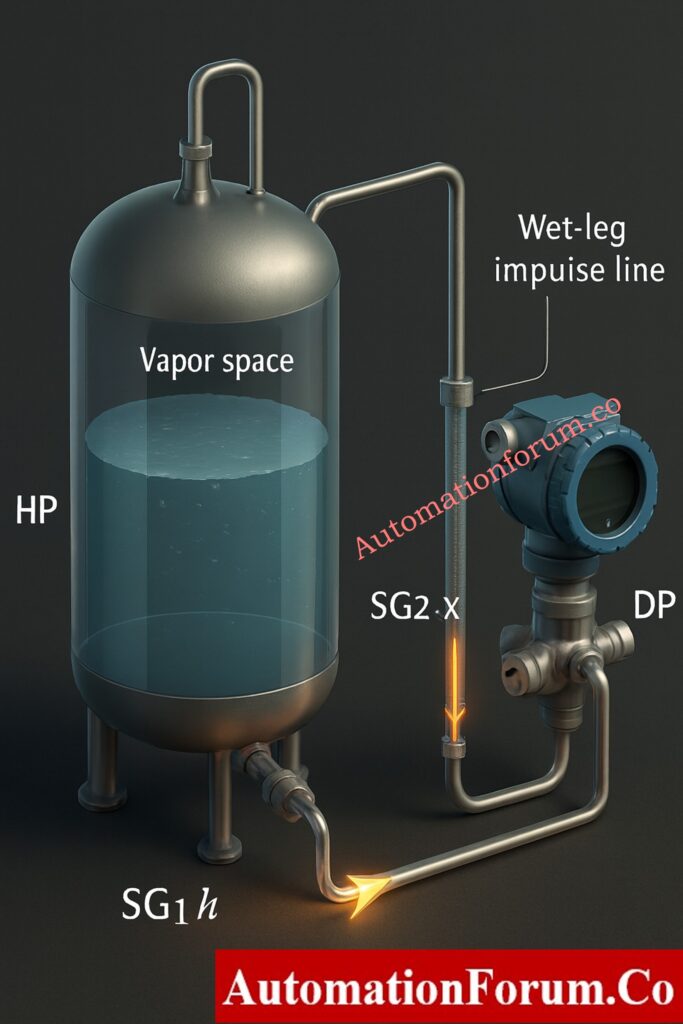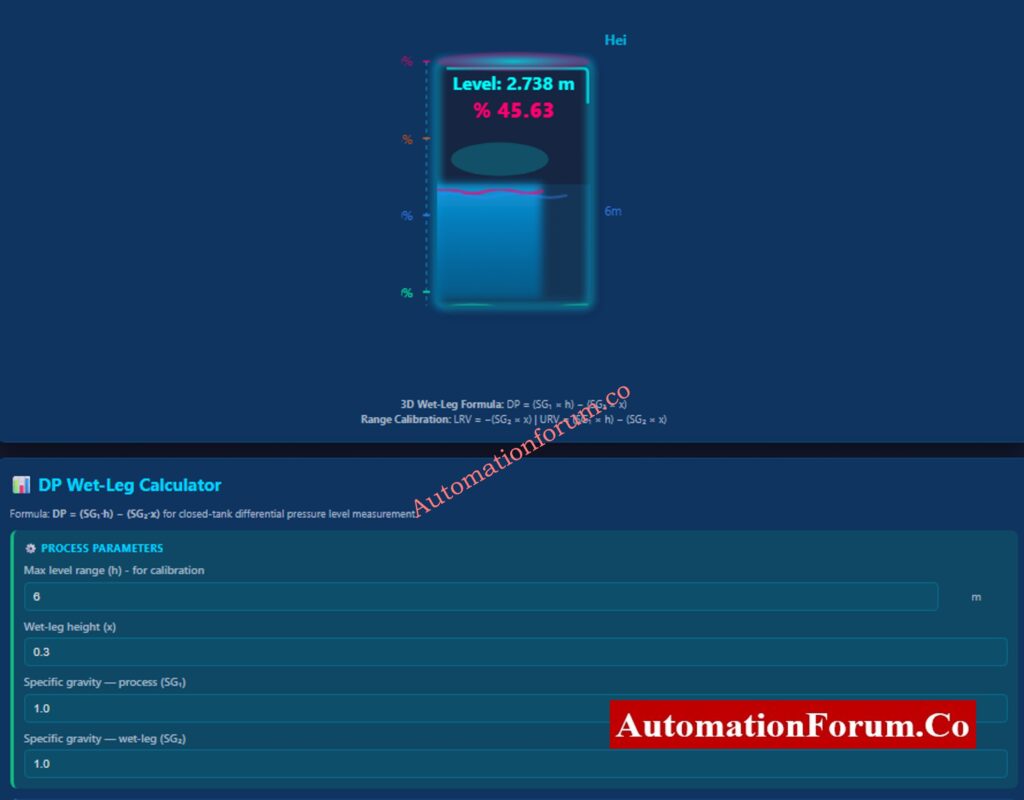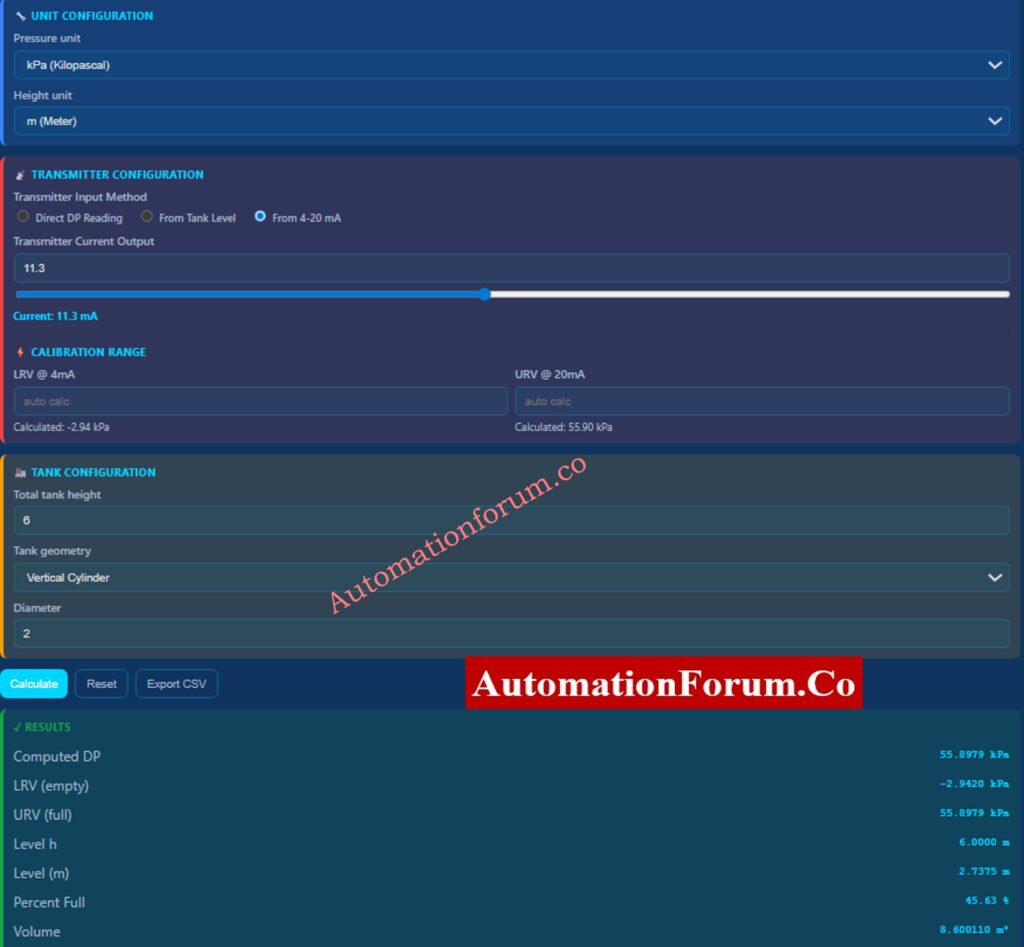
Home Blog Page 13

Instrumentation Panel Heat Load Calculator – Complete Engineering Guide for Panel Cooling Design

0
Instrumentation Panel Heat Load Calculator - Complete Engineering Guide for Panel Cooling Design

Instrumentation and control panels are the most important parts of plant automation in today’s process industries. These panels have delicate electronic parts such PLCs, DCS controllers, power supply, relays, safety systems, analyzers, communication modules, and devices for industrial networking. While they are running, all of these parts constantly create heat.

If the heat produced isn’t correctly measured and eliminated, the temperatures inside the panels can go above safe levels. This can cause frequent failures, unexpected shutdowns, communication mistakes, and long-term dependability problems. This is when an Instrumentation Panel Heat Load Calculator becomes an important tool for engineers.

AutomationForum’s Instrumentation Panel Heat Load Calculator is made to help engineers figure out the overall heat load inside an enclosure and how much cooling is needed. It follows IEC and IEEE requirements and supports best practices in engineering, so it may be used for professional design, EPC documentation, and real plant applications.

PLC Control Panel Inspection Checklist – Field-Ready Guide: Running Inspection Checklist of PLC Components in Control Panels

Instrumentation Panel Heat Load Calculator | IEC-Compliant Panel AC Sizing Tool

Instrumentation Panel Heat Load Calculator

AUTOMATIONFORUM.CO

Your Trusted Source for Automation Power Tools & Solutions

✔ IEC 61439 Aligned    ✔ Industry-Proven U-Values    ✔ EPC / OEM Ready

ENCLOSURE DETAILS

PANEL DIMENSIONS (mm)

THERMAL & SITE DATA

Calculation ID: AF-HL- | Generated on
This calculator provides an engineering estimate. Final equipment selection shall consider solar load, enclosure sealing, air leakage, and manufacturer recommendations.

Why Cable Shield Grounding Is Done at PLC Panel Side – Explained: Why the Cable Shield is Grounded Only at the PLC or Control Panel Side

An Instrumentation Panel Heat Load Calculator is a specialized engineering tool that figures out how much heat is made within an electrical or instrumentation enclosure and how much cooling is needed to keep the temperature inside safe.

The calculator takes into account both:

  • Equipment that makes heat inside
  • Heat transfer from the outside owing to the weather

The output is given in a number of different engineering units:

  • Wattage (W) 
  • Kilowattage (kW)
  • British Thermal Units per hour (BTU/hr)
  • Tons of Cooling (TR)

This makes the calculator perfect for choosing:

  • Air conditioners for panels
  • Exchangers of heat
  • Fans with filters
  • Cooling systems that use both air and water

PLC Remote I/O Card Failures – Root Cause Analysis & Solutions: Root Cause Analysis of PLC Remote I/O Panel (Point I/O Panel) Cards Failure Issues

Why Heat Load Calculation Is Mandatory in Instrumentation Panel Design

In current panel engineering, calculating the heat load is not optional. It is a basic necessity for the design.

  • Heat Load Was Not Enough
  • PLC CPUs and I/O cards getting too hot
  • Power supply shutdown or derating
  • Ethernet switches that don’t work for communication
  • Panel AC trips a lot
  • Shorter lifespan of electronic parts
  • More money spent on capital
  • More power use
  • Risks of condensation inside panels
  • The system doesn’t work well.

A correctly figured heat load makes sure that the system cools down effectively, uses energy efficiently, and lasts for a long time.
Wellhead Control Panel – Design, Function & Field Applications: Wellhead Control Panel

This calculator is meant for people who work with industrial automation systems at all stages of their life cycle.

  • Instrumentation Design Engineers
  • Control System Engineers
  • Electrical Engineers
  • EPC Engineering Teams
  • Panel Builders and System Integrators
  • Maintenance and Reliability Engineers

What Is a Fire Alarm Control Panel (FACP)? – Basics Explained: What is an FACP? (Fire Alarm Control Panel)

Key Parameters Used in the Instrumentation Panel Heat Load Calculator
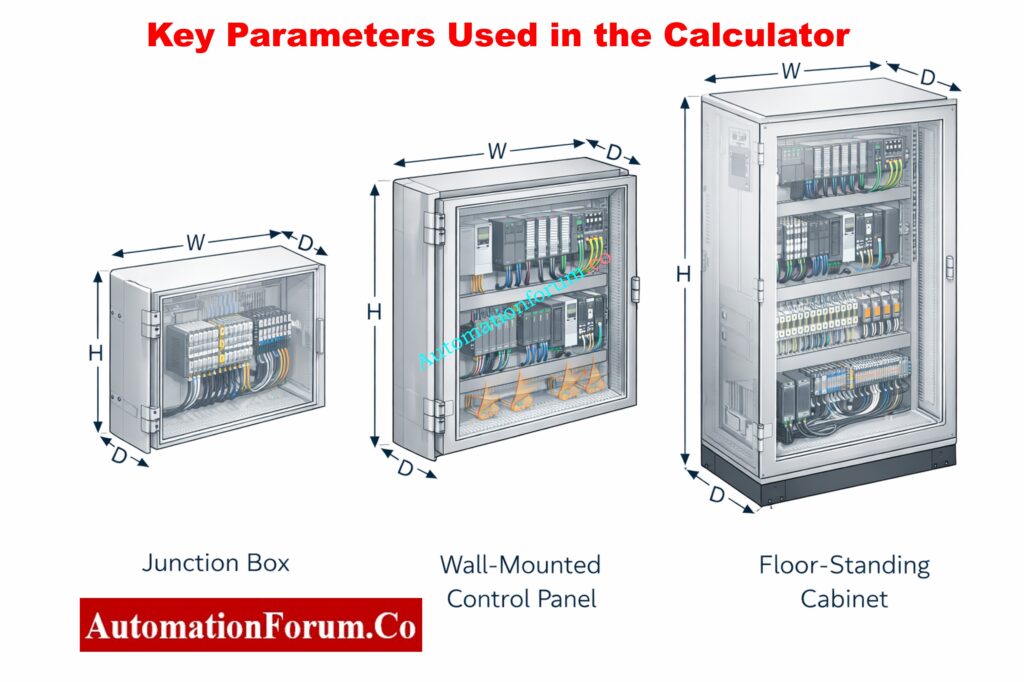
The calculator uses real-world technical parameters that have a direct effect on how the panel’s temperature changes.

The kind of enclosure impacts how much surface area it has and how well it can get rid of heat. Types that are supported include:

  • Junction Box
  • Wall-Mounted Panel
  • Floor-Standing Cabinet

Each type has different ways of letting air move and holding heat.

Material selection significantly impacts heat transfer:

  • Painted Steel
  • Stainless Steel
  • Aluminium

In thermal calculations, the U-value (total heat transfer coefficient) of each material is variable.

The method of mounting affects natural convection and heat rejection:

  • Free standing
  • Wall mounted
  • Floor mounted

The size of the panels impacts the external surface area, which in turn affects how well heat moves from the enclosure to the outside.

This includes heat generated by:

  • PLC CPUs and I/O modules
  • Power supplies
  • VFD control electronics
  • Instrument transmitters
  • Network switches and gateways

Most of the time, manufacturers list power dissipation in watts, which should be added up for all the equipment that is already there.

  • Maximum ambient (outside) temperature
  • Desired internal operating temperature

The difference in temperature (ΔT) causes heat to move through the walls of the enclosure.

The higher you go, the less air there is, which makes cooling less effective. The calculator uses a standard altitude compensation factor, which is very significant for plants that are higher up.

A safety factor takes into account:

  • Future expansion
  • Load uncertainties
  • Aging of cooling equipment
  • Real-world operating variations

The usual range for safety factors is between 1.1 and 1.25.

Control Panel Door Earth Bonding Procedure – Safety Guide: Panel Door Earth Bonding Procedure: Ensuring Safety and Reliability

How to Use the Instrumentation Panel Heat Load Calculator - Step-by-Step

Choose the sort of enclosure, the material it is made of, and how it will be mounted. The image of the enclosure changes in real time, which helps engineers see how the panel is shaped.

Please provide the width, height, and depth in millimeters. Controls for incrementing and decrementing make it easy to enter data correctly and stop typical mistakes.

Provide:

  • Total internal equipment power (W)
  • Maximum outside temperature
  • Desired internal temperature
  • Site altitude
  • Safety factor

Inline tooltips show engineers the best engineering values to use.

Click “Calculate Heat Load” to quickly get:

  • Required cooling capacity summary
  • Detailed calculation breakdown
  • Final heat load values in W, kW, BTU/hr, and TR

PLC Panel Installation & Commissioning Checklist – Free Download: Comprehensive PLC Panel Installation and Commissioning Checklist (Downloadable)

How Panel Heat Load Calculation Works - Engineering Logic Explained

The calculator follows a structured engineering methodology.

The internal heat load is the total of all the power losses in the equipment:

Internal Heat Load (W) = Σ Equipment Power Dissipation

To find the entire external surface area, use the formula: 

Surface Area = 2 × (WH + WD + HD)

Where:

  • W = Width (m)
  • H = Height (m)
  • D = Depth (m)

ΔT = Outside Temperature – Desired Internal Temperature

For heat transmission, only temperature changes that are positive are taken into account.

To figure out how much heat is transmitted through the walls of an enclosure, use this formula:

External Heat Load = Surface Area × ΔT × U-value

The U-value changes according on the material of the enclosure and how it is mounted.

To take into account the fact that air is less dense at higher altitudes:

Altitude Factor ≈ 1 + (Altitude / 1000 × 0.03)

To make sure the system works reliably, the calculated heat load is multiplied by the safety factor that was chosen.

Total Heat Load = (Internal + External Heat Load) × Altitude Factor × Safety Factor

We turn the resulting heat load into standard engineering units:

  • 1 W = 3.412 BTU/hr
  • 1 TR = 3.517 kW

PLC Panel FAT Procedure – Step-by-Step Acceptance Test Guide:Factory Acceptance Test (FAT) of a PLC Panel: A Step-by-Step Basic Guide

The Instrumentation Panel Heat Load Calculator meets industry standards that most people agree on:

  • IEC 61439-1 and IEC 61439-2: Low-voltage switchgear assemblies
  • IEC 60529: Levels of protection (IP rating)
  • IEC 60068—Testing for the environment
  • IEEE 141 (Red Book) – Power distribution in industry
  • IEEE 3007 Series: Power systems for businesses and factories
  • IEEE 493: How reliable industrial systems are.
  • Stops panels from getting too hot and breaking down
  • Helps with the right size of the panel AC
  • Makes the system more reliable and keeps it running longer
  • Lessens the need for trial-and-error design
  • Makes computations that are suitable for documentation
  • Good for EPC, OEM, and plant engineering groups.

Types of Automation Control Panels Used in Industrial Design: Various panels involved in automation design?

  • Making new PLC or DCS panels
  • Adding more devices to existing panels
  • Choosing new air conditioners for the replacement panel
  • Fixing control panels that are too hot
  • Getting engineering documents ready for the client to sign off on

The Instrumentation Panel Heat Load Calculator is a useful, engineering-grade tool that helps with the design of correct panel cooling in industrial automation systems. It gives accurate heat load estimations that follow IEC and IEEE technical standards by taking into account the shape of the enclosure, the materials it is made of, the temperature and humidity of the environment, the height of the installation, and safety margins.

This calculator is more than simply a convenience for instrumentation and control engineers. It is an important design tool that makes equipment more reliable, lessens downtime, and makes sure that operations stay stable over time in industrial settings.

Fire Alarm Control Panel vs Sub Panel- Key Differences Explained: What is Fire Alarm control panel? What is Sub Fire Alarm Control Panel?

To find out how much heat an electrical or instrumentation panel can handle:

  1. Find out how much power (in watts) all of the devices in the panel use (PLCs, power supply, relays, switches, etc.).
  2. Let’s say that all of this power turns into heat.

Convert watts to BTU/hr using:
Heat Load (BTU/hr) = Watts × 3.41

  1. Use the size and material of the enclosure to add external heat transfer induced by high ambient temperature.
  2. If necessary, use safety and altitude correction parameters.

The total panel heat load is the sum of the heat inside and outside the panel.

The formula for calculating the basic heat load for panel and HVAC systems is:

Heat Load (Q) = U × A × ΔT

Where:

  • Q = Heat load (Watts or BTU/hr)
  • U = Heat transfer coefficient of enclosure
  • A = Surface area of enclosure
  • ΔT = Temperature difference between outside and inside

Most of the time, the overall heat load for instrumentation panels is figured out like this:

Total Heat Load = Internal Heat Load + External Heat Load

To figure out the load on the main electrical panel:

Write down all the loads that are connected, such as lights, instruments, PLCs, and power supplies.

Find out how much power each load needs:

Power (Watts) = Voltage × Current

To find the overall panel load, add up all the watt values.

If necessary, use the diversity or demand factor.

This calculation finds out how much electricity is needed, whereas the heat load calculation finds out how much cooling is needed.

The number 141 is a quick way to figure out how much heat a room or panel can hold.

Formula:

Heat Load (BTU) = Length × Width × Height × 141

Where the measurements are in meters.

This approach gives an approximate idea of how big an office area or a small equipment space should be. It shouldn’t be used to figure out exactly how big a panel AC should be for industrial use.

Heat calculation depends on the application:

1. For equipment or enclosures (conduction):

Q = U × A × ΔT

2. For fluids or air (sensible heat):

Q = m × Cp × ΔT

Where:

  • m = Mass flow rate
  • Cp = Specific heat capacity
  • ΔT = Temperature change

For control panels, equipment power dissipation + enclosure heat transfer is the most accurate approach.
Mimic Panel in Industrial Automation – Purpose & Applications: What is mimic panel?
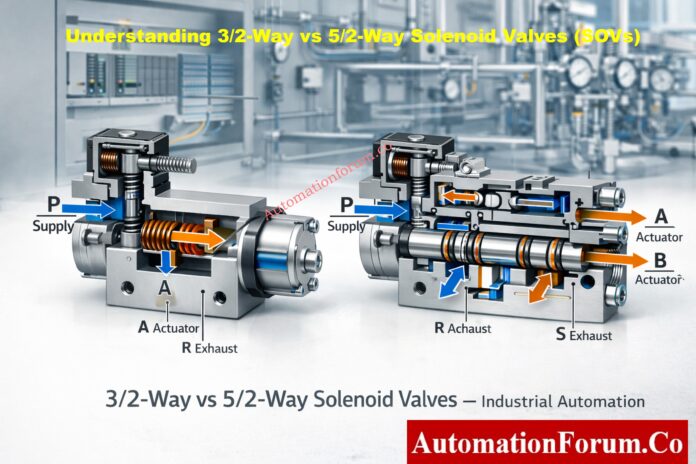
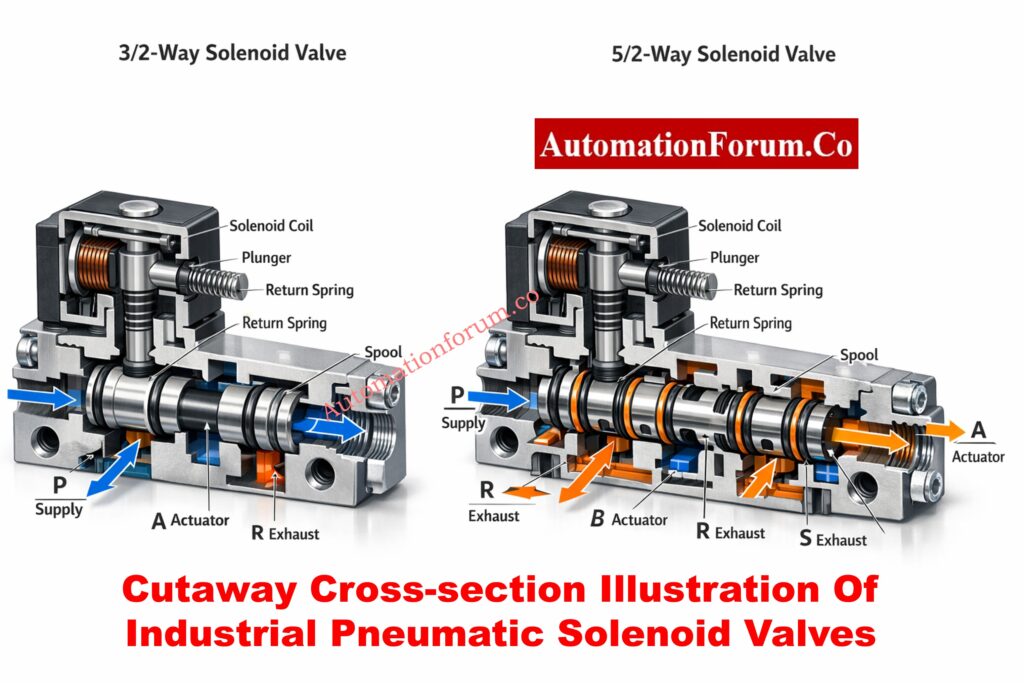
Understanding 3/2-Way vs 5/2-Way Solenoid Valves (SOVs)

0
Understanding 3/2-Way vs 5/2-Way Solenoid Valves (SOVs)

Solenoid valves (SOVs) are frequently tiny devices with enormous significance in industrial automation. They serve as the last stage of execution between a physical process movement and an electrical control signal. Incorrect fail action, dangerous plant conditions, annoyance trips, actuator hunting, or complete loss of control can result from a poorly chosen solenoid valve.

Plant applications are dominated by 3/2-way and 5/2-way solenoid valves among all solenoid valve configurations. Every instrumentation and control engineer must have a basic understanding of their functional behavior, air-flow logic, fail response, and system integration.

With an emphasis on actual plant conditions, safety philosophy, and engineering decision-making, this article provides the most practical explanation of 3/2-way vs. 5/2-way solenoid valves.

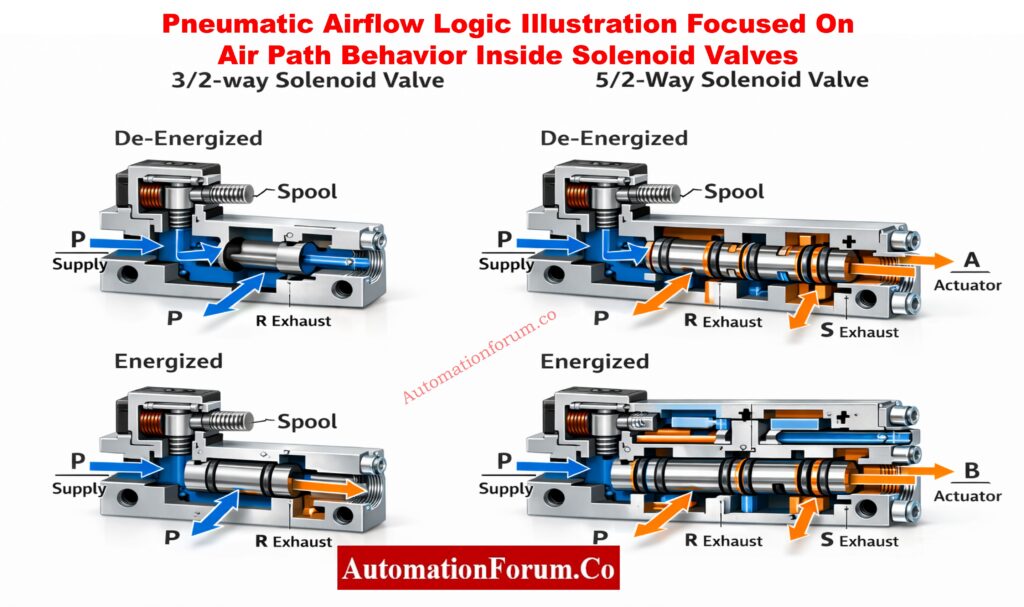
An electrical signal is transformed into pneumatic motion by a solenoid valve, an electro-pneumatic control device. Compressed air is redirected when the solenoid coil is activated because it creates a magnetic field that moves a plunger or spool inside the valve body.

Solenoid valves are essential because they:

  • serve as the interface between pneumatic actuators and PLC/DCS logic, converting digital ON/OFF outputs into mechanical movement that opens or closes valves.
  • function as the last control component in many loops, particularly in safety instrumented systems (SIS) where a trip or shutdown action is immediately triggered by the solenoid valve.
  • Allow field devices that are situated in dangerous, difficult-to-reach, or hot locations where manual operation is impractical to operate remotely.
  • They are appropriate for emergency and interlock applications because they have quicker reaction times than mechanical or hydraulic systems.
  • Because solenoid valves are simple to replace, test, and maintain without interfering with the process piping, they enable standardization across plants.

Solenoid Valve vs Motorized Valve: Key Differences, Applications & Selection: Solenoid Valve versus Motorized Valve

Understanding Solenoid Valve Ports and Positions

The number of ports and positions that determine how air passes through the valve are referred to as the “way.”

  • The number of pneumatic connections the valve can handle is determined by its ports.
  • The number of airflow states that the valve can alternate between is determined by its positions.

During commissioning, incorrect actuator behavior can be avoided by being aware of this terminology.

Understanding Solenoid Valve Ports and Positions 2

Top Solenoid Valve Problems Explained with Practical Field Solutions: Common problems in Solenoid Valve & its Solutions

What Is a 3/2-Way Solenoid Valve?

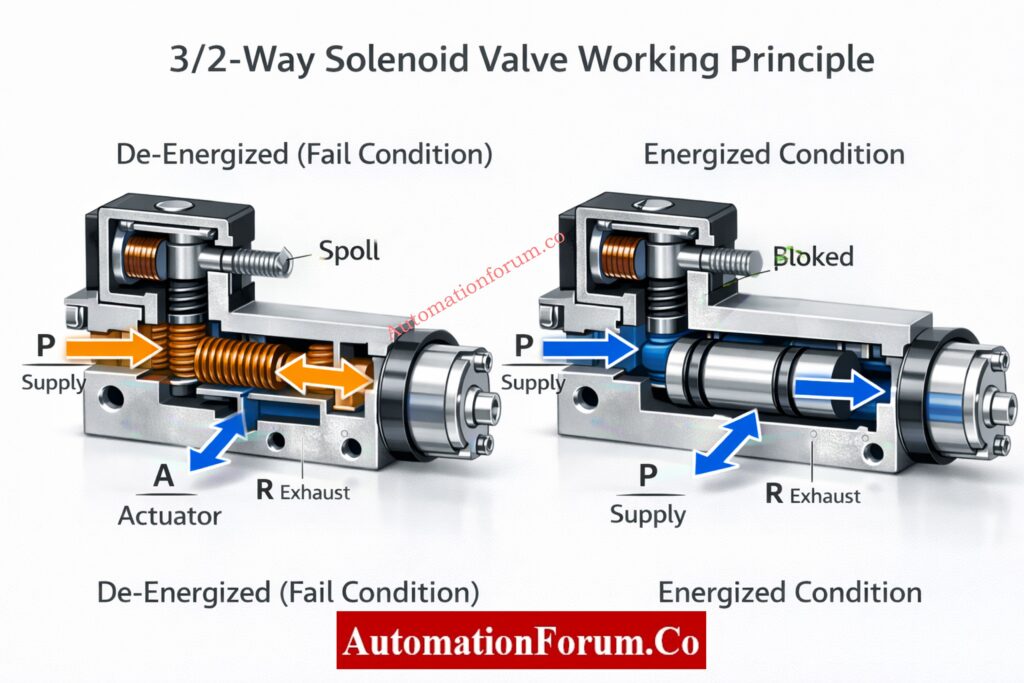
The components of a 3/2-way solenoid valve are:

Three pneumatic ports, usually marked:

  • P (Pressure/Supply): Gets instrument air from the FRL or air header.
  • A (Actuator/Output): Delivers air to the piston or diaphragm of the actuator.
  • R (Return/Exhaust): Air is safely vented to the exhaust manifold or atmosphere.

Depending on whether the solenoid coil is energized or de-energized, there are two different operating positions.

This arrangement is especially made for spring-return single-acting actuators.

  • The PLC/DCS electrical signal is either lost or turned off.
  • There is no magnetic force produced by the de-energized solenoid coil.
  • The instrument air supply at port P is blocked by an internal valve mechanism.
  • Exhaust port R is internally connected to actuator port A.
  • The actuator quickly releases trapped pressurized air.
  • The valve is forced to its predetermined fail position by the actuator spring, such as:
    • Fail-close for isolation valves
    • Fail-open for cooling or venting services
  • The solenoid coil receives an electrical signal.
  • A magnetic field moves the spool or pulls the plunger.
  • From P to A, supply air moves freely.
  • Port R of the exhaust is isolated.
  • Pistons or actuator diaphragms move and apply pressure.
  • Air pressure is used to compress and hold a mechanical spring.

3/2 valves are very predictable due to their direct cause-and-effect behavior.

Solenoid Valve Working Principle Explained with Real Industrial Examples: Solenoid Valve Working

3/2-way solenoid valves are preferred in:

  • Single-acting control valves, where a spring defines the fail-safe position required by process safety analysis.
  • Emergency Shutdown Valves (ESDVs), where actuator air must be promptly and reliably vented during trips.
  • systems for blowdown and depressurization, where a power outage must automatically start venting.
  • trip valves on boilers, compressors, and turbines, where a quick mechanical fail-safe is crucial.
  • Safety Instrumented Functions (SIFs) must exhibit predictable and verifiable behavior.

True mechanical fail-safe action

  • Spring force, not software or logic, is used to reach the fail position.
  • operates even in the event of a PLC, power supply, or communication failure.
  • completely in line with the safety philosophy of IEC 61511.

Reduced system complexity

  • No requirement for complicated air logic, lock-up valves, or accumulators.
  • simpler to maintain, verify, and record.

Lower air consumption and venting losses

  • Only when the actuator is moving is air supplied.
  • There is no need for constant pressurization.

Simplified commissioning and troubleshooting

  • Exhaust during de-energization is confirmed visually.
  • During testing, exhibit clear cause-and-effect behavior.

Higher reliability in dirty or marginal air quality

  • The likelihood of sticking is decreased by fewer internal flow paths.
  • works better in plants with outdated air systems.
  • Because of the actuator spring, the stroke force is limited.
  • Large-bore actuators that need a lot of torque are not a good fit.
  • In high-friction services, the opening or closing speed is slower.
  • Over time, spring fatigue develops.

Types of Solenoid Valves with Schematics – Complete Industrial Guide: Various types of Solenoid valves and their schematics

What Is a 5/2-Way Solenoid Valve?

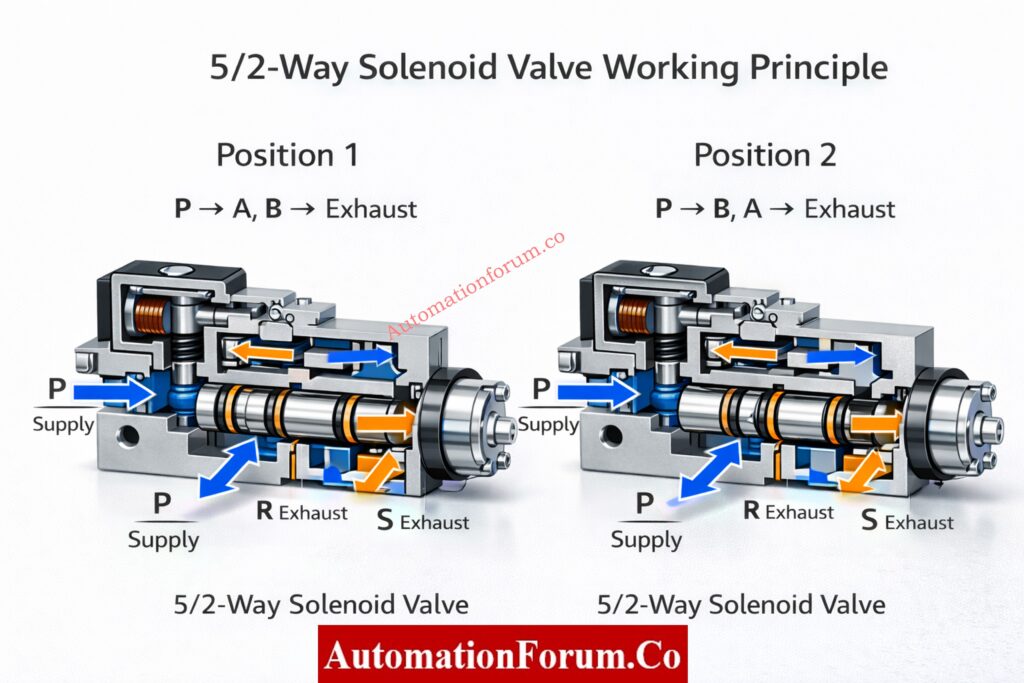
A 5/2-way solenoid valve has:

Five pneumatic ports, typically:

  • One supply port (P)
  • Two actuator ports (A and B)
  • Two exhaust ports (R and S)

The airflow direction is reversed in each of the two operating positions.

This valve is designed for spring-free double-acting actuators.

  • Air flows from P to A in the First Position Instrument.
  • The exhaust is connected to Port B.
  • The actuator piston advances.
  • A specific exhaust port allows exhaust air to escape.
  • Instrument air flows from P to B.
  • To exhaust, Port A vents.
  • The actuator piston travels in the opposite direction.
  • Mechanical stress is decreased by equalized pressure.

Powerful and seamless actuation is made possible by this constant control.

Safe DP Transmitter Commissioning Using 3-Way Manifold – Field Procedure: Safe Commissioning & Removal of DP Transmitters with a 3-Way Valve Manifold

5/2-way valves are commonly used in:

  • Double-acting control valves where no spring return is required.
  • systems for high-cycle automation that frequently change direction.
  • Material handling uses large pneumatic cylinders.
  • HVAC and utility systems use damper drives.
  • procedures where force and speed take precedence over fail-safe specifications.

Control Valve Not Responding? Complete Field Troubleshooting Guide: Field Troubleshooting Guide: Control Valve Not Responding in Process Area

Full bidirectional pneumatic control

  • Both sides of the actuator are actively pressurized.
  • No dependency on mechanical springs.

High actuator force and torque

  • Suitable for large valves with high seating force.
  • Maintains consistent performance over time.

Improved speed and stroke control

  • Faster opening and closing.
  • Reduced dead time and lag.

Better balance of actuator forces

  • Minimizes side loading and wear.
  • Extends actuator life.

Flexible system integration

  • Single-solenoid or double-solenoid configurations.
  • Can be integrated with advanced PLC logic.

What Is a Solenoid Valve? Types, Working & Industrial Applications: What is a solenoid valve and what are its types

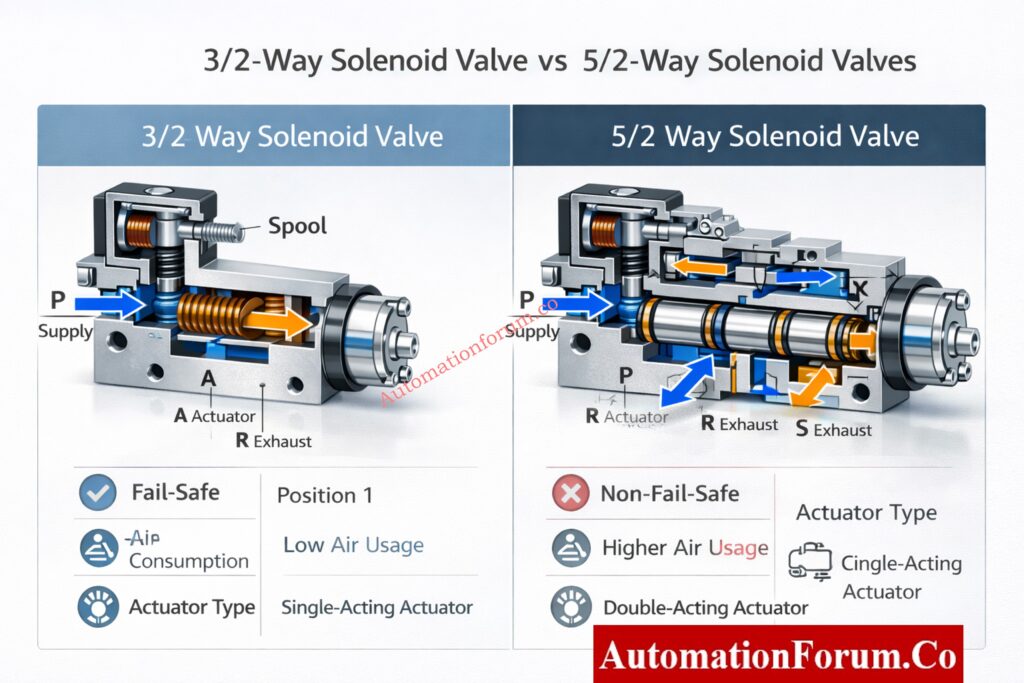
Key Differences Between 3/2-Way and 5/2-Way Solenoid Valves
Parameter3/2-Way Solenoid Valve5/2-Way Solenoid Valve
Basic DefinitionA solenoid valve with three pneumatic ports and two positions, designed to supply and exhaust air to a single actuator port.A solenoid valve with five pneumatic ports and two positions, designed to alternately supply air to two actuator ports.
Number of PortsThree ports: Supply (P), Actuator/Output (A), Exhaust (R).Five ports: Supply (P), Actuator ports (A and B), Exhaust ports (R and S).
Number of PositionsTwo positions: energized and de-energized, each with a fixed air-flow path.Two positions: each position reverses the air flow between actuator ports A and B.
Actuator Type CompatibilityPrimarily used with single-acting actuators that have an internal spring return mechanism.Primarily used with double-acting actuators that do not rely on springs for movement.
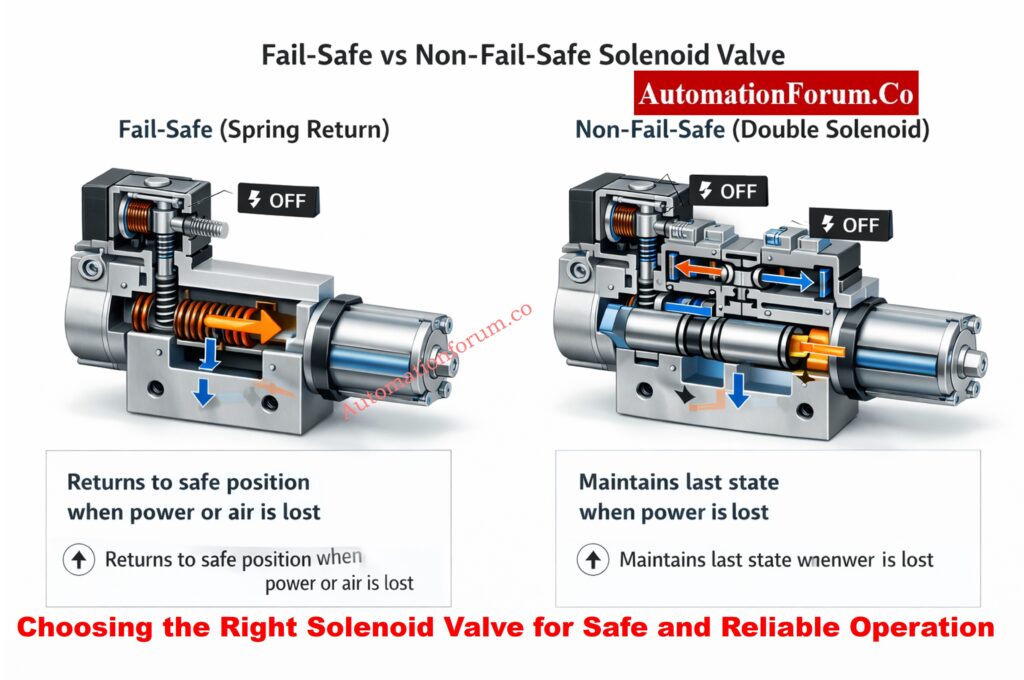
Fail-Safe BehaviorProvides true mechanical fail-safe action; loss of power or signal causes air to vent and the actuator to move to its spring-defined safe position.Does not provide inherent fail-safe behavior; actuator typically remains in last position unless external fail-safe logic is provided.
Response to Power FailureOn power loss, solenoid de-energizes, supply air is cut off, and actuator port is connected to exhaust.On power loss, valve may remain in last state (double solenoid) or return to default state (single solenoid), depending on design.
Response to Instrument Air FailureLoss of air supply causes immediate depressurization of actuator and spring return to safe position.Loss of air supply causes loss of actuator force; position depends on friction, load, and mechanical balance.
Directional Control CapabilityControls air in one direction only; suitable for simple open/close functions.Controls air in both directions, enabling full bidirectional actuator movement.
Air ConsumptionLow air consumption, as air is used only during actuation and is not continuously applied.Higher air consumption due to continuous pressurization of one side of the actuator.
Speed of ActuationGenerally slower for large actuators due to reliance on spring force for return.Faster stroking speed in both directions because air pressure actively drives both movements.
Force and Torque CapabilityLimited by actuator spring strength and available air pressure.Higher force and torque capability, suitable for large valves and high-friction applications.
Pneumatic Circuit ComplexitySimple tubing layout with fewer ports, easier installation and maintenance.More complex tubing with additional exhaust and actuator ports, requiring careful installation.
Safety Instrumented System (SIS) SuitabilityHighly suitable for SIS and ESD applications due to predictable venting and fail-safe behavior.Suitable for SIS only when combined with redundancy, accumulators, or external fail-safe mechanisms.
SIL Certification ImpactEasier SIL verification due to simpler failure modes and higher safe failure fraction (SFF).SIL verification is more complex and depends heavily on system design and diagnostics.
Typical Industrial ApplicationsEmergency shutdown valves, trip valves, blowdown valves, fail-safe isolation valves.Pneumatic cylinders, motorized dampers, high-speed automation and motion control systems.
Maintenance RequirementsLower maintenance due to fewer internal passages and simpler operation.Higher maintenance attention due to more internal flow paths and continuous air exposure.
Troubleshooting ComplexityEasy to troubleshoot; failures are usually obvious (no movement or no venting).More complex troubleshooting due to multiple flow paths and directional logic.
Common Failure ModesCoil failure, blocked exhaust, spring fatigue, air leakage at seals.Spool sticking, internal leakage, coil synchronization issues (double solenoid), exhaust restriction.
Manual Override UsageCommonly provided for commissioning and emergency operation.Often provided but requires careful use to avoid unintended movement.
Cost and AvailabilityGenerally lower cost and widely available in standard configurations.Higher cost due to increased complexity and additional components.
Typical Mounting StyleOften NAMUR-mounted directly on actuator for minimal tubing.Also available in NAMUR mounting, but tubing complexity remains higher.
Preferred by Instrument Engineers WhenA guaranteed safe position is required during any failure condition.Fast, powerful, and repetitive motion is more important than inherent fail-safe behavior.


Refer the below lin for Essential Control Valve Accessories for Stable & Reliable Process Control

From the perspective of an instrumentation specialist:

Choose a 3/2-way solenoid valve when:

  • A well-defined fail-open or fail-close position is necessary for the process.
  • The application is SIL-rated or safety-critical.
  • Speed is not as important as simplicity, dependability, and predictable behavior.

Choose a 5/2-way solenoid valve when:

  • Both directions of active movement are required of the actuator.
  • It requires a lot of force, speed, or cycling.
  • Instead of using mechanical springs, system-level design manages fail-safe behavior.

In applications with a SIL rating:

  • Solenoid valves are treated as final elements.
  • Failure modes must be predictable and testable.
  • 3/2 valves are often preferred due to inherent venting behavior.
  • 5/2 valves require:
    • Redundant solenoids
    • Partial stroke testing
    • External air failure logic

Emergency Shutdown Valve Signals Explained for Critical Process Safety: Signals for Emergency Valve Shutdown in Critical Processes

  • installing a manual override for testing and upkeep.
  • reducing tubing failures with solenoids mounted on NAMUR.
  • Adding exhaust silencers will help reduce pollution and noise.
  • ensuring that air filtration meets ISO 8573 requirements.

Partial Stroke Test (PST) Explained – Shutdown & Control Valve Safety Guide: What is Partial Stroke Test (PST)? A Complete Guide for Shutdown and Control Valves

The long-term performance of 3/2-way and 5/2-way solenoid valves in actual industrial settings is largely dependent on operating conditions, routine testing, and maintenance procedures. Ignoring these factors can make even a well-chosen solenoid valve a weak point.

Routine functional testing

  • To ensure that the actuator completely vents and instantly reaches its spring-return fail position, 3/2-way solenoid valves should be de-energized on a regular basis.
  • To ensure correct airflow switching, balanced exhaust, and smooth actuator movement without sticking or pressure drop, 5/2-way solenoid valves should be stroked in both directions.

Instrument air quality and filtration

  • One of the most frequent reasons for solenoid valve failure in plants is contaminated or wet instrument air.
  • Particularly in 5/2-way valves with more internal passages, oil mist, moisture, and particulates can result in spool sticking, slow response, or internal leakage.

Coil health and electrical integrity

  • It can be challenging to diagnose intermittent solenoid operation caused by coil overheating, voltage mismatch, or loose wiring.
  • Visual inspection and routine resistance checks aid in identifying early deterioration before failure happens.

Proof testing in safety applications

  • Proof test protocols for SIL-rated systems must include solenoid valves.
  • Maintaining compliance with IEC 61511 and plant safety standards requires precise documentation of response time, fail position, and venting behavior.

Instrumentation teams can greatly increase plant availability, safety integrity, and lifecycle reliability by viewing solenoid valves as essential assets rather than small accessories.

Why 24VDC Fails in the Field – Practical Signal Troubleshooting Guide: Why 24VDC is Not Always 24VDC – Real-World Troubleshooting for Analog and Digital Signals

Choosing the Right Solenoid Valve for Safe and Reliable Operation

Control Valve Passing After Overhaul? Root Cause Analysis & Fixes: How to Troubleshoot a Control Valve Passing Problem after Overhauling: Complete Root Cause Analysis
Selecting the Best Solenoid Valve for Dependable and Secure Operation

The decision between 3/2-way and 5/2-way solenoid valves is based on process safety, actuator performance, and long-term dependability rather than personal preference.

  • The foundation of safety and fail-safe systems is 3/2-way solenoid valves.-essential equipment
  • 5/2-way solenoid valves make automation strong, quick, and accurate.

The solenoid valve is always chosen by a skilled instrumentation engineer based on safety philosophy, actuator design, and process risk rather than convenience.

How to Prepare Control Valve Datasheets – Step-by-Step EPC Guide: How to Prepare Control Valve Datasheets: A Step-by-Step Procedure for EPC Instrumentation Engineers

For single-acting actuators, a 3/2-way solenoid valve with a spring return offers a natural fail-safe action.

 Double-acting actuators use a 5/2-way solenoid valve, which regulates air flow in both directions but lacks intrinsic fail-safe behavior.

A single-acting actuator with spring return is powered by a 3/2-way solenoid valve, a pneumatic valve with three ports and two positions.

DP Transmitter Installation & Removal Using 5-Way Manifold – Step-by-Step Guide: Step-by-Step Guide: Installing & Removing a DP Transmitter with a 5-Way Valve Manifold

Only one flow path (ON/OFF control) can be opened or closed by a two-way solenoid valve.

 Pneumatic actuators can be controlled by a 3-way solenoid valve because it can supply and exhaust air.

Only flow isolation is possible with a 2/2 valve, which has two ports.

Typically used for single-acting actuators, a 3/2 valve has three ports and is used to supply and vent air.

Double-acting pneumatic actuators, which require air pressure to move in both opening and closing directions, are controlled by a 5/2 solenoid valve.

By supplying air in one state and exhausting it in another, a three-way solenoid valve allows for controlled motion and fail-safe operation.

Why Control Valve Characteristics Are Critical in EPC Instrumentation Design: Why Control Valve Characteristics Matter in EPC Instrumentation and Control Engineering

SCADA Communication Problems and How to Fix Them – A Complete Troubleshooting Guide for Automation Engineers

0
SCADA Communication Problems and How to Fix Them - A Complete Troubleshooting Guide for Automation Engineers

The operational core of modern industrial facilities is SCADA systems. Continuous and dependable communication between PLCs, RTUs, field devices, and SCADA servers is necessary for every value shown on an HMI, every alarm sounded, every trend recorded, and every report produced.

Communication issues are common engineering challenges in actual plants. Automation engineers encounter SCADA communication issues during commissioning, operation, and maintenance, which manifest as frozen values, delayed alarms, sporadic updates, and total loss of data visibility.

Experience in the field consistently demonstrates that SCADA software is rarely the primary cause. The majority of the time, network design, addressing errors, protocol mismatches, cabling issues, or PLC configuration changes are the root causes of failures.

Wireless Instrumentation Quiz – Test Industrial Wireless Knowledge: Advanced Wireless Instrumentation Quiz: Exploring Industrial Wireless Communication and Protocols

 SCADA Communication

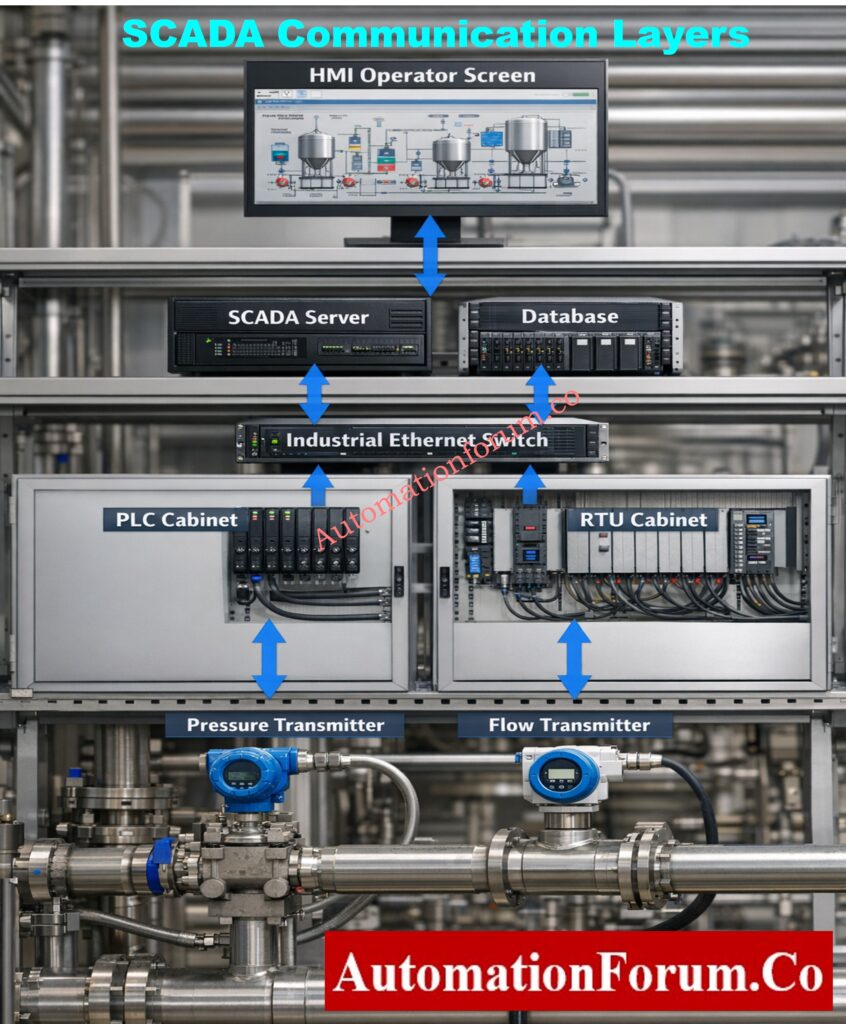
Physical wiring and network hardware are the first technical layers in SCADA communication, followed by protocols and PLC firmware, servers, databases, and visualization software. The entire data path is disrupted by a vulnerability at any layer.

Because of this, SCADA troubleshooting must always be done from the bottom up. Engineers who start with PLC configuration and physical connectivity solve problems more quickly and steer clear of needless modifications to SCADA applications that are frequently operating as intended.

Industrial Communication Protocols Explained – Automation & Instrumentation: Connecting the Industrial World: An Exploration of Communication Protocols in Automation and Instrumentation

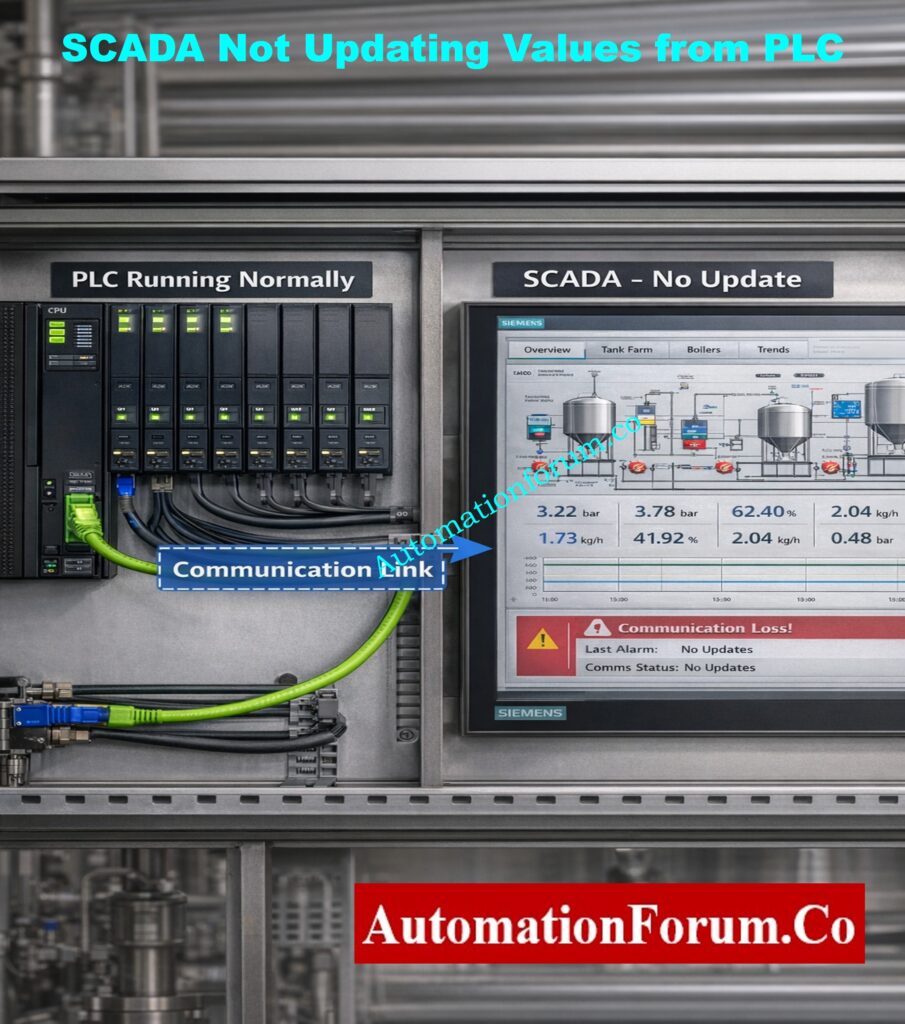
SCADA Is Not Updating Values from PLC
  • When live values are directly observed in the PLC programming or diagnostic environment, PLC logic operates as intended.
  • The static values displayed on SCADA or HMI screens do not accurately represent the state of the process.
  • Even though the communication status looks connected, the tag quality is either invalid or stale.
  • Ethernet and serial wiring are examples of physical communication channels that are broken, loose, or improperly terminated.
  • The SCADA communication driver contains an incorrect PLC IP address, rack/slot configuration, or device path.
  • Appropriate data exchange is hindered by the selection of an incompatible communication protocol or driver.
  • PLC communication ports are either blocked, disabled, or allocated to the wrong network segment.
  • Ping the PLC from the SCADA server or engineering workstation to confirm basic network connectivity.
  • Verify the communication parameters, addressing, and protocol choice between the SCADA and PLC.
  • To require driver reinitialization and reconnection, restart SCADA communication services.

Field Tip

Changes to the SCADA configuration will never fix the problem if the PLC cannot be accessed at the network level.

Foundation Fieldbus Quiz – Advanced Test for Instrumentation Engineers: Test your Knowledge on Foundation Fieldbus Communication Protocol: Advanced Quiz for Instrumentation Engineers

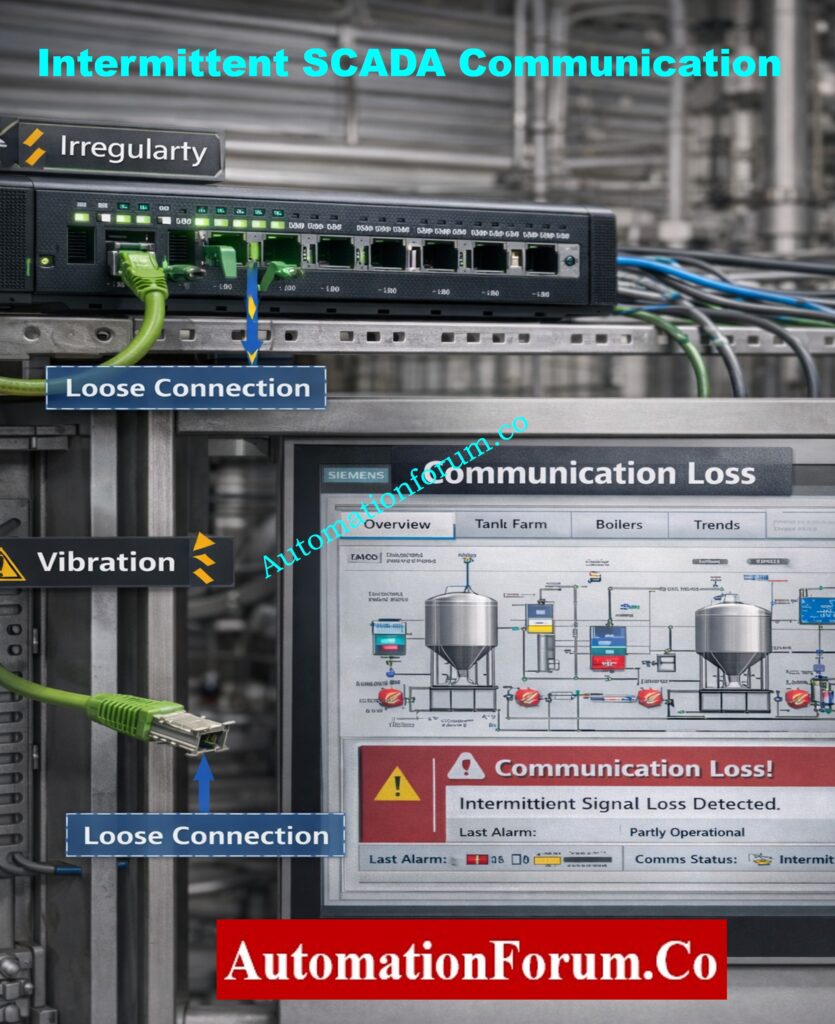
Intermittent SCADA Communication (Values Come and Go)
  • SCADA values update correctly for a period and then stop updating without any operator action.
  • Communication alerts are intermittent and self-explanatory.
  • Gaps, broken lines, or irregular sampling intervals are present in trend displays.
  • Operators encounter erratic system behavior that fluctuates with load or time.
  • Patch cords, terminal blocks, and Ethernet connectors are oxidized, loose, or vibration-affected.
  • Network switches are deteriorating because of age, heat, dust, and problems with power quality.
  • Signal loss and packet retransmissions are introduced by long cables.
  • Instead of repeatedly reseating suspect cables and connectors, replace them.
  • Make use of industrial-grade switches made to run continuously in challenging conditions.
  • Steer clear of wireless communication for safety signals and crucial process control.
  • Check for packet loss, retries, or CRC errors in the PLC and switch diagnostics.

Field Tip

Almost always, intermittent communication is a sign of a hardware or physical issue.

Industrial Communication Protocol Interview Q&A – PLC, DCS & SCADA: Industrial Communication Protocol Interview Questions and Answers

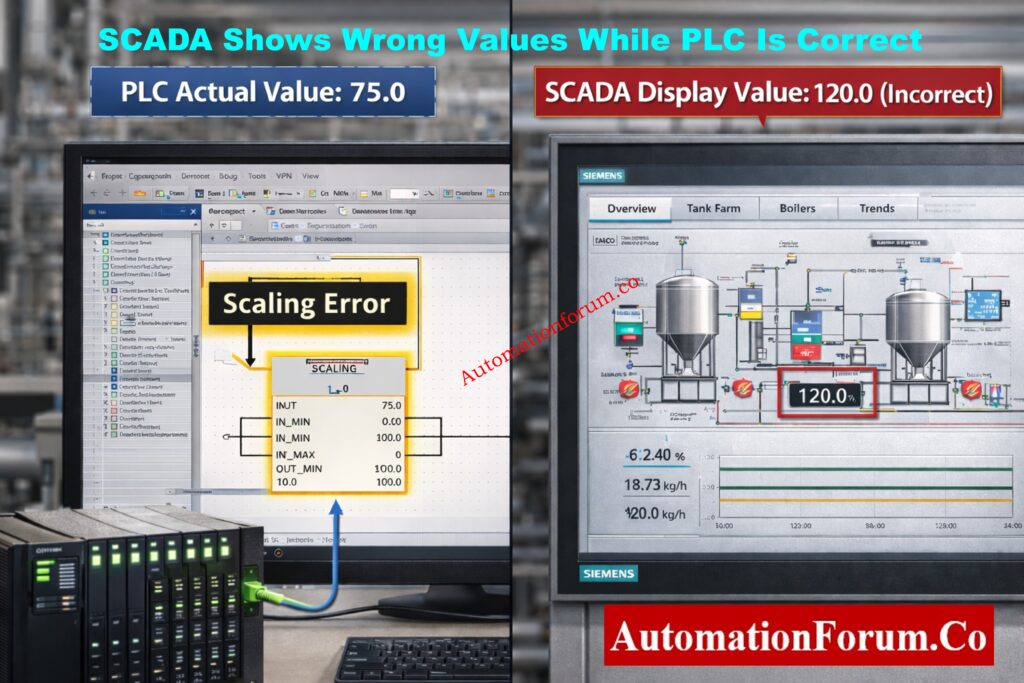
SCADA Shows Wrong Values While PLC Is Correct
  • PLC monitoring verifies the accuracy and stability of the process value.
  • For the same measurement, SCADA shows a different numerical value.
  • Operators start depending more on local indicators and lose faith in SCADA data.
  • The PLC reading is verified by manual devices or transmitters.
  • incorrect conversion factors or scaling equations set up in the SCADA tag.
  • PLC logic and SCADA configuration are different engineering units.
  • The SCADA tag is mapped to the wrong memory location or PLC register.
  • Inaccurate numerical interpretation results from data type mismatches.
  • Check for accurate tag mapping in SCADA and PLC memory addresses.
  • Verify that engineering limits correspond with PLC configuration by reviewing scaling parameters.
  • Before applying any scaling, compare the raw PLC and raw SCADA values.
  • Verify that the word alignment, byte order, and data type settings are correct.

Field Tip

Scaling is nearly always the problem when engineering values differ but raw values match.

Why 250-Ohm Resistor Is Mandatory in HART Communication: Why is a 250-Ohm Resistor Important for HART Communication?
SCADA Communication Timeout Errors
  • Timeout or poor communication alarms are frequently reported by SCADA.
  • The screen refreshes slowly and irregularly.
  • Sometimes alarms are missed or delayed.
  • There is a lag between process change and visualization for operators.
  • The same network segment is shared by an excessive number of PLCs or field devices.
  • Automation communication is in competition with high background traffic.
  • Polling rates are set up more quickly than the PLC or network can handle.
  • Communication processing tasks consume PLC scan time.
  • To account for network latency, increase the communication timeout settings.
  • Instead of using defaults, optimize polling intervals based on process criticality.
  • Use VLANs or physically distinct networks to divide automation traffic.
  • Cut back on pointless communication blocks and tag polling.

Field Tip

Maximum polling speed does not equal better performance; stability is more important.

Fieldbus vs HART – Complete Communication Protocol Comparison: Difference Between Fieldbus and HART Communication Protocols: Complete Comparison Guide for Process Automation Engineers

IP Address Conflict in SCADA Network
  • Unpredictably, PLCs or SCADA nodes disconnect and reconnect.
  • Communication breakdowns happen without any configuration adjustments.
  • The devices that are active affect the stability of the network.
  • Several automation devices are given duplicate static IP addresses.
  • On control networks, DHCP servers are inadvertently active.
  • outdated or insufficient network documentation.
  • Look for duplicate IP addresses by scanning the network.
  • Give all PLCs, SCADA servers, and HMIs fixed, documented IP addresses.
  • On networks used for industrial automation, disable DHCP.
  • Keep a centralized IP address registry up to date.

Field Tip

One of the SCADA problems that takes the longest to diagnose is IP conflicts.

SCADA Applications Explained – Where and How SCADA Is Used: Applications of SCADA

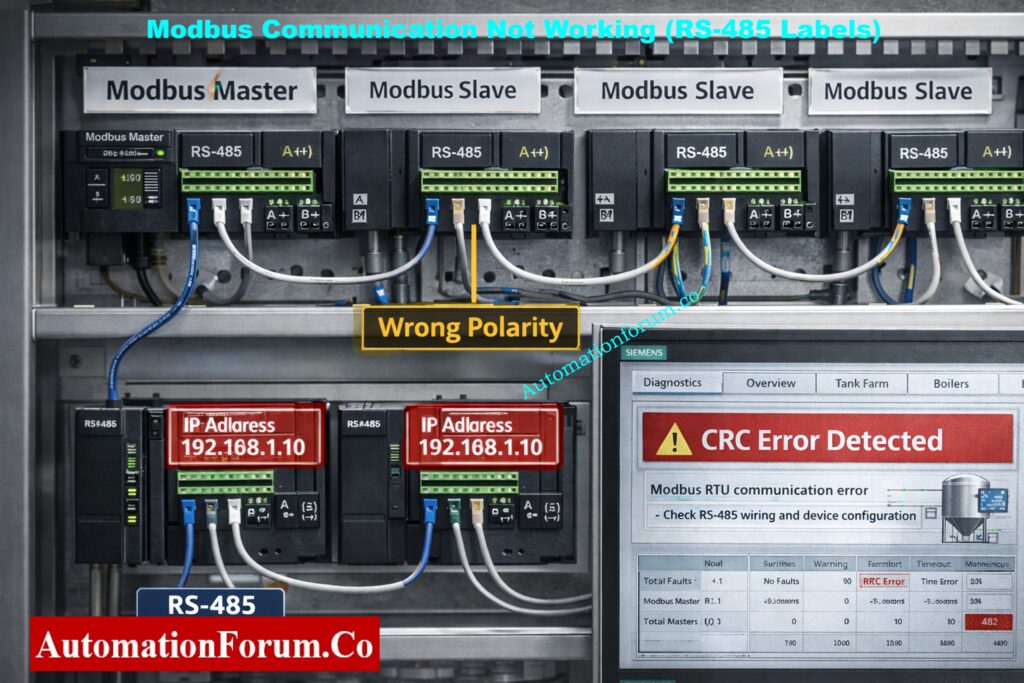
Modbus Communication Not Working in SCADA

Particularly in utilities, water treatment facilities, energy systems, and legacy installations where Modbus RTU or Modbus TCP are extensively utilized, Modbus communication problems are very prevalent.

  • For Modbus devices, SCADA displays “No Response” or “Communication Failure.”
  • Every Modbus tag shows erratic, maximum, or zero values.
  • The quality of communication fluctuates between good and bad.
  • CRC, framing, or timeout errors are displayed in diagnostic logs.
  • Inaccurate slave ID set up in SCADA or repeated on several devices.
  • mismatch between the master and slave devices in terms of Baud rate, parity, or stop bit.
  • Incorrect termination or reversal of RS-485 A/B polarity.
  • Electrical noise or poor grounding can interfere with serial communication.
  • Make sure that all devices have the same slave ID, baud rate, parity, and stop bits.
  • Verify the polarity of all RS-485 wiring, including junction boxes.
  • At both ends of the RS-485 network, install termination resistors.
  • Prior to SCADA, test communication using independent Modbus diagnostic tools.

Field Tip

Every parameter in Modbus networks needs to match precisely. The entire link is broken by a single incorrect setting.
Types of SCADA Architecture – Centralized, Distributed & Networked: Different Types of SCADA System Architecture

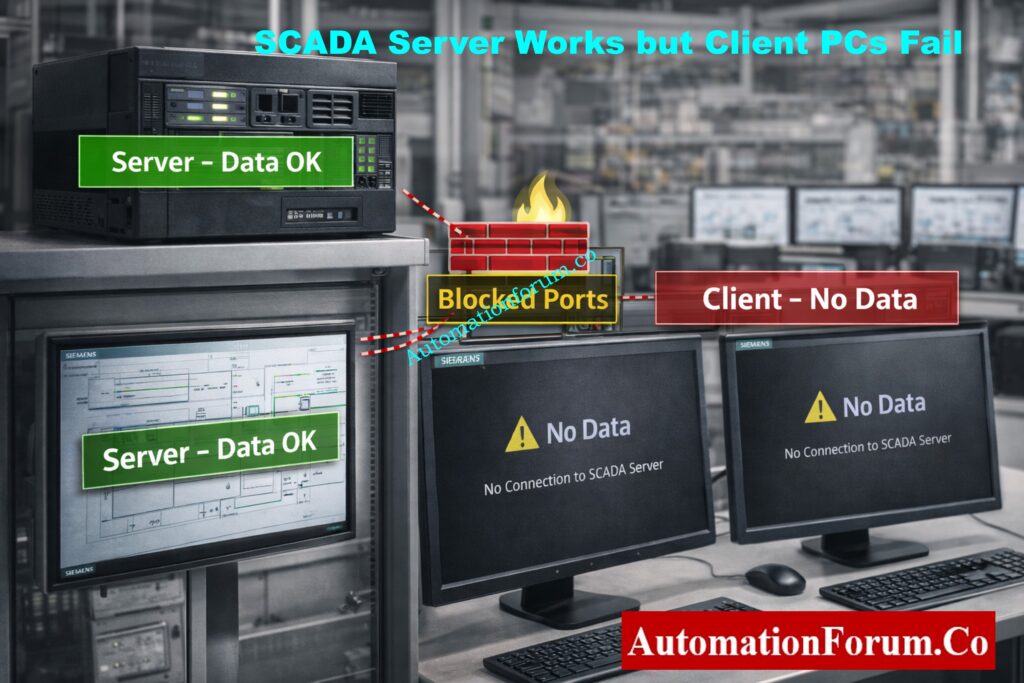
SCADA Works on Server but Not on Client PCs

This issue frequently arises in client-server or thin-client distributed SCADA architectures.

  • The SCADA server shows accurate, real-time data without any problems.
  • Operator client stations display no data, frozen values, or poor quality.
  • Restarting clients won’t fix the problem.
  • Required ports between clients and servers are blocked by firewall rules.
  • Remote access is limited by OPC, DCOM, or SCADA security permissions.
  • Licensing restrictions or client connection limits are surpassed.
  • problems with DNS resolution or network routing between clients and servers.
  • Check the firewall rules on the client and server systems.
  • Verify the permissions for remote access in the OPC or SCADA security settings.
  • Verify client licenses and the maximum number of connections permitted.
  • Use localhost access, hostname, and server IP to test communication.

Field Tip

Usually, network security or IT policy rather than SCADA logic is the problem when the server functions but the clients don’t.

Network Switch Requirements for SCADA & DCS Architectures: Network Switches requirements in “SCADA” and “DCS” Architecture

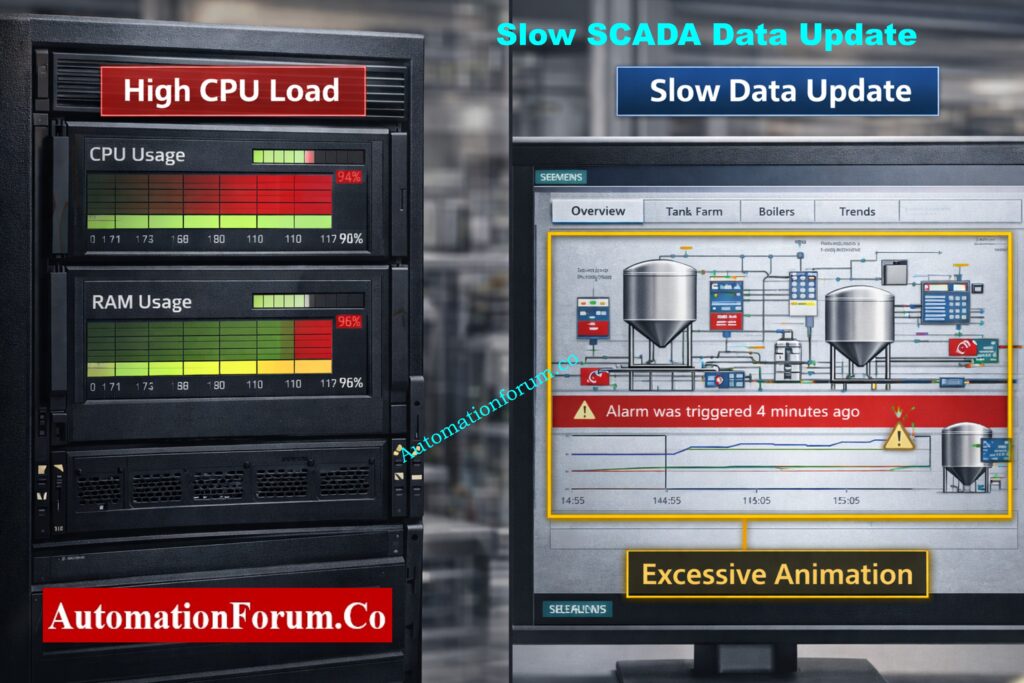
SCADA Data Update is Very Slow

Slow data updates raise operational risk and lower operator awareness.

  • Values are updated several seconds after changes in the actual process.
  • Real-time process behavior is faster than trend displays.
  • Alarms are either out of order or arrive late.
  • The system feels “heavy” or unresponsive, according to operators.
  • screens that are overflowing with scripts, animations, and graphics.
  • Many tags are being scanned at excessively high speeds.
  • inadequate SCADA server CPU, RAM, or disk performance.
  • Excessive data loading is a result of a poor project structure.
  • Eliminate superfluous animations and simplify graphics.
  • Instead of using defaults, modify scan rates according to the significance of the process.
  • Upgrade your hardware, particularly your SSD and memory.
  • Projects should be arranged so that only necessary data loads on each screen.

Field Tip

SCADA performance is more than just a hardware problem; it is an engineering responsibility.

Advanced SCADA Quiz – Test Your SCADA System Knowledge: Advanced SCADA Systems Quiz

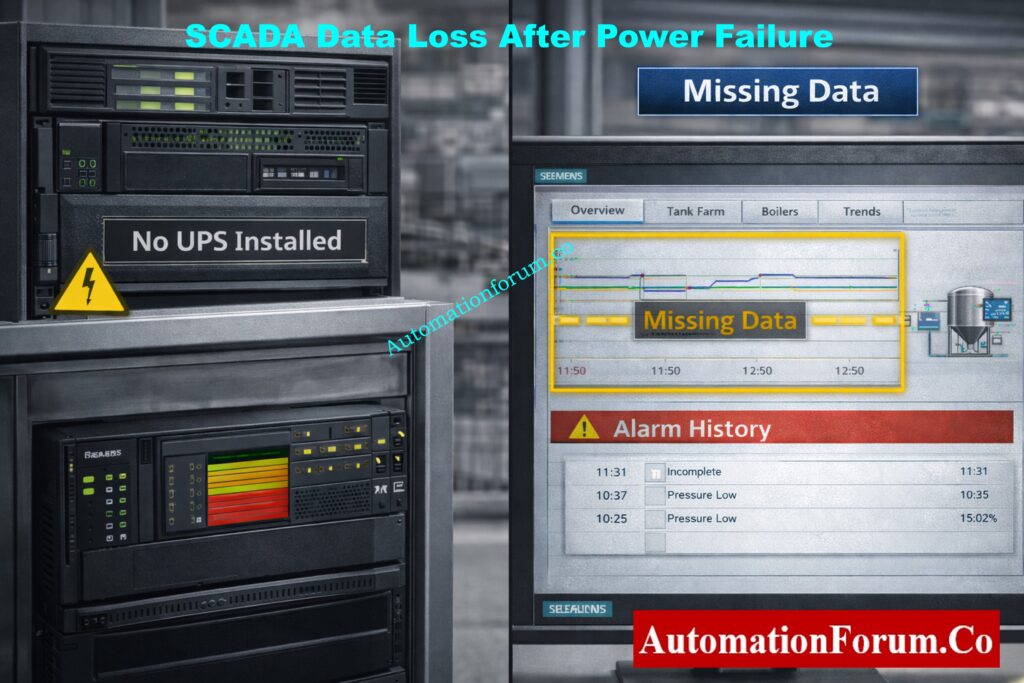
SCADA Loses Data During Power Failure

Reporting, compliance, and root-cause analysis are all directly impacted by this problem.

  • After power is restored, trend gaps manifest as symptoms.
  • The alarm history is either missing or insufficient.
  • Reports display data that is corrupted or missing.
  • Operators no longer have access to historical data.
  • Uninterruptible power supplies are not used to protect SCADA servers.
  • When there is a power outage, databases suddenly shut down.
  • No historian configuration or automatic backup.
  • Install UPS systems sized for controlled shutdown or ride-through.
  • Configure automatic database backup and recovery.
  • Use a dedicated historian for long-term data retention.
  • Periodically test backup and restore procedures.

Field Tip

No matter how good the software is, SCADA cannot ensure data integrity without UPS protection.

SCADA FAT Checklist – Step-by-Step Factory Acceptance Test Guide: Factory Acceptance Test (FAT) Activities for SCADA System: Step-by-Step Checklist

This issue often arises during maintenance, upgrades, and commissioning.

  • Before downloading the PLC program, SCADA communication was operational.
  • All tags display poor quality or no updates after download.
  • Complete loss of visibility is reported by operators.
  • During download, the PLC IP address or network configuration was altered.
  • Data blocks or memory addresses were changed or reconstructed.
  • The default values of the communication parameters are restored.
  • The communication configuration was not restored when the PLC restarted.
  • Recheck the gateway, subnet, and IP address of the PLC.
  • Verify that the updated PLC memory corresponds with the SCADA tag mapping.
  • PLC and SCADA communication services should be restarted.
  • If necessary, reload or rebuild the communication drivers.

Field Tip

Prior to downloading any programs, always make a backup of the PLC.

ICS/SCADA OT Cybersecurity Self-Assessment – NIST-Based Practical Guide: ICS/SCADA OT Cybersecurity Self-Assessment: NIST-Based Procedure for Critical Infrastructure

SCADA communication issues are not software mysteries; rather, they are engineering issues. Automation engineers who are knowledgeable about networking, protocols, addressing, and performance tuning solve issues more quickly and create long-lasting systems.

Mastering SCADA communication troubleshooting makes you:

  • Faster during breakdowns
  • Stronger during commissioning
  • More confident during audits
  • More valuable as an automation engineer

SCADA vs HMI Explained – Key Differences, Functions & Real-World Uses: SCADA vs. HMI: Complete Guide to Differences, Functions and Applications

SCADA not updating values from PLC, sporadic communication loss, timeout errors, incorrect data display, Modbus failures, and IP address conflicts are the most frequent SCADA communication issues. Network or PLC configuration issues are typically the source of these problems.

Wired communication (Ethernet, fiber, RS-232, RS-485), wireless communication (radio, cellular, satellite, Wi-Fi), and industrial protocols (Modbus, DNP3, OPC, Profibus, Profinet, Ethernet/IP) are all included in SCADA communication.

Unauthorized access, a lack of encryption, weak authentication, malware attacks, network intrusion, and inadequate network segmentation are common SCADA communication security problems, particularly in legacy systems.

Incorrect IP addresses, incorrect tag addressing, disabled PLC communication ports, network cable issues, or firewall limitations can all cause SCADA to display “No Data.”

Physical network connectivity should be checked first, followed by IP addressing and protocol settings verification, PLC communication status confirmation, and SCADA tag configuration review.

SCADA Security Checklist – 30+ Must-Follow Cyber Protection Tips: SCADA Security Checklist: 30+ Essential Tips for Securing Critical Infrastructure

Alarm & Trip Setpoint List in Instrumentation Engineering: The Most Critical Document for Plant Safety

0
Alarm & Trip Setpoint List in Instrumentation Engineering: The Most Critical Document for Plant Safety

There are thousands of alarms and trips in every process plant that keep workers, property, and production safe. The alert & Trip Setpoint List is the master document that silently controls how the plant reacts to unusual situations. It is behind every alert and shutdown action.

This paper is not simply another spreadsheet for instrumentation and control experts that work in design engineering. It is the only place where safety studies and real-world control system behavior meet. Any flaw in its conception, review, implementation, or maintenance leads to operational risk right away.

This article talks about why the Alarm & Trip Setpoint List is so important, how it fits into the design process, and what design engineers need to do to make sure it really keeps the plant safe.

Complete List of Instrumentation Engineering Drawings You Must Know: Types of Engineering Drawings and Documents used in Instrumentation

What Is an Alarm & Trip Setpoint List in Instrumentation and Control Systems?

An Alarm & Trip Setpoint List is a regulated engineering document that tells a control system when to warn operators and when to take precautionary action on its own.

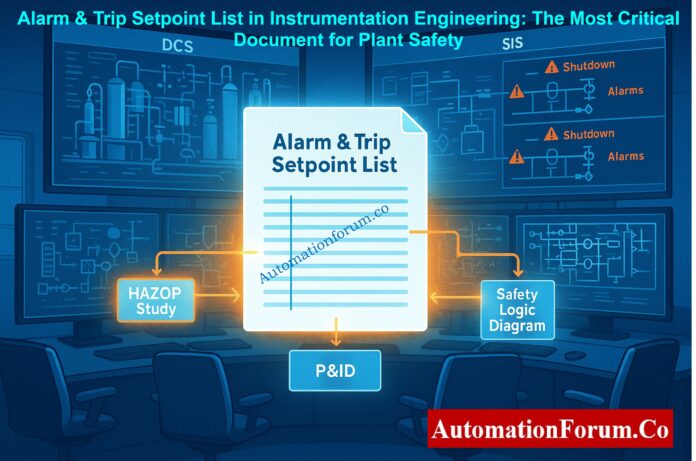
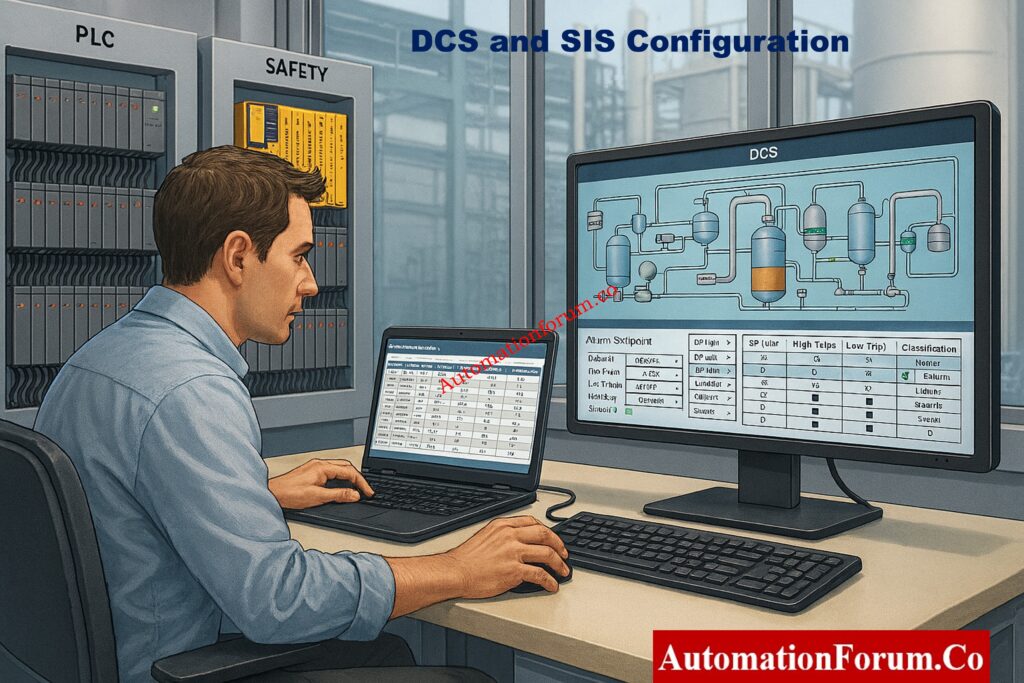
It keeps track of all the approved alarm and trip limits that come from safety and process design studies. It also makes sure that these limits are correctly put into the Distributed Control System (DCS) and Safety Instrumented System (SIS). This paper is the guide for design, commissioning, operation, and managing change.
82 Must-Have Instrumentation & Control Documents (Ultimate Checklist): 82 Essential Drawings and Documents for Instrumentation and Control Engineers

Alarm setpoints are preset levels at which a process variable goes outside of normal operating conditions and needs the operator’s attention. They give you a heads-up and time to fix the problem.

Trip setpoints are very important safety restrictions. When they go over a certain limit, they automatically start precautionary procedures like shutting down or isolating without the operator having to do anything.

The Alarm & Trip Setpoint List makes it clear where alarms end and trips begin, making sure that warnings are sent out on time and protection is reliable.

The Alarm & Trip Setpoint List is the guide for setting up control systems.

It sets alarm limits, priorities, and messages in the DCS.

 It sets the safety trip thresholds and the points at which the SIS will shut down.

Control engineers use this document to make sure that the system’s configuration matches the approved design intent exactly.

Every alarm and trip set up in the DCS and SIS must be able to be traced back to this document, which is why it is called the single source of truth.

If the list doesn’t match the live system, there are hidden safety risks. Strict control and good change management make sure that safety studies, system configuration, and plant operation are all in sync.

While the project is going on, safety decisions are made in papers like:

  • Hazard and Operability Studies (HAZOP)
  • Safety Requirement Specifications (SRS)
  • Cause and Effect Matrices
  • Process design calculations

If that bridge breaks, the safety intent never gets to the control system.

Alarm setpoints with poor design lead to::

  • Nuisance alarms
  • Repeated alarm floods
  • Operators ignoring alarms altogether

An appropriately designed setpoint list guarantees that alarms are:

  • Meaningful
  • Actionable
  • Timely

This immediately enhances operator response and lowers the probability of incidents in unusual circumstances.

Safety drift, which occurs when documentation and actual system configuration gradually diverge, is one of the most hazardous failure modes in a plant.

Little adjustments add up if the Alarm & Trip Setpoint List is not strictly controlled:

  • Alarm limits adjusted during operations
  • Temporary bypasses never reversed
  • Trip values modified without proper approval

The plant may eventually lose its original level of protection.
Calculate Fire Detector Coverage Accurately with This Professional Tool: Fire Alarm Detector Coverage Calculator – Professional Excel Tool for Accurate Detector Placement

Alarm vs Trip in Control Systems: Key Differences Every Engineer Must Know

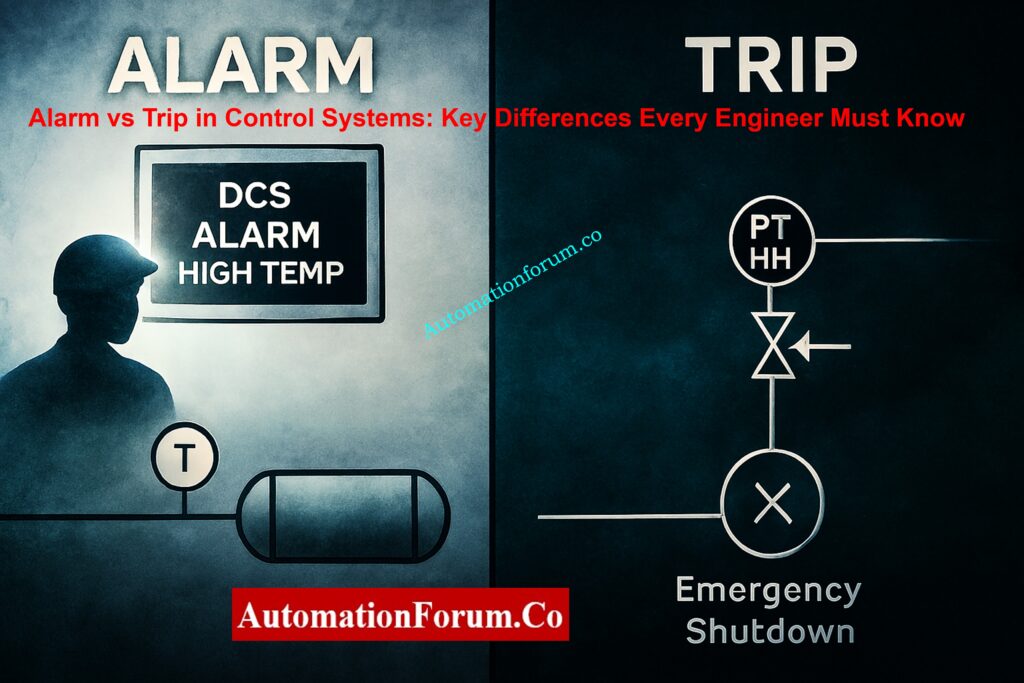
An alarm is a notification to the operator that a process variable has gone beyond its typical operating range and needs to be attended to.

Key characteristics:

  • No automatic shutdown
  • Requires operator response
  • Designed to give time for corrective action

Examples include:

  • High temperature alarm
  • Low flow alarm
  • High vibration alarm

An automatic safeguard that puts machinery or the procedure in a secure state is called a trip.

Key characteristics:

  • Automatic action
  • No operator intervention required
  • Used when consequences are severe or response time is short

Examples include:

  • High-high pressure trip
  • Low-low level trip
  • Emergency shutdown trip

The Alarm & Trip Setpoint List makes it very evident where the trip starts and the alarm ends.
DCS Alarm Management Checklist for Safer & Smarter Operations: DCS Alarm Management Checklist

A single process variable that needs to be watched over or protected is represented by each entry in an Alarm & Trip Setpoint List. The document ensures that alarms and trips are precisely defined and uniformly applied throughout the control system by capturing both operational and safety-related limits.

Each line item starts with a distinct instrument tag number and a concise service description. This guarantees clear identification of the process variable and its role in the plant. Traceability between P&IDs, control system databases, and safety documentation depends on accurate tagging.

Each process variable’s typical operating value or range is recorded in the setpoint list. In addition to helping engineers confirm that setpoints are neither too near to typical operation nor outside of safe design bounds, this gives context for alarm and trip limits.

The high, low, high-high, and low-low values of all relevant alarm and trip thresholds are specified. While trip setpoints specify the moments at which automatic protective measures are triggered, alarm setpoints offer early warning of abnormal conditions.

Every alarm is given a priority level according to its impact and the time it takes for an operator to respond. Operators can promptly recognize critical alarms and respond appropriately in abnormal situations when prioritization is done correctly.

The engineering justification is recorded for each alarm and trip setpoint. This provides an explanation for the value’s selection, citing equipment limitations, process limits, or safety study results. For design engineers, knowing the rationale behind a setpoint is just as crucial as the value itself, especially when it comes to reviews, audits, and upcoming changes.
Understanding Alarm, Trip Point & Priority in Control Systems: What are alarm, trip point, and alarm priority in DCS & PLC?

Alarm & Trip Setpoint List Lifecycle in Design Engineering

Long before the control system is configured, the lifecycle starts.

Data is gathered by design engineers from:

This stage establishes what needs to be safeguarded and what deviations are not acceptable.

It is inevitable that missing inputs at this point will result in later trips or missed alarms.
HMI Alarm Management Guide for Operators & Engineers: Human Machine Interface Alarms (HMI Alarms)

Every instrument tag is assessed and assigned during development:

  • Alarm limits based on operational boundaries
  • Trip limits based on safety boundaries
  • Appropriate alarm priority

This is where engineering judgment plays a major role. Setpoints must balance:

  • Safety margins
  • Process variability
  • Instrument accuracy
  • Operator response capability

It is imperative for design engineers to avoid mindlessly replicating values from previous projects. Every plant is different.

Review is a safety barrier, not a formality.

Ensures that:

  • Values are correctly transcribed
  • Units are consistent
  • No tags are missing or duplicated

Ensures that:

  • Setpoints make sense for the actual process
  • Alarms are not too close to normal operation
  • Trips occur before equipment or process limits are exceeded

This phase requires multi-discipline involvement, including process, operations, safety, and control engineers.

Process Switches & Alarms Explained for Industrial Applications: Process switches and alarms

DCS Alarm and SIS Trip Configuration

The setpoint list becomes the configuration reference after it is authorized.

It is used by control engineers to:

  • Configure alarms in the DCS
  • Configure trips in the SIS
  • Assign alarm priorities
  • Define alarm messages

Risk is introduced by any discrepancy between the list and the actual configuration. One of the most frequent root causes of incidents is configuration without reference to the approved list.

The Alarm & Trip Setpoint List does not become outdated after commissioning.

It needs to:

  • Reflect every approved change
  • Be updated through formal Management of Change
  • Remain synchronized with the control system

The setpoint list must be updated first, or at least concurrently, if operations request alarm tuning or trip adjustments.

The plant loses control over its own safety logic when the list and system diverge.
Alarm Management Basics Every Control Engineer Must Know: What is Alarm management?

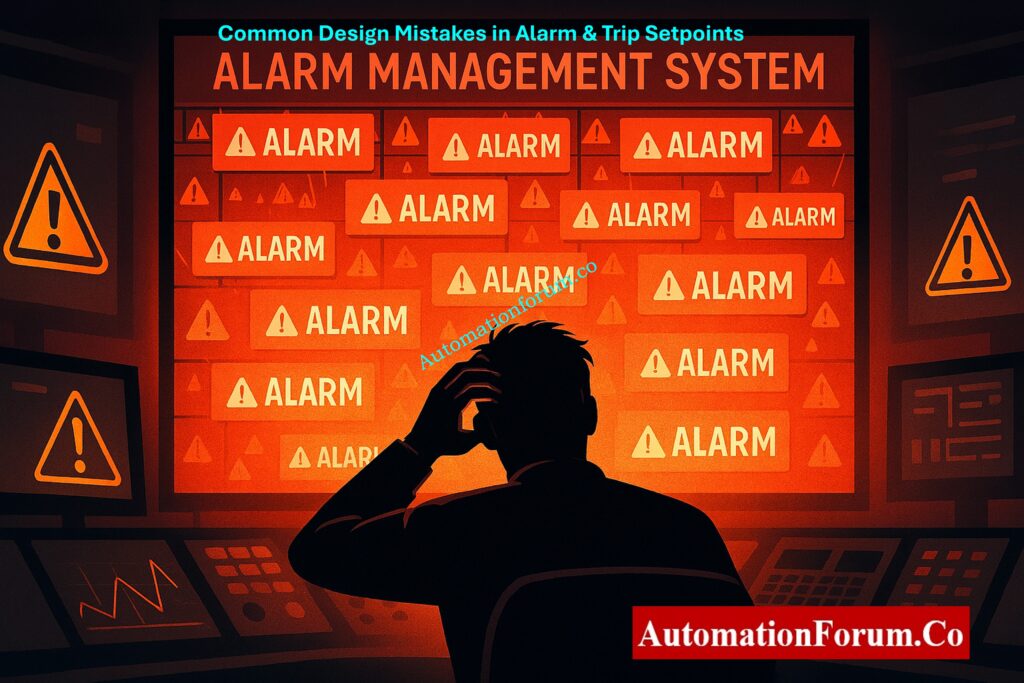
Common Design Engineering Mistakes in Alarm & Trip Setpoint Lists

Many projects mistakenly give control engineers exclusive ownership of the setpoint list. It is actually a process safety document with control implementation.

When values are reused without comprehending the new process conditions, it frequently results in:

  • Nuisance alarms
  • Unsafe margins
  • False confidence in protection

The goal of prioritization is defeated when too many high-priority alarms are assigned. Operators need to know right away which alarms require immediate attention.

Justification Unjustified setpoints lead to misunderstandings during audits, troubleshooting, and future changes.
Complete Guide to Process Alarms in Control Systems: Guide to Industrial Process Alarms in Control Systems: Types, Classifications, and Management Methods

Alarm management is a quantifiable and auditable safety function in contemporary process facilities. Throughout the plant lifecycle, organizations must show that alarms and trips are appropriately planned, justified, implemented, and maintained. In order to fulfill these expectations, the Alarm & Trip Setpoint List is essential.

Metrics like alarm rates, standing alarms, and alarm floods are used to continuously monitor alarm performance. The Alarm & Trip Setpoint List is frequently the first document examined during audits and incident investigations to confirm that configured alarm limits match authorized engineering values and that each alarm has a specified purpose and response.

Traceability from safety studies to system configuration is becoming more and more important to regulatory bodies and functional safety standards. The Alarm & Trip Setpoint List offers documented proof that each setpoint has a distinct safety rationale and that alarm and trip limits are derived from HAZOP, SRS, and risk assessments.

Preserving lifecycle traceability is essential with contemporary digital alarm management systems. Alignment between engineering documentation, DCS and SIS databases, and operational modifications is guaranteed by the Alarm & Trip Setpoint List. Through change management, it facilitates controlled updates and guards against unrecorded changes that could eventually compromise plant safety.
How Permissive Logic and Interlocks Protect Industrial Systems: Understanding Permissive Logic and Trip Interlocks in Industrial Systems

The Alarm & Trip Setpoint List is an engineering duty for instrumentation and control design engineers, not just a documentation deliverable. Each alarm and trip that is set up in a control system is an intentional design choice that has an immediate impact on operational integrity and plant safety.

This document’s ownership guarantees that safety intent is appropriately converted into executable control logic and preserved over the course of the plant’s lifecycle.
How Heartbeat Technology Improves Instrument Reliability: Heartbeat Technology in Process Instrumentation – Complete Working, Diagnostics, Verification & Predictive Maintenance Guide

Every alarm and trip setpoint represents a crucial engineering decision, such as how long an operator has to react, when automatic protection needs to step in, and how equipment is protected in unusual circumstances. It is the responsibility of design engineers to make sure that these choices are supported by safety studies, technically sound, and justified.
Alarm and trip limits run the risk of becoming arbitrary values rather than designed safety barriers in the absence of clear ownership.

Alarm and trip setpoint lists that are well-designed reduce nuisance alarms, prevent incidents, and increase operator effectiveness. Setpoints that are properly defined prevent needless shutdowns while guaranteeing quick protection in dangerous circumstances. On the other hand, poorly managed setpoints can result in conditions that greatly raise operational risk, such as alarm floods, missed warnings, or delayed trips.

Long-term advantages of proper alarm and trip setpoint management include enhanced safety performance, more seamless operations, and simpler audits. Design engineers make sure that trips take action when necessary and alarms sound when they should by adhering to the Alarm & Trip Setpoint List’s lifecycle, accuracy, and purpose.

A plant might be able to withstand equipment failure, but it might not be able to withstand a missed trip or a malfunctioning alarm. When properly designed, the Alarm & Trip Setpoint List silently guards the plant every minute of every day.
Smart Instrument Maintenance Checklist with Cybersecurity Focus: Advanced Integrated Field Instrument Reliability & Cyber-Secure Maintenance Checklist for Smart Process Plants

Alarm & Trip Setpoint List Design Checklist for Instrumentation Engineers(Free Download)

To guarantee that the safety intent specified during HAZOP and SRS studies is appropriately implemented in the DCS and SIS, a well-maintained Alarm & Trip Setpoint List is essential. This downloadable Excel checklist offers an organized, lifecycle-based verification tool to assist instrumentation and control engineers throughout the design, review, implementation, and MOC phases.
PLC vs DCS: Key Differences, Applications & Selection Guide: PLC vs DCS – Which One Should you Choose for your Automation System?

The checklist, which was created especially for design engineering projects, aids in avoiding typical problems like missing alarms, inaccurate setpoints, inadequate prioritization, and documentation drift between operations and engineering.

It can be used for audits, operational handover, FEED, detailed engineering, FAT, and SAT.

Download the Alarm & Trip Setpoint List Design Checklist (Excel):

An engineering document that enumerates all alarm and trip setpoints for process instruments is called an alarm and trip schedule. As a guide for DCS and SIS configuration, it specifies when alarms notify operators and when trips start automated safety measures.

When a critical limit is exceeded, a trip signal—an automatic control or safety signal forces machinery or a process into a safe state without the need for operator intervention.

There are three typical kinds of alarms:

  • High alarms: Show values that are higher than usual
  • Low alarms: Show values that are below typical ranges
  • Status or deviation alarms: Show unusual signal or equipment conditions

Safety system redundancy is provided by Trip A and Trip B. They serve as separate trip routes to guarantee that security is preserved even in the event of a channel failure.

Staged protection levels are represented by Trip 1 and Trip 2. While Trip 2 initiates a more severe or final shutdown to safeguard the plant, Trip 1 starts an early or controlled action.

How to Read HART Diagnostics for Faster Field Troubleshooting: Types of Fire and Types of F&G Detectors Used in Process Industries: Gas Detectors – Working Principles and Industrial Applications

Logic Gates Explained with Truth Table Animated Simulator (PLC & Instrumentation Guide)

0
Logic Gates Explained with Truth Table Animated Simulator (PLC & Instrumentation Guide)

Digital systems are the most important parts of modern automation, control systems, PLCs, embedded electronics, and industrial instrumentation. Logic gates are the simple yet powerful idea that all of these systems are based on. People generally learn about logic gates through static diagrams and tables, but the best way to comprehend them is to see them work.

That is exactly where the Gate Logic with Truth Table Animated Simulator becomes extremely valuable .

This interactive simulator shows how different logic gates react to diverse inputs in a way that is easy for students, engineers, and automation specialists to understand digital logic concepts with confidence.

Gates in PLC Programming with Truth Tables & Ladder Logic Examples: Logic Gates in PLC Programming: A Guide with Truth Tables and Ladder Logic Diagrams

Logic Gates Simulator
AUTOMATIONFORUM.CO
Your Trusted Source for Automation Power Tools & Solutions

⚡ Logic Gates Simulator

Input A
0
Input B
0

📊 Complete Truth Table

ABANDORNOT ANANDNORXORXNOR
AUTOMATIONFORUM.CO — Your Trusted Source for Automation Power Tools & Solutions

A logic gate is a simple digital circuit that takes one or more binary inputs (0 or 1) and does a logical operation on them to make one binary output. In digital systems, these gates help make decisions.

Logic gates are utilized in automation and control engineering for:

  • PLC ladder logic
  • Safety interlocks
  • Alarm logic
  • Motor permissive circuits
  • Digital electronics
  • Microcontroller programming

Every logic gate has its own truth table, which tells it how to act for every possible combination of inputs.

Step-by-Step PLC Ladder Logic for Automatic Liquid Mixing with Safety Interlocks: Step-by-Step PLC Ladder Logic for Automatic Liquid Mixing Process with Interlocks

Static diagrams and memory are two things that traditional ways of learning depend on a lot. The animated simulator, on the other hand, closes the gap between theory and practical comprehension.

With the Gate Logic with Truth Table Animated Simulator:

  • Inputs can be toggled live
  • Output changes are shown instantly
  • Truth tables update dynamically
  • Visual indicators improve conceptual clarity

This makes learning easier, faster, and much more fun, especially for people who are just starting out.

Equivalent Logic Gates Explained Using PLC Ladder Diagrams: Equivalent Logic gates used in PLC Ladder Diagram

Who Should Use This Logic Gate Simulator?

This logic gate truth table animated simulator is especially useful for:

This idea is quite frequent in PLC permissives, interlocks, and safety logic, where it’s important to keep equipment safe.
How Logic Gates Are Applied in PLC Ladder Logic (With Practical Examples): How various logic gates are used to do the ladder logic?

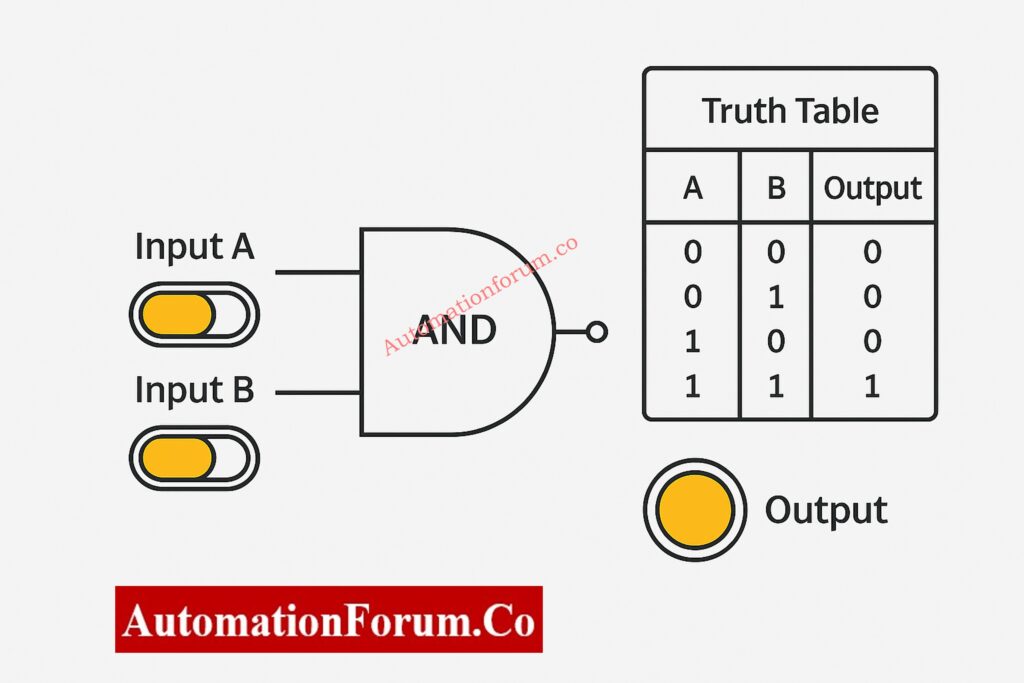
AND Gate - Logical Multiplication in Action

The behavior of the AND gate becomes quite clear when you see it in the animated simulator. The output indicator only goes ON when both input switches are ON. If any condition is absent, the output stays off, which visually reinforces the idea of logical multiplication.

This concept is extremely common in PLC permissives, interlocks, and safety logic, where equipment protection is critical.

Input AInput BOutput (A AND B)
000
010
100
111

When examined in the animated simulator, the AND gate behavior becomes quite intuitive. The output indicator only goes ON when both input switches are ON. Any missing condition keeps the output off, which helps to visually reinforce the idea of logical multiplication.

PLC Ladder Logic Mapping

  • AND gate → Series contacts
  • Used for permissive and interlock logic
  • Common in circuits for starting motors and enabling safety

Example 1: Motor Start Permissive Logic
In a pump control circuit, the motor is allowed to start only when: 

  • Lubrication oil pressure is OK
  • Motor overload relay is healthy

PLC logic representation:

Motor Start = Oil Pressure OK AND Overload Healthy

If even one condition fails, the motor cannot start, preventing mechanical damage.

Example 2: Control Valve Enable Logic
A control valve opens only if:

  • Instrument air pressure is available
  • DCS output command is present

This avoids unintended valve movement during air failure.

Example 3: Safety Interlock Systems
In SIS applications, AND logic ensures all safety conditions are satisfied before authorizing burner ignition, compressor start, or reactor operation.
Permissive Logic and Trip Interlocks Explained for Industrial Control Systems: Understanding Permissive Logic and Trip Interlocks in Industrial Systems

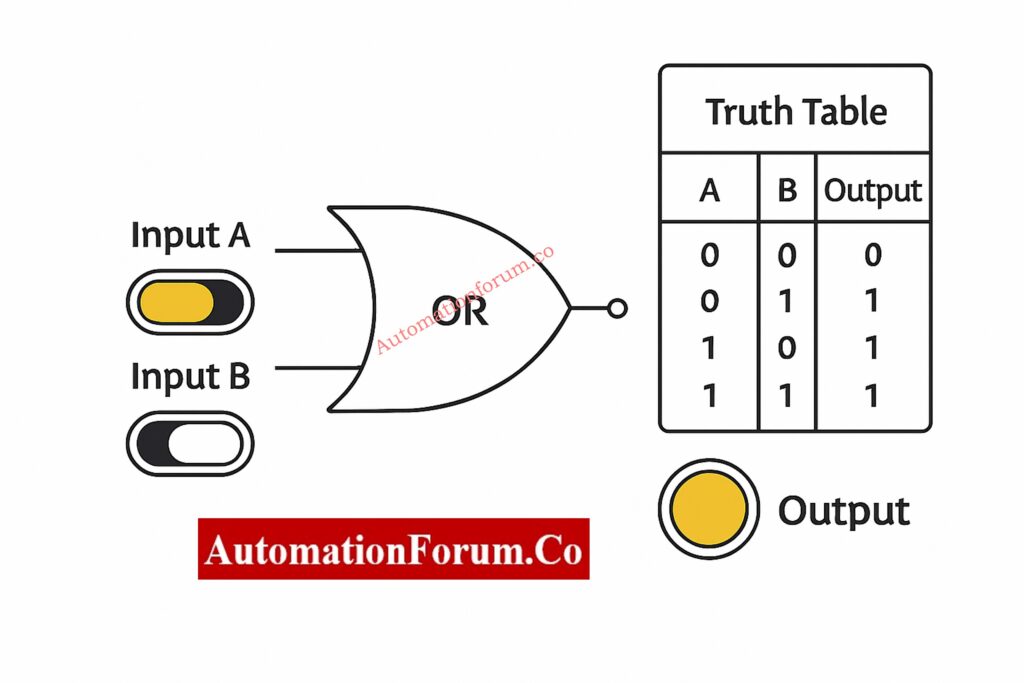
OR Gate - Logical Addition Made Simple

The OR gate outputs HIGH when at least one input condition is TRUE. In instrumentation systems, OR logic represents alternative pathways or redundancy, allowing action when any valid signal is present. 

Input AInput BOutput (A OR B)
000
01
101
111

In the simulator, switching either input on or off right away turns on the output. This makes it easy to tell the difference between OR and AND logic.

Example 1: Alarm Activation Logic
An alarm activates if:

  • Process temperature exceeds high limit
  • OR process pressure exceeds high limit

PLC logic:

Alarm = High Temperature OR High Pressure

PLC Ladder Logic Mapping

  • OR gate → Parallel contacts
  • Used in logic for alarms and shutdowns
  • Allows for redundancy and different situations

Example 2: Redundant Sensor Logic
OR logic makes sure that the system responds right away if either of the two transmitters picks up on an unusual situation.

Example 3: Emergency Shutdown Initiation
An ESD occurs if:

  • Manual ESD pushbutton is pressed
  • OR gas detector activates

OR logic ensures fast and reliable shutdown.
NO vs NC Contacts in PLC Programming – Essential for Writing Correct Logic: Understanding NO vs NC Contacts is key for Logic Writing in PLC Programming 

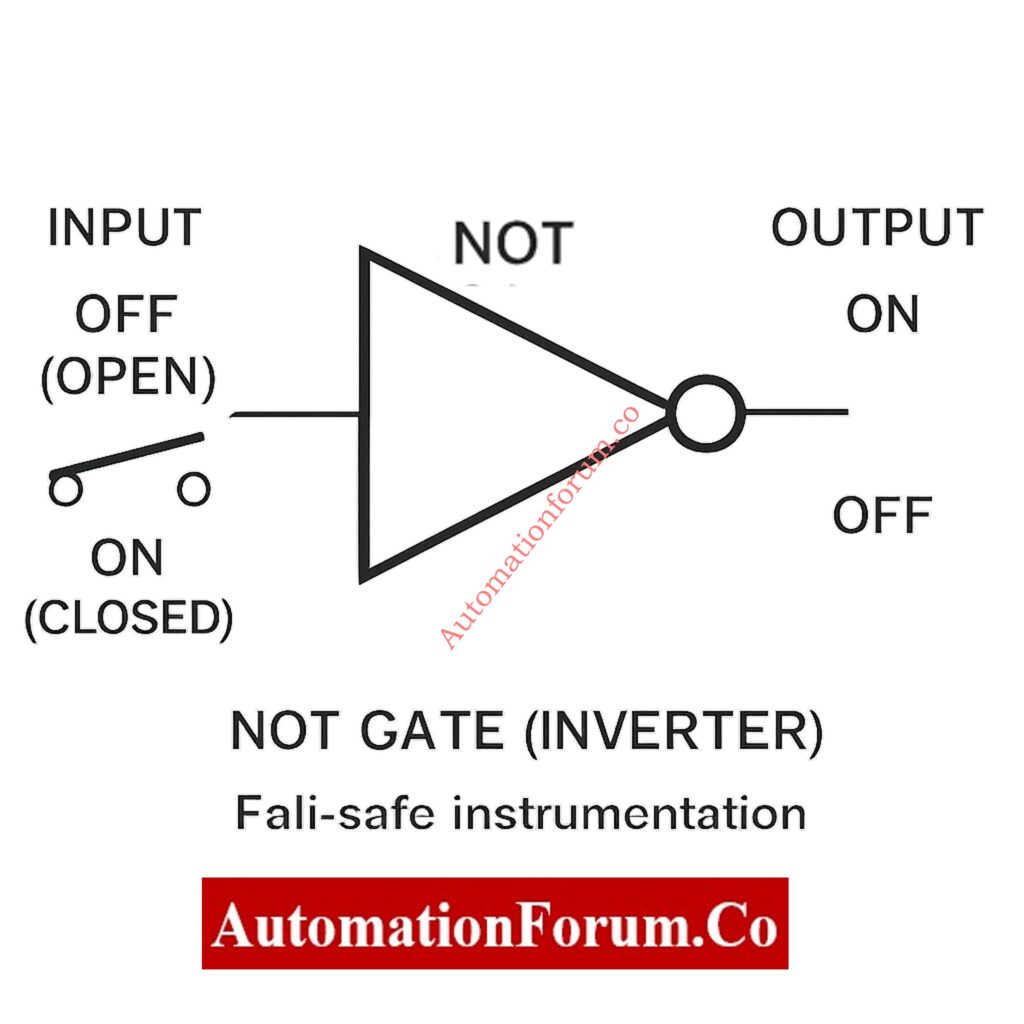
NOT Gate - The Inverter Explained Visually

The NOT gate takes one input and gives the opposite output. It is very important in instrumentation because a lot of field devices work on normally closed (NC) or fail-safe wiring principles.

InputOutput (NOT A)
01
10

The simulator makes NOT logic easier to understand by showing how signal inversion works.
PLC Ladder Logic Mapping

  • NOT gate → Normally Closed (NC) contact
  • Used for reasoning that is fail-safe
  • Often used in trip and alarm inversion

Example 1: Fail-Safe Contact Logic
A level switch wired as NC shows:

  • Normal level → PLC input = 1
  • Abnormal level → PLC input = 0

This changes into the right alarm logic with a NOT gate.

Example 2: Trip Logic Interpretation
If:

  • 0 = healthy
  • 1 = trip

NOT logic changes the signal so that it can be handled correctly when the system shuts off.

Example 3: PLC Program Signal Inversion
NOT gates maintain ladder logic clean and understandable when field wiring logic is reversed.
Understanding Rungs and Rails – The Foundation of PLC Ladder Logic: Understanding Rungs and Rails: The Foundation of PLC Ladder Logic

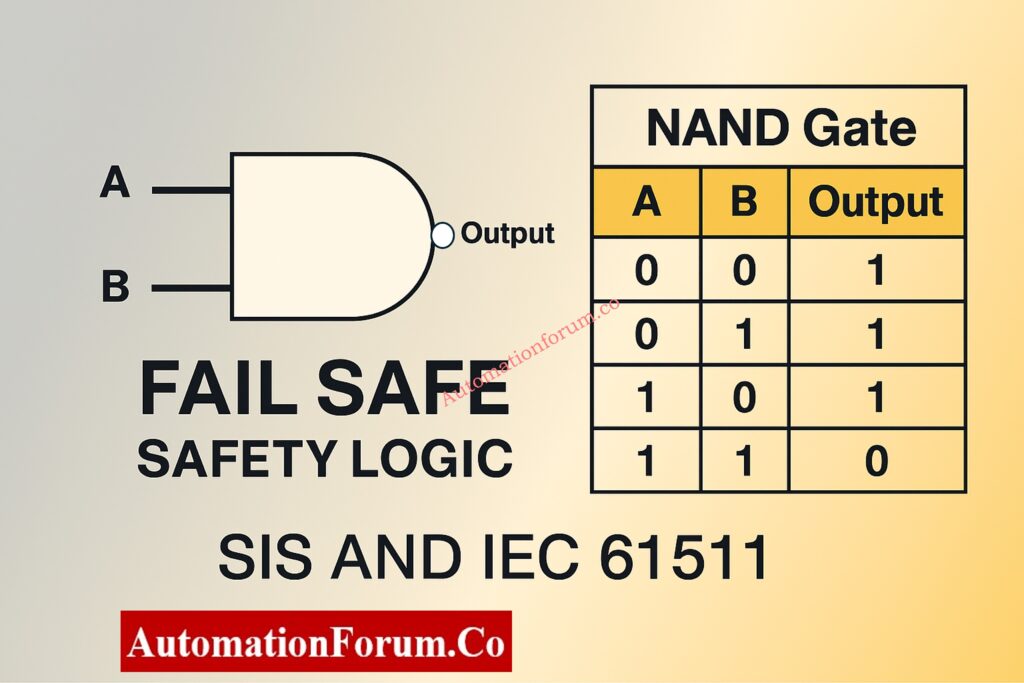
NAND Gate - The Universal Gate Advantage in Safety Logic

The NAND gate is the opposite of the AND gate. It only outputs LOW when all of its inputs are HIGH. Because it is naturally fail-safe, NAND logic is often used in safety systems.

Input AInput BOutput (A NAND B)
001
011
101
110

The simulator only shows the output decreasing LOW when all the conditions are met.

Example 1: SIS Trip Logic
The shutdown only happens when

  • Temperature exceeds trip limit
  • Pressure exceeds trip limit

NAND logic stops annoying trips from happening because of partial faults.

Example 2: Fault Detection Circuits
When the signal or power is out, the system goes into a safe mode.

Example 3: Redundant Safety Paths
NAND is typically used within safety relays to make sure they work even when they fail.
How to Implement SR Flip-Flop in PLC Ladder Logic (Step-by-Step): Implementing SR Flip Flop in PLC Ladder Logic

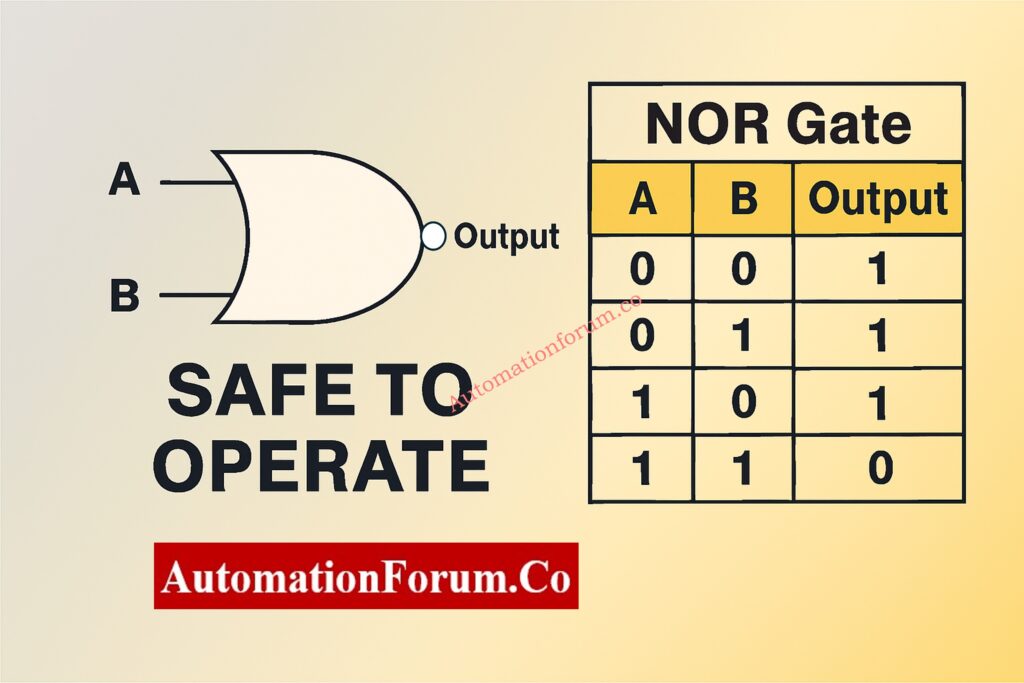
NOR Gate - Inverted OR Logic for Process Validation

The NOR gate only outputs HIGH when all of its inputs are LOW. It is utilized to make sure that there is no unusual situation.

Input AInput BOutput (A NOR B)
001
010
100
110

Safe-to-Operate Confirmation Logic
Operation is allowed only when:

  • No alarms are active
  • No trip conditions exist

NOR logic verifies complete system health.

Designing 2oo4 Voting Logic in Control Systems with PLC Ladder Diagram & Video: Designing 2 out of 4 Voting Logic in Control Systems: A Step-by-Step PLC Ladder Diagram Tutorial with Video

XOR Gate - Exclusive Logic for Advanced Control Applications

The XOR gate only outputs HIGH when the inputs are different. This makes it perfect for comparison logic and mismatch detection.

Input AInput BOutput (A XOR B)
000
011
101
110

Example 1: Redundant Transmitter Comparison
A mismatch between two transmitters sets off diagnostics.

Example 2: Valve Command vs Feedback
OPEN command + CLOSED feedback indicates failure.

Example 3: Change-of-State Monitoring
Detects unexpected signal changes.

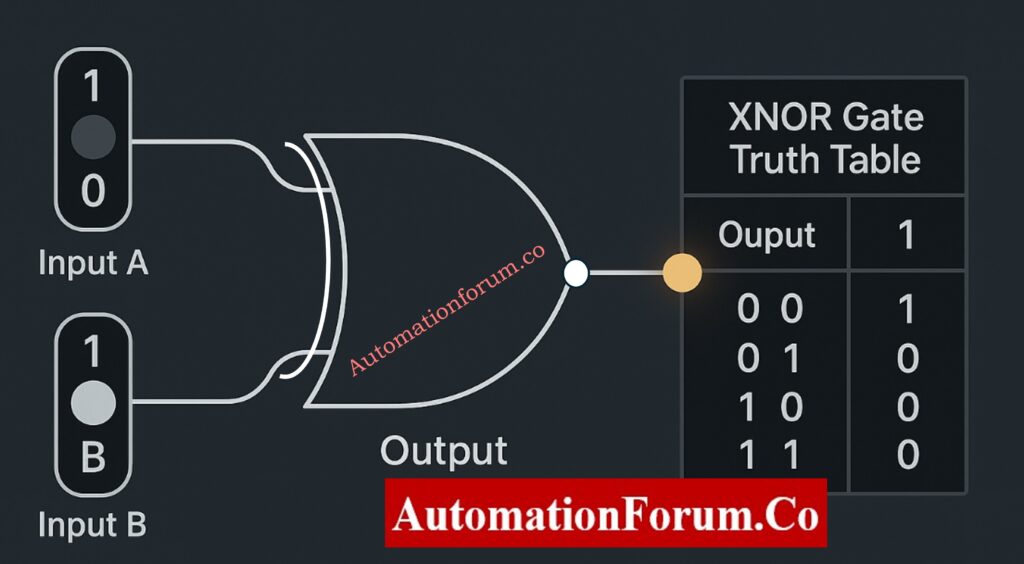
XNOR Gate - Equality Detection Simplified for Control Systems

The XNOR gate outputs HIGH when inputs are identical, making it ideal for confirmation and validation logic.

Input AInput BOutput (A XNOR B)
001
010
100
111

Example 1: Command vs Feedback Validation
Matching signals confirm correct equipment operation.

Example 2: Sensor Health Monitoring
Identical redundant signals indicate healthy instrumentation.

Example 3: Interlock Verification
Ensures field conditions match control logic before action.
Designing 2oo3 Voting Logic in Control Systems – PLC Ladder Tutorial with Video: Designing 2 out of 3 Voting Logic in Control Systems: A Step-by-Step PLC Ladder Diagram Tutorial with Video

The Gate Logic Simulator has a lot of benefits for learning:

  • Improves retention through visualization
  • Reduces confusion between similar gates
  • Encourages experimentation
  • Ideal for self-learning and classroom use
  • Supports engineering interview preparation

This application is very useful for people who are just starting to learn about PLCs, instrumentation, or digital logic in their regular work.
Step-by-Step PLC Ladder Diagram Design Using Schneider EcoStruxure Machine Expertl: Step-by-Step Procedure for Creating a Ladder Diagram from Logic with Schneider Electric EcoStruxure Machine Expert

In PLC programming:

  • AND logic maps to series contacts
  • OR logic maps to parallel contacts
  • NOT logic maps to normally closed contacts

Using an animated simulator to learn about how gates work makes it much easier and more natural to understand PLC ladder logic.

Logic gates may seem basic, but they are the building blocks of all smart systems. Learning them through interactive visualization instead of just memorizing them makes them easier to understand and gives you more confidence in the long run.

The Gate Logic with Truth Table Animated Simulator turns abstract digital logic into a fun and useful way to learn that fits nicely with the needs of automation in the real world.

This simulator is a must-have for anyone who really wants to grasp digital logic.
Top 6 Essential Rules for Writing Effective PLC Ladder Diagrams: Top 6 Important Rules for PLC Ladder Diagram Programming

In PLC ladder logic, series contacts are used to make AND gates, and parallel contacts are used to make OR gates.

By nature, NAND gates are protected against failure. Loss of signal or power drives the output to a safe condition, which corresponds with SIS and IEC 61511 criteria. 

Logic gates are utilized in PLC, DCS, and SIS systems for permissives, interlocks, alarms, trips, and safety logic.

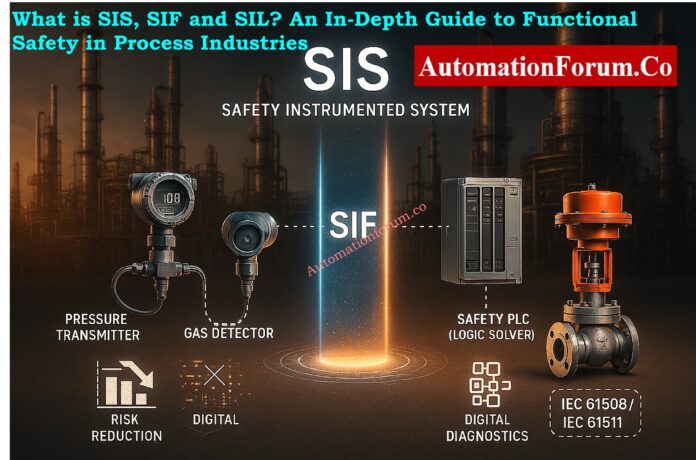
What is SIS, SIF and SIL? An In-Depth Guide to Functional Safety in Process Industries

0
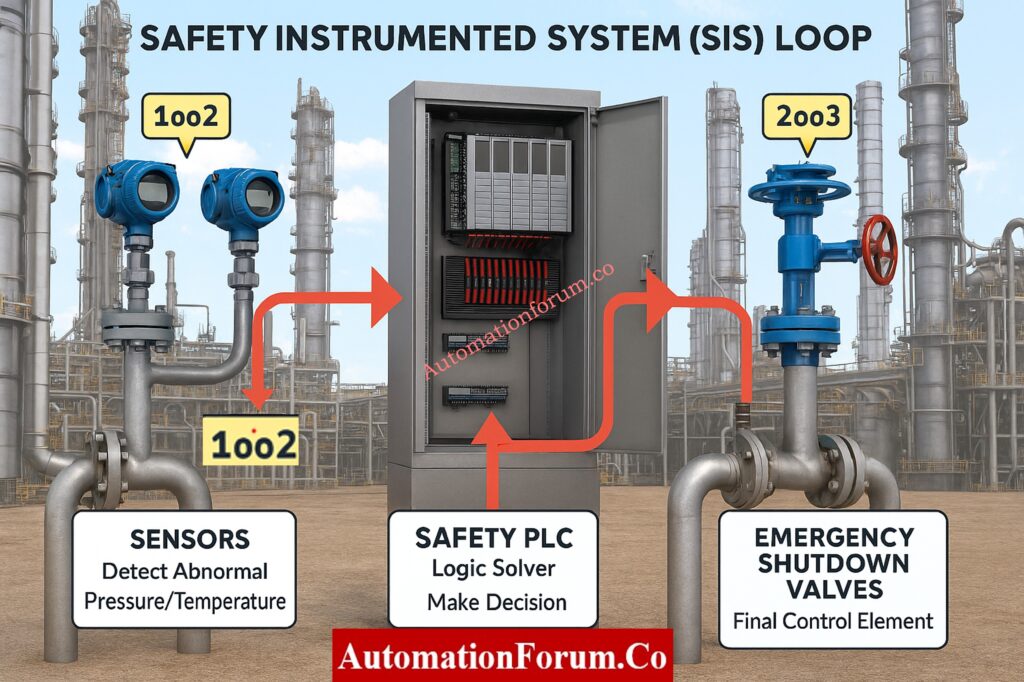
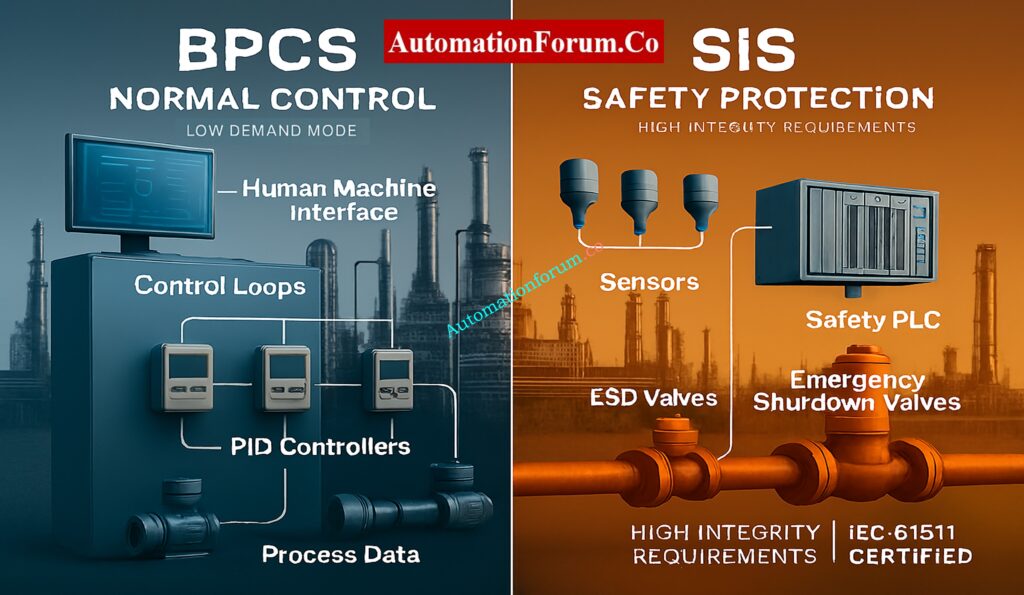
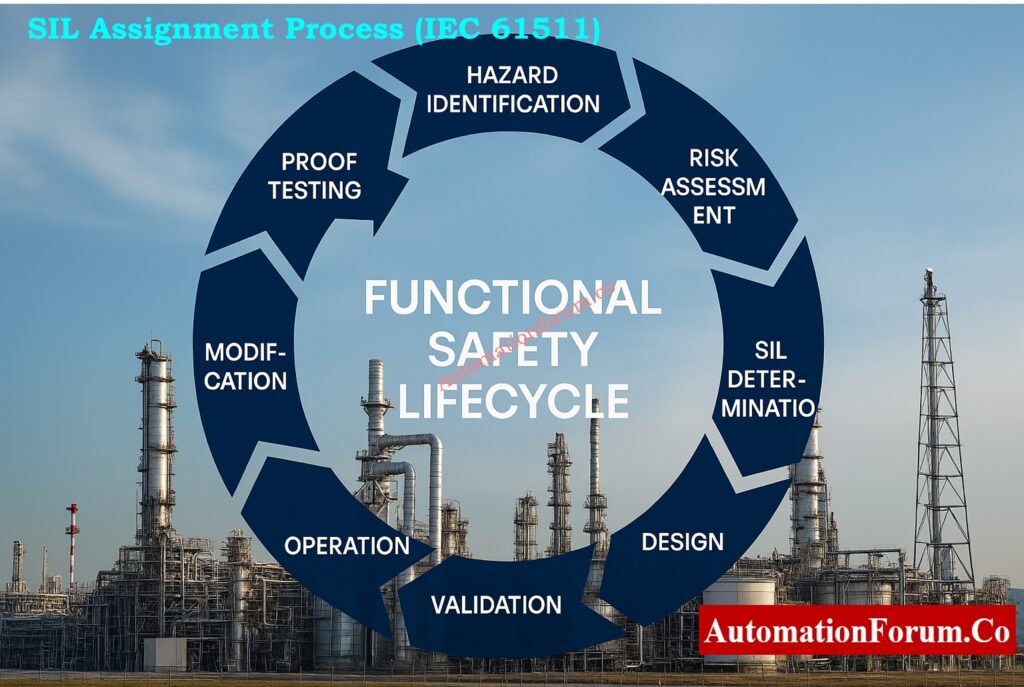
What Are SIS, SIF, and SIL? Complete Functional Safety Guide for Engineers

Refineries, LNG terminals, petrochemical complexes, offshore platforms, fertilizer plants, and pharmaceutical production units are all examples of industrial plants that use dangerous chemicals, high pressures, combustible gases, and important energy sources. Any change from safe operating conditions could lead to disasters like fires, explosions, and poisonous discharges.

To stop things like this from happening, companies use the principles of functional safety, which are set by international standards IEC 61508 and IEC 61511. Three ideas are at the heart of functional safety:

These three parts work together to find dangers, fix problems, and lower risks to acceptable levels. This guide gives a thorough, engineering-based explanation of each term and how they fit into the functional safety lifecycle.
SIL Verification Made Simple – Full Guide + PFDavg Calculator: SIF PFDavg / SIL Verification – Complete Guide + Online Calculator

Automation is very important for modern industrial operations, but it can’t guarantee safe operation on its own. SIS, SIF, and SIL are terms that describe how industrial hazards are managed, watched, and reduced in a planned and controlled way. These ideas make sure that every important shutdown action works with the right level of reliability, integrity, and diagnostic coverage.

Safety Instrumented System (SIS)

A Safety Instrumented System is an automatic, stand-alone protection system that keeps an eye on process parameters all the time, finds harmful situations, and puts the system in a safe state when it has to. The SIS is only a protection layer, while the Basic Process Control System (BPCS) controls routine operations.

A well-designed SIS must be able to:

  • Find deviations from safe operating limits
  • Check these differences in a certified logic solver.
  • Turn on the necessary shutdown actions
  • Move the process or equipment to a safe state

Even when there are problems with the equipment, electricity, or process, the SIS must still work.

The SIS is the last line of defense that stops dangerous situations from turning into accidents.

  • Emergency Shutdown System (ESD)
  • High Integrity Pressure Protection System (HIPPS)
  • Fire & Gas Shutdown Functions
  • Burner Management System (BMS)
  • Turbine, compressor, and pump trip functions
SIS vs BPCS - Key Differences
ParameterSISBPCS
Primary PurposeSafetyNormal process control
Operating ModeLow demandContinuous
CertificationRequired (IEC 61511)Not required
Integrity RequirementVery highModerate
Failure ConsequenceMajor accidentProduction loss


Master Intrinsic Safety – Ex ia, Ex ib & Ex ic Explained: Intrinsic Safety Protection Systems: Understanding Ex ia, Ex ib, and Ex ic

A full SIS has three parts that work together to make a safety loop:

Sensors find unusual situations by constantly measuring gas concentrations, flow, level, vibration, temperature, and pressure.

  • Made to be very reliable and respond quickly
  • Often certified for use in SIL applications
  • You can utilize redundant configurations like 1oo2 or 2oo3. It has built-in diagnostics to find problems or drift.
  • Work in dangerous and demanding industrial settings
  • Made to reduce failures that happen for the same reason

Sensors are the first thing that lets you know that the process is getting close to being unsafe.

  • Transmitters and switches for temperature
  • Level transmitters that use radar and guided waves
  • Flow transmitters that use Coriolis or DP
  • Detecting gases that are toxic and can catch fire
  • Sensors for machines that check vibration and speed

The logic solver looks at the sensor inputs and assesses if a safety action is needed.

  • Typically a Safety PLC or dedicated safety controller
  • Uses certified software tools for programming
  • Offers high diagnostic coverage and fault-tolerant architecture
  • Makes ensuring that response times are predictable
  • Completely separate from the BPCS
  • Keeps an eye on the health of the system and the integrity of communication at all times

The Safety Requirements Specification tells the logic solver how to run the Safety Instrumented Functions (SIFs).

Final elements physically bring the process into a safe state.

Examples of Final Elements

  • Emergency shutdown valves
  • Blowdown and vent valves
  • Motor trip relays
  • Circuit breakers
  • Fire dampers and isolation dampers
  • Must operate reliably under emergency conditions
  • Usually represent the largest share of PFDavg in a SIF
  • Must be periodically proof-tested to detect hidden failures
  • Often include redundant actuators or solenoids

Final elements ultimately determine whether a safety action succeeds or fails.

  • 1oo1 – Trips if 1 sensor detects a fault; fastest but least reliable.
  • 1oo2 – Reduces nuisance trips and improves availability.
  • 2oo3 – Common for SIL 3; allows one sensor to fail without losing safety function.

Future of Functional Safety – AI, Digital Twins & Industry 4.0 Insights: Emerging and Future Concepts in Functional Safety: AI, Digital Twins and Industry 4.0

Safety Instrumented Function (SIF)

A Safety Instrumented Function is one specific safety action carried out by the SIS. While the SIS is the entire system, a SIF refers to one individual protective loop.

A SIF includes:

  • The hazardous condition it addresses
  • Input sensors
  • Logic action and voting logic
  • Final control elements
  • Required response time
  • Operational mode and demand rate
  • Associated SIL level

Each SIF must reduce risk to a level that is considered tolerable based on the plant’s risk criteria.

  • High-High Pressure Shutdown of a reactor
  • Low-Low Level Trip to protect pump cavitation
  • Gas detection leading to ventilation activation
  • Combustion flame failure shutdown in furnaces
  • Compressor surge control trip
  • High temperature trip in a cracking furnace
Safety Integrity Level (SIL)

The Safety Integrity Level quantifies how reliably a SIF must perform to reduce process risk.

SIL is categorized into four levels: SIL 1, SIL 2, SIL 3, and SIL 4. In the process industry, SIL 1 to SIL 3 are most common, while SIL 4 is extremely rare and applies mainly to nuclear installations.

SIL tells you how well a safety feature needs to work. A higher SIL level suggests that the chance of a dangerous failure is lower and therefore diagnostics, redundancy, design, and proof testing must be done more strictly.

SIL LevelRisk Reduction Factor (RRF)PFDavg Range (Low Demand)
SIL 110 to 10010⁻¹ to 10⁻²
SIL 2100 to 1,00010⁻² to 10⁻³
SIL 31,000 to 10,00010⁻³ to 10⁻⁴
SIL 410,000 to 100,00010⁻⁴ to 10⁻⁵
  • Severity of failure consequences
  • Frequency of initiating events
  • How well the current protective layers work
  • Average Probability of Failure on Demand (PFDavg)
  • Coverage for diagnostics
  • Requirements for hardware fault tolerance
  • Times for maintenance and proof-testing
  • Conditions in the environment and in the workplace
  • Human factors and accessibility

SIL assignment makes sure that each SIF offers a level of protection that can be measured and is good enough.
IEC 61511 / S84 Explained – Complete SIS Standard Guide: S84 / IEC 61511 Standard for Safety Instrumented Systems – Complete Guide

The relationship between SIS, SIF, and SIL can be summarized as follows:

  • A SIS is the entire safety system
  • A SIF is one safety function within the SIS
  • A SIL expresses the performance required from that SIF

All three elements operate under the functional safety lifecycle, which governs design, installation, validation, operation, and modification activities.
Download Functional Safety Terms – Free Excel for Automation Engineers: Functional Safety Terminology – Excel Download for Industrial Automation

A SIS is required only when alarms, operator intervention, relief valves, or mechanical protection layers cannot reduce risk to a tolerable level. This determination is made during a Layer of Protection Analysis (LOPA).
Top SIS Interview Q&A – Prepare Like a Functional Safety Expert: Safety Instrumented System(SIS) Interview Questions and Answers

To meet the SIL requirements, engineers use various hardware architectures.

  • 1oo1 (One out of One): Used for SIL 1 systems that aren’t very risky
  • 1oo2 (One out of Two): Adds backup, makes things more reliable
  • 2oo3 (Two out of Three): Often used for SIL 3 and has great fault tolerance
  • Independence from BPCS
  • Staying away from common-cause failures
  • Separate power supply and cabling
  • Field equipment that are reliable and can diagnose problems
  • Extra communication as needed
  • Strong proof-test methods

Understand 1oo1, 1oo2, 2oo3 – Voting Logic Explained Clearly: Voting Logic in Safety Instrumented System

Periodic proof testing is necessary since certain failures don’t show up until demand.

  • Find hardware problems that haven’t been found yet
  • Bring back the reliability of SIF
  • Make sure that PFDavg stays inside the given SIL range.

The proof-test intervals have a direct effect on the SIL that is reached.

  • Check the full stroke and travel time of the shutdown valve
  • Check how the solenoid valve reacts when it loses power
  • Check the health of diagnostic alarms and communication
  • Check and reset overrides or bypasses
  • Check the logic solver trip record
  • Document all test results and corrective actions
SIL Assignment Process (IEC 61511)

Assigning a SIL level is an organized process with several steps, including finding hazards, assessing risks, and checking.

  • Using HAZOP, What-If Studies, and FMEA
  • Finding differences, their causes, and their effects
  • Figuring out what the current danger levels are
  • Comparing to acceptable risk standards
  • Relief valves
  • Operator response
  • Mechanical interlocks
  • Alarms

A separate SIF is needed if the current controls don’t lower the risk enough.

Based on the risk reduction factor that is needed.

  • Calculating PFDavg
  • Ensuring architecture meets hardware fault tolerance
  • Selecting certified equipment
  • Preparing Safety Requirements Specification
  • Selecting sensors, logic solvers, and final elements
  • Functional testing
  • Loop checks
  • System integration
  • Proof testing
  • Failure tracking
  • Condition monitoring

Updating SIF design when process conditions or equipment change.

Functional safety is used in all businesses that deal with dangerous operations.

  • Emergency Shutdown (ESD) Systems
  • Fire and Gas Systems
  • Burner Management Systems
  • High Integrity Pressure Protection Systems (HIPPS)
  • Reactor trip systems
  • Compressor, turbine, and pump protection
  • Closing ESDV when line pressure exceeds safe limits
  • Shutting a reactor feed pump when level is critically low
  • Triggering blowdown during a gas release
  • Shutting a heater on flame failure

Each SIF prevents a specific hazard from escalating.

Functional safety implementation can face several practical challenges.

  • Incomplete hazard identification
  • Insufficient or outdated documentation
  • Use of non-certified devices
  • Incorrect SIL verification calculations
  • Lack of separation between SIS and BPCS
  • Inadequate proof-testing practices
  • Maintenance overrides left active
  • Poor change-management procedures
  • Incorrect reliability data
  • Using incorrect or unrealistic failure rate (λ) data
  • Ignoring mission time in PFD calculations
  • Overestimating proof test coverage
  • Using non-certified field devices in SIL-rated loops

Choosing the Best Safety PLC – Engineer’s Complete Selection Guide: How to Choose the Best Safety PLC for Your Industry

The following practices help ensure an effective SIS throughout its lifecycle:

  • Follow IEC 61511 in design, installation, and operation
  • Maintain clear and complete Safety Requirements Specifications
  • Use SIL-certified sensors, logic solvers, and final elements
  • Ensure electrical and logical separation between SIS and BPCS
  • Conduct regular training for engineers and operators
  • Perform periodic proof testing according to defined intervals
  • Use validated tools for SIL verification
  • Maintain accurate documentation of maintenance and bypasses
  • Regularly audit functional safety performance

Functional safety ensures:

  • Prevention of major accidents
  • Protection of life, environment, and assets
  • Reduced downtime and fewer emergency shutdowns
  • Higher reliability of critical equipment
  • Efficient startup and shutdown operations
  • Regulatory compliance and audit readiness

SIS, SIF, and SIL together form a robust, engineering-based method to manage industrial risks.
SIS Explained – What Safety Instrumented Systems Really Do: What is SIS (Safety Instrumentation System)?

SIS, SIF, and SIL are cornerstones of functional safety in today’s complex industrial environments.

  • The SIS is the complete protection system
  • The SIF is each specific safety action
  • The SIL defines how reliable that action must be

Understanding how these elements relate, how they are designed, and how they must be maintained is essential for every instrumentation, control-system, and process-safety engineer. By following the functional safety lifecycle, using certified equipment, and applying strong engineering and documentation practices, industries can ensure safe, reliable, and incident-free operations.
Mastering SIS, SIF, and SIL enables engineers to design safer plants, comply with IEC 61511, reduce operational risks, prevent major accidents, and ensure reliable shutdown performance across critical equipment.

SIS (Safety Instrumented System) is the complete safety protection system.
SIF (Safety Instrumented Function) is one specific safety action executed by the SIS.
SIL (Safety Integrity Level) defines how reliable a SIF must be to reduce risk to an acceptable level.

SIS – Safety Instrumented System
SIL – Safety Integrity Level

In oil and gas, a SIF is a safety function designed to prevent hazardous events such as overpressure, high temperature, gas leaks, or flame failure. Each SIF includes sensors, a logic solver, and final elements configured to automatically take the process to a safe state.

In the process industry, three SIL levels are used:
SIL 1 – Basic risk reduction
SIL 2 – Moderate risk reduction
SIL 3 – High risk reduction

(SIL 4 exists in IEC 61508 but is rarely applied outside nuclear or extreme-risk domains.)

The typical five levels of industrial process safety are:

  1. Basic Process Control System (BPCS)
  2. Alarms and operator intervention
  3. Safety Instrumented Functions (SIFs)
  4. Physical protection layers (relief valves, rupture disks)
  5. Plant emergency response and mitigation systems

SIL (Safety Integrity Level) is used in process industries (IEC 61511/61508) to define risk-reduction integrity for safety functions.
ASIL (Automotive Safety Integrity Level) is used in automotive safety (ISO 26262) and defines safety integrity requirements for vehicle electronic systems.

SIL defines the reliability requirement of a safety function.
HAZOP (Hazard and Operability Study) is a structured method used to identify hazards and deviations in a process.
HAZOP findings often feed into LOPA, which is then used to determine the required SIL for each SIF.


Three Element Drum Level Control System – Advanced Quiz for Instrumentation Engineers

0
Three Element Drum Level Control System – Advanced Quiz for Instrumentation Engineers

A Three Element Drum Level Control System is a sophisticated method for controlling the level of a boiler that keeps it running smoothly even when the load changes by measuring the level of the drum, the flow of steam, and the flow of feedwater all at once. In high-pressure boilers, the drum level doesn’t shift in a straight line because to shrink-swell effects. This means that single- and two-element loops don’t work well when demand changes quickly. The three-element system uses feedforward steam flow compensation and tightly connected cascade control to stop problems before they happen. This makes sure that the drum level is controlled correctly, the steam quality is better, the risk of tripping is lower, and the system is more reliable. Instrumentation engineers use this method to make sure that boilers work safely, efficiently, and predictably in contemporary process facilities.

Three Element Drum Level Control System – Advanced Quiz for Instrumentation Engineers

Three Element Drum Level Control System – Advanced Quiz for Instrumentation Engineers

This quiz tests your knowledge of real-world drum-level dynamics, shrink-swell behavior, cascade control logic, and how to fix sophisticated boiler level loops. This course is for field, commissioning, and control engineers. It helps you get better at finding problems, tuning loops, and optimizing three-element systems as the load changes. Test your knowledge and improve your ability to solve problems for running a high-performance boiler.

1 / 25

When switching from two-element to three-element control during startup, an important check is:

2 / 25

What is the main benefit of adding feedforward to a cascade level control loop?

3 / 25

A poorly performing steam flow transmitter causes:

4 / 25

In a healthy three-element system, feedwater flow should:

5 / 25

A slow feedwater valve response will cause:

6 / 25

In a boiler trip scenario, the level transmitter should:

7 / 25

What is an essential prerequisite for effective three-element control?

8 / 25

When steam load decreases rapidly, the drum typically experiences:

9 / 25

Why is feedwater flow control usually done with a linear characteristic valve?

10 / 25

The three controlled/measured variables in three-element control are:

11 / 25

A sudden apparent rise in drum level during feedwater valve opening is due to:

12 / 25

What is a key indicator of DP level transmitter impulse line blockage?

13 / 25

Poor cascade performance is often due to:

14 / 25

Steam-flow measurement is normally taken using:

15 / 25

A common cause of drum-level hunting during low-load operation is:

16 / 25

When feedwater flow measurement fails, the system typically switches to:

17 / 25

Feedforward action in three-element control improves:

18 / 25

A typical symptom of improperly tuned three-element control is:

19 / 25

Which of the following tuning strategies improves stability in boiler drum control loops?

20 / 25

A DP level transmitter mounted below the drum sees an apparent level change due to:

21 / 25

During a sudden increase in steam load, what typically happens first?

22 / 25

The secondary (slave) controller in the cascade loop regulates:

23 / 25

In a three-element cascade structure, the master controller typically controls:

24 / 25

Shrink–swell occurs mainly due to:

25 / 25

What is the primary purpose of adding steam-flow measurement in a Three Element Control System?

Your score is

The average score is 67%

0%

Access 1000+ MCQs tailored for instrumentation engineers: Instrumentation and Process Control Quiz Hub – 1000+ MCQs for Engineers

What Cables to Use in Ex Zones: Complete Guide for Instrumentation & Control Engineers

0
What Cables to Use in Ex Zones: Complete Guide for Instrumentation & Control Engineers

Choosing the correct cable for hazardous areas is a critical responsibility for instrumentation and control (I&C) engineers working in refineries, oil & gas facilities, chemical plants, LNG terminals, and offshore platforms. Ex zones require strict compliance with safety standards, and one of the areas that generates the most confusion is cable selection.

Contrary to common belief, cables used in Ex zones do not require ATEX certification. Instead, EN 60079-14, which tells how to design and put together electrical and instrumentation installations in dangerous regions, controls their choice.

This guide tells I&C engineers everything they need to know, such as: 

  • ATEX cable requirements
  • Why cables don’t need to be ATEX certified
  • Choosing the right cable glands for Ex zones
  • Examples of good wires for circuits for lights and instruments
  • Practical engineering situations in dangerous places

Essential ATEX IS Cable Checklist for EPC Engineers: Intrinsically Safe Cables for ATEX Zones – Complete Checklist for EPC Engineers

ATEX Cable Requirements for Hazardous Areas Under EN 60079-14

According to EN 60079-14, the cables used in areas with a risk of explosion must meet certain design and installation standards. These guidelines keep the system safe from electrical hazards, lower the chance of fire, and keep it working properly.

In Europe and elsewhere that follow ATEX rules, wires used in Ex zones:

  • Are the same as those used in regular industrial electrical and instrumentation setups
  • Do not need specific ATEX certificates or marks
  • Must only meet the IEC standards for general safety, materials, and performance.

The only exception is for intrinsically safe (IS) circuits, which need extra care when it comes to shielding and separation.
Fix Cable Management Issues with the Right Tray Accessories: How to Fix Common Cable Management Issues using Cable Tray Accessories

To make circuits more reliable and stop faults from spreading:

  • Every field device, whether a transmitter, positioner, analyzer, or solenoid, needs its own cable.
  • Don’t use shared multi-core wires unless the design says it’s okay.

This keeps track of things and lowers the chance of cross-coupling mistakes.

You can’t put cables that transport various voltage levels, such 230 VAC lighting circuits and 24 VDC analog signals, in the same sheath. This prevents:

  • Insulation breakdown
  • Excessive heating
  • Electric faults that could become ignition sources

To avoid flammable gases traveling along the conductor paths:

  • Cables must be designed to block longitudinal gas migration
  • Offshore and refinery-rated cables generally meet this requirement

This ensures that gas present in one area does not migrate into junction boxes or panels.

For IS circuits in Zone 0 and Zone 1:

  • Shielding is mandatory
  • Grounding and segregation rules must be followed
  • Shield continuity must be maintained to ensure signal integrity and noise immunity

Ex zones often have very tough working conditions. Because of this, cables must be able to resist:

  • Mechanical damage
  • UV radiation
  • Chemical vapors
  • Extreme temperatures
  • Moisture and corrosion

This is especially relevant for installations outside of refineries or on offshore platforms.

Overloading, grouping, or bundling cables the wrong way can make the temperature go up. Excessive cable heating in a hazardous environment may create an ignition source. Engineers must apply:

  • Proper current derating factors
  • Correct installation spacing
  • Cable tray loading limits

Even when cables meet EN 60079-14 requirements, final approval must be documented according to the plant’s Explosion Protection Document (as per the ATEX User Directive). This makes sure that everyone on the site follows the rules.
Hazardous Area Cable Gland Selection – 2025 Guide: Cable Gland Selection for Hazardous Area Installations – Complete 2025 Guide

People often think that all equipment put in Ex zones needs ATEX certificates. This is not true for cables.

ATEX certification applies only to equipment that can act as a potential ignition source. Cables:

  • Don’t make sparks
  • Do not have devices that switch
  • Do not have parts that move or rub against each other.

So, they don’t have to go through an ATEX conformity evaluation.

Procurement teams commonly ask for ATEX certificates for cables. This article helps engineers give the right technical reasons to avoid delays.
Ex ia vs Ex ib vs Ex ic – Intrinsic Safety Explained: Intrinsic Safety Protection Systems: Understanding Ex ia, Ex ib, and Ex ic

ATEX and IEC standards are the most common in Europe and many international EPC projects. However, other areas have tighter or different restrictions.

  • Europe follows ATEX, IEC, and EN standards, with EN 60079-14 as the main installation standard.
  • Cables do not require ATEX certification because they are not considered ignition-capable equipment.
  • Cables must meet IEC/EN standards for flame resistance, mechanical strength, UV and chemical resistance, and stopping gas from moving through them.
  • Shielded cables must be used for IS (Intrinsically Safe) circuits, and they must be kept separate from non-IS connections.
  • Cable glands must be ATEX-certified, as they form part of the hazardous area protection method.
  • NEC (USA) and CEC (Canada) have unique cable design requirements
  • Class/Division systems may mandate armoring or special insulation

Additional standards apply, such as:

  • API RP14 – offshore production platform safety systems
  • RP14FZ – electrical design for fixed and floating offshore facilities

These documents may require enhanced environmental protection.
Instrumentation Cable Termination – Method Statement Guide: Method Statement for Instrumentation Cable Termination

Cable Glands for Ex Zones (These Require ATEX Certification)

Unlike cables, cable glands must carry ATEX certification because they are part of the protection method of the equipment.

A cable gland directly influences the integrity of:

  • Ex d flameproof enclosures
  • Ex e increased safety enclosures
  • Ex t dust-protected enclosures
  • Ex p pressurized systems

The wrong gland type compromises the protection rating of the enclosure, making the installation unsafe and non-compliant.

Ex d (Flameproof)

  • Only Ex d glands are allowed
  • They have to be able to handle the pressure of an explosion inside.

Ex e (Increased Safety)

  • Ex e glands or Ex d glands are okay as long as they keep IP and mechanical protection. Ex e glands or Ex d glands are permitted
  • Must maintain IP and mechanical protection

Ex t (Dust Protection)

  • Only glands that have been Ex t-certified are allowed.

Ex p (Pressurization)

  • Must be the same sort of pressurization system (pxb, pyb, pzc)

Ex i (Intrinsic Safety)

  • The type of gland depends on the enclosure, not the circuit.
  • Make sure you follow the rules for separation.
Recommended Cable Types for Hazardous Area Installations

Instrumentation and power cables that are utilized in dangerous regions need to be strong, flexible, and able to withstand the elements. Ex lighting circuits and I&C wiring often employ the following sorts of cables.

Common for portable and flexible applications in hazardous zones.

Characteristics:

  • Halogen-free and flame-resistant
  • Resistance to chemicals, UV rays, and mechanical stress
  • Good for bending all the time
  • About the temperature range –40°C to +125°C

Scenario Example:
During a refinery turnaround in a Zone 2 location, temporary floodlighting needs cable that can handle mechanical stress and chemical exposure. Because they are strong, PUR cables are ideal due to their robustness.
Instrumentation Cable Testing Standards You Must Know: Instrumentation Cables Testing Standards

Used when mechanical protection is needed.

Characteristics:

  • Steel braid keeps things from getting crushed and hit.
  • Good for short-term industrial settings
  • The highest temperature in the room is usually +70°C.

Scenario Example:
A portable analyzer placed up in a dangerous area needs a strong cable that can handle foot traffic. SY cable offers strong protection against mechanical damage.

Used a lot in Europe for Ex lighting and temporary electricity.

Characteristics:

  • Very flexible and resistant to the weather
  • Great resilience to chemicals and wear and tear
  • The range of temperatures:
    • –30°C to +60°C (fixed)
    • –15°C to +60°C (mobile)
    • Up to +85°C (protected fixed installations)

Scenario Example:
H07RN-F cables are used to power temporary lighting units during tank cleaning in a Zone 1 area since they are flexible and long-lasting.
ATEX vs IECEx – Complete Hazardous Area Certification Guide: ATEX vs IECEx Certification: Complete Guide for Hazardous Area Instrumentation

Instrumentation and control engineers typically have a hard time following the guidelines for choosing cables in dangerous areas in real life. The following enlarged scenarios show how to make decisions in real life when designing EPCs, making changes to brownfields, doing maintenance during a shutdown, and fixing problems. These examples show problems that are typical in refineries, petrochemical complexes, FPSOs, LNG terminals, and offshore drilling platforms.

Practical Engineering Scenarios for Ex Cable Selection

A new differential pressure transmitter is going to be put in a conduit that feeds a reactor. Zone 1 is the categorization for the location, and a 24 VDC IS loop will power the instrument through a barrier in the control room.

An instrumentation design engineer must ensure:

  • A special shielded instrumentation cable is employed to keep the quality of the analog and HART signals.
  • Because the routing involves outside cable trays that are exposed to sunshine and corrosive vapors, the cable sheath is UV-stable and resistant to chemicals.
  • The segregation standards in EN 60079-14 are respected, which means that IS and non-IS cables stay the right distance apart in the tray.
  • The cable’s conductor size is selected based on voltage drop calculations to ensure accurate transmitter operation.
  • Even though the cable will enter an Ex d junction box, the cable itself does not need ATEX certification. Only the gland must be Ex d certified.

Final commissioning notes:
During loop checking, the engineer verifies shield continuity, proper grounding at the marshaling panel end, and confirms that the cable routing has not introduced bends or damage that could compromise insulation integrity.

A maintenance engineer discovers a damaged cable gland during a routine inspection of an Ex d-rated motor in a Zone 1 classified area. When the equipment was moved, the original gland had a dent, which made people worry about the integrity of the flame route.

Key steps include:

  • Choosing just an Ex d-certified flameproof gland that fits the cable diameter and has the right thread engagement are two important measures.
  • Checking that the gland’s temperature class matches the equipment’s T-rating (for example, T4 or T5).
  • Making sure that the new gland seals properly so that no explosive gases can get into the enclosure.
  • Checking the cable sheathing nearby for mechanical damage caused by vibration or stress.
  • Checking the torque settings again according to the manufacturer’s instructions to keep the flameproof integrity.

Incorrect actions such as using an Ex e gland on an Ex d enclosure would create immediate safety non-compliance and could lead to shutdown or reinspection failures.

Top Cable Tray Installation Mistakes EPC Teams Must Avoid: Avoiding Mistakes in Instrumentation Cable Tray Installation: A Guide for EPC Projects

During a turnaround, large process units are isolated for maintenance. Temporary floodlights, portable tools, and inspection lamps need to be installed across a large Zone 2 area.

The shutdown team must:

  • Use H07RN-F, PUR, or SY cables depending on the environmental exposure, mechanical risks, and expected movement.
  • Avoid PVC cables in colder climates, as they may become brittle and crack.
  • Make sure that the insulation on the cables can handle hydrocarbons, moisture, and the stress of scaffolding and foot traffic..
  • Select proper Ex n or Ex e-certified glands depending on equipment protection type.
  • Route temporary cables on elevated trays or hangers to prevent trip hazards and mechanical damage.

Additional engineering considerations:

  • Voltage drop must be assessed because temporary light strings often span large areas.
  • Mechanical protection is critical; poorly placed cables can be crushed by scaffolding frames, forklifts, or cranes.
  • During the shutdown, regular inspections are needed since temporary installations are more likely to get damaged by mistake.

Twisted Pair Cables for 4–20 mA & RS-485 – Essential Guide: Pair Cable in Industrial Signal Transmission: The Essential Guide for 4-20 mA and RS 485 Systems

A team that runs an organization wants to add a new solenoid valve to an existing ESD system. The pipe rack is in Zone 2.

Important engineering decisions include:

  • Choosing an armored instrumentation cable to make it more durable.
  • Separating ESD and non-critical instrument cables is important.
  • Using an Ex e or Ex n gland, depending on the certification of the solenoid valve junction box.
  • Running a separate wire instead of using an existing solenoid valve cable, since shared cables are against Ex installation guidelines.
  • Checking to see if the cable sheath can handle hydrocarbons and intense sunlight.

Then, commissioning experts examine the polarity, test the continuity, and make sure that the ESD system is sending feedback to the SCADA system.
Instrumentation Cable Types and Their Applications: Different Types of Cables in Instrumentation and its Applications

Offshore Brownfield Modifications in Zone 1

An offshore engineering crew is going to move an analyzer shelter that is already there and lengthen its power and signal connections.

Critical factors include:

  • The marine environment needs LSZH (Low Smoke Zero Halogen) or offshore-grade sheathing to protect it from salt spray.
  • You need to check the gas migration characteristics of long cable routes because offshore modules generally have limited cable penetrations.
  • Analyzed gas sample lines may let out corrosive substances, hence cable jackets that can resist chemicals are needed.
  • Ex d analyzer enclosures need flameproof glands that have been certified by ATEX. Ex e terminal boxes can use either Ex e or Ex d glands.
  • Cables that can handle vibration and wave motion need to be very flexible and strong against fatigue.

IS vs Non-IS Cables: Key Differences Explained: Difference Between Intrinsically Safe (IS) and Non-IS Cables

For engineers that work with instrumentation and control, the most important things are:

  • Cables in Ex zones do NOT need to be ATEX certified.
  • EN 60079-14 lists the criteria for cables, including as shielding, separation, and mechanical protection.
  • Cable glands MUST be ATEX approved and work with the way the enclosure protects itself.
  • People often utilize PUR, SY, and H07RN-F cables because they last a long time.
  • Choosing the right cables makes sure that people are safe and follow the rules in dangerous locations for a long time.

EPC engineers, maintenance teams, and I&C designers may make sure that their work is safe in explosive environments by knowing this.

Thermocouple Wire vs Extension Wire – Engineer’s Complete Guide: Thermocouple Wire vs. Thermocouple Extension Wire: The Complete Guide for Instrumentation Engineers

Checklist for Best Radar Level Measurement & Control System Performance

0
Checklist for Best Radar Level Measurement & Control System 1

Accurate and dependable radar level measurement is essential for maintaining smooth operations in industrial tanks, vessels, and silos. For radar systems to perform optimally, each phase selection, installation, commissioning, operation, and maintenance must follow structured best practices.
The expanded bullet points below give deeper insight into what engineers must verify to achieve reliable long-term measurement performance.

 Best Radar Level Measurement & Control System Performance
Design and Selection Checklist for Radar Level Transmitters
  • Verify the exact nature of the process medium whether it is a clear liquid, viscous slurry, foaming liquid, granular solid, or vaporizing fluid and understand how each characteristic affects radar reflectivity, signal attenuation, and echo stability.
  • Evaluate the dielectric constant (DK) thoroughly since low DK materials (like hydrocarbons) require higher sensitivity and better radar configuration to ensure strong echo detection.
  • Examine turbulence, mechanical agitation, boiling surfaces, bubbling, or froth formation that may distort surface reflections and require additional damping or advanced filtering.
  • Consider environmental phenomena such as heavy vapors, dust clouds, steam pulses, or sudden temperature changes that may interfere with radar transmission or antenna clarity.
  • To choose the right radar features, you need to know what the main purpose of the measurement is, such as continuous control, high-level shutdown, inventory monitoring, batching, feed regulation, or overfill prevention.
  • Check the highest and lowest temperatures and pressures during normal operation, cleaning cycles, sterilization, CIP/SIP, and shutdown periods to make sure the transmitter materials stay stable in all situations.
  • Find corrosive chemicals, solvents, and vapors that could damage antenna surfaces, flange seals, or GWR probes. Make sure that the materials are compatible with PTFE, PFA, stainless steel, or Hastelloy.
  • Assess abrasion potential caused by falling solids, sand, or powders, which may erode exposed antenna surfaces and require protective flanges or antenna covers.
  • Consider climate and ambient factors sun exposure, condensation risk, rain, humidity, vibration from nearby machinery, or outdoor temperature swings that influence transmitter longevity and measurement stability.
  • Choose the most appropriate radar type by analyzing the application thoroughly selecting FMCW radar for high precision, pulse radar for general-purpose measurement, and guided wave radar for interface or low DK materials requiring strong signal guidance.
  • Select the optimal radar frequency: 80 GHz for narrow-beam, high-focus applications; 26 GHz as a versatile mid-frequency choice; and lower frequencies for deep tanks or dusty atmospheres with heavy signal scattering.
  • Match antenna design to process needs choosing horn antennas for long-range measurements, lens antennas for compact nozzles, or PTFE-coated antennas for corrosive and sticky media.
  • Verify beam angle to ensure the radar waveform does not hit tank internals, which could generate false echoes and cause signal instability or measurement noise.
  • Make sure the nozzles aren’t too big, too high, or too low, as they could change the radar’s field of view or trap condensation, deposits, or product buildup that could block the signal.
  • Check that the nozzles are straight up and down, and make sure that the places where the tank roof mounts are perfectly perpendicular to the liquid or solid surface for the best echo return.
  • Check to see if stilling wells or bypass chambers are needed to keep surfaces that are turbulent or foaming stable, especially in vessels that are agitated or tanks that are under pressure.
  • Identify tank internals agitators, coils, braces, dip pipes, baffles, and ladders and analyze how reflected energy from these structures must be suppressed using false-echo mapping during commissioning.
  • Check that the radar you choose meets explosion-proof or intrinsically safe standards, such as ATEX, IECEx, FM, or CSA, for hazardous areas.
  • Check to see if the radar transmitter needs to be part of a SIL-rated safety instrumented function and make sure it works with proof testing and reliability calculations.
  • Check that the communication protocol works with HART for diagnostics, Modbus for remote polling, Profibus/FF for full digital integration, or more recent Ethernet-based communication frameworks.
  • Check the cybersecurity settings to make sure that configuration locking, password protection, or write-access control features stop people from making changes to the parameters without permission.
Installation Checklist for Optimal Radar Level Performance
  • Make sure the process nozzle is completely clean and free of rust, dirt, scale, or hardened product residues that could change the path of the radar beam or hold moisture.
  • To avoid angled beams that greatly lower measurement accuracy and may make signal return unusable, install the transmitter in a perfectly vertical position.
  • Position the radar transmitter away from inlets, vortex-prone areas, and regions where inflowing streams hit the product surface, as these cause unstable readings.
  • Maintain minimum separation distances from tank walls, internal supports, and other metallic structures that may cause multipath interference or double echoes.
  • Make sure that the gaskets, flange surfaces, and mounting bolts are all rated and aligned correctly so that they can handle the pressures and vibrations of operation without changing the radar’s direction.
  • Make sure that the cables are properly grounded and shielded so that pumps, motors, VFDs, and large switching equipment don’t cause electromagnetic interference.
  • Using shielded twisted-pair cable for all communication and analog signals will make them less likely to pick up noise and distort signals.
  • Keep radar instrument wiring away from high-voltage power cables, and stay away from cable trays that have a lot of EMI.
  • Check that the power polarity, voltage tolerance, and surge protection devices are all correct to keep electronics from breaking down too soon.
  • Make sure the cable glands are tightly closed to keep the enclosure’s moisture ingress protection rating high.

Intrinsic Safety Explained – Ex ia, Ex ib & Ex ic Made Simple: Intrinsic Safety Protection Systems: Understanding Ex ia, Ex ib, and Ex ic

  • Install protective sunshades, weather covers, or rain shields for outdoor installations to prevent UV degradation or overheating of electronics.
  • Ensure condensation is minimized around the antenna or inside the housing by using correct orientation and avoiding cold spots where moisture collects.
  •  Confirm all enclosure seals and gaskets are in excellent condition to prevent ingress of moisture, dust, and corrosive gases.
  • Verify that the probe length closely matches tank height but does not touch the bottom or any internal structure, which may short reflections.
  • Ensure stilling wells used with GWR are perfectly straight, clean, corrosion-free, and free from dents that may trap product or distort guided echoes.
  • Confirm bypass chambers have proper venting to avoid trapped vapors or air pockets that interfere with level measurement.

Instant Radar Level Calculation Tool – Accurate Tank Level & Volume Estimator: Radar Level Transmitter Calculator for Tank Level Measurement

Commissioning Checklist for Radar Level Measurement Systems
  • Validate that tag numbers, wiring, loop names, and device IDs match the P&ID, instrument index, and DCS configuration sheets.
  • Configure tank empty and full reference points precisely, ensuring they match physical tank drawings and operational requirements.
  • To make echo strength better and make low-DK applications more reliable, enter the right dielectric constant values.
  • Select the correct measurement mode liquid, solid, interface, or foam-compensated based on the specific tank environment.
  • Use blocking distance adjustments to eliminate erroneous readings caused by near-field interference around the antenna.
  • Take a picture of the echo curve and look at it to make sure that the right peak is marked as the main level indicator.
  • Do detailed false-echo mapping to get rid of unwanted reflections from agitators, heating coils, or the inside of the tank.
  • Check the signal strength and echo margin to make sure that the radar has a wide enough dynamic range at all of the tank’s operating levels.
  • Change the sensitivity, damping, and filtering to make the output stable on surfaces that are moving or swirling.

Ultimate GWR Troubleshooting Guide – Fix Common Radar Level Issues: Guided Wave Radar Level Transmitters: Complete Troubleshooting & Maintenance Guide

  • To make sure that the readings show the right engineering units, check the PLC or DCS‘s analog input scaling and digital mapping.
  • Check that the alarm trigger levels for high, high-high, low, and low-low conditions are in line with plant safety logic.
  • If radar is part of a SIS loop, make sure the shutdown or interlock logic works right.
  • Do full loop testing to make sure that control room operators see the right level changes during either simulation or live testing.
  • Look at the radar readings next to the manual dip measurement, sight glass, or other instruments.
  • Lock the configuration after successful commissioning to stop people from changing the parameters by mistake.

Radar Fault Diagnosis Made Easy – Step-by-Step Troubleshooting Guide: Step-by-Step Guide for Troubleshooting Radar Level Transmitters

Operation and Maintenance Checklist for Radar Level Transmitters
  • Check the antenna or probe often for any buildup, crystallization, or residue that could weaken or scatter radar signals.
  • Make sure that no moisture or corrosive vapors can get into the transmitter electronics by checking the housing, gaskets, cable seals, and enclosure fittings.
  • Check to make sure that the mounting is stable and that there were no mechanical shifts caused by vibration or movement of the tank.

Doppler-Based Frequency Shift Calculator – Radar Level Analysis Tool: Radar Level Transmitter Frequency Shift Calculator (Doppler Effect)

  • Check echo curves from time to time to see if any reflections are getting weaker, noise is getting louder, or spikes are showing up that shouldn’t be there. These could be signs of changes in the process.
  • Check to see if the alarms are working and make sure that no alarms are still being suppressed by mistake.
  • Use methods that the manufacturer says are safe to clean antenna surfaces, especially when there are sticky or condensing vapors.
  •  Inspect stilling wells or bypass chambers for scaling, sediment, or corrosion that may change internal geometry.
  • Verify grounding continuity to reduce signal noise and electronic interference.

Test Your Radar Level Knowledge – Advanced Instrumentation Quiz: Advanced Quiz on RADAR Level Measurement for Process Instrumentation Engineers

Calibration and Verification Checklist for Radar Level Devices
  • Perform built-in device verification routines, such as Heartbeat or echo-path integrity checks, to confirm sensor health without removing the transmitter.
  • To check for accuracy, compare radar readings to manual dip measurements or calibrated sight glasses.
  • Check the linearity of the analog output by testing at several points within the operating range.
  • If you add new products or batches to the tank, check the dielectric constant values again.
  • Check the antenna or GWR probe to make sure they don’t have any buildup or damage from being used.
  • Look for deformation or residue buildup in stilling wells and chambers that could affect wave propagation.
  • Check the firmware versions to make sure they work with the plant’s cybersecurity and functionality needs.
  • For audit purposes, keep your calibration logs, maintenance records, loop sheets, and verification certificates up to date.

Breakthrough Hybrid Level Technology – Capacitance + GWR Explained: Hybrid Level Measurement: Capacitance + Guided Wave Radar (GWR) Technology

  • Check the NAMUR NE 107 device status messages to find problems before they happen, like “Out of Specification,” “Maintenance Required,” or “Failure.”
  • Watch the indicators for temperature and humidity inside the enclosure. They may show leaks or problems with the environment.
  • Check diagnostic logs for alerts that happen more than once or only sometimes.
  • Track changes in echo margin and signal-to-noise ratio, which provide early warnings of buildup or medium changes.
  • Analyze false echo activity and adjust mapping if new obstructions are introduced in the tank.
  • Evaluate measurement stability during process disturbances like agitation, foaming, or rapid filling.
  • Check the quality of HART communication and the number of digital errors in network systems.
  • Check the Foundation Fieldbus/Profibus diagnostic blocks for any problems.
  • Make sure that the radar transmitter can always talk to the asset management tools.

GWR Installation Checklist – Ensure Perfect Radar Level Setup: Guided Wave Radar Level Transmitter Installation Checklist

  • Make sure that the radar transmitters used in safety instrumented systems follow the SIL verification intervals and testing methods.
  • Check the labels in hazardous areas to make sure they are still clear and not corroded.
  • Check that the device is properly grounded and bonded to avoid fires or unstable signals.
  • After making any changes, make sure that wiring diagrams, GA drawings, loop diagrams, and instrument datasheets are all up to date.
  • Keep a detailed record of changes to the configuration, adjustments to the calibration, and updates to the firmware.
  • For maintenance work, keep OEM manuals and troubleshooting guides close at hand.

Guided Wave Radar Explained – How GWR Level Measurement Works: What is a guided wave radar level transmitter?

  • At regular intervals, check radar readings against extra transmitters or manual measurements.
  • Check how quickly the transmitter responds when the level changes quickly to make sure the control system gets updates on time.
  • Reassess radar performance when product types change, tank conditions vary, or mechanical modifications are made inside the vessel.
  • Revalidate alarm levels and control setpoints whenever process operating ranges shift.
  • Track MTBF (Mean Time Between Failures) to monitor equipment reliability over time.
  • Keep an eye on MTTR (Mean Time To Repair) to make sure that maintenance planning and spare parts stocking are as efficient as possible.
  • Add radar transmitters to predictive maintenance programs to improve performance before problems happen.

Open Tank Level Calculator – Engineering Guide for EPC Teams: Open Tank Level Transmitter Calculator – Complete Guide for EPC Instrumentation Engineers

Detailed Radar Level Measurement & Control System Checklist

To maintain accuracy and reliability in radar level measurement systems, a structured checklist is essential. The following checklist covers design, installation, commissioning, verification, maintenance, diagnostics, and safety steps. It serves as a practical tool for engineers and technicians, and the attached Excel file can be used for audits and routine inspections.

Smart Plant Reliability Checklist – Cyber-Secure Field Instrument Management: Advanced Integrated Field Instrument Reliability & Cyber-Secure Maintenance Checklist for Smart Process Plants

A radar level measurement system can only achieve its highest reliability and accuracy when every lifecycle stage design, installation, commissioning, operation, maintenance, diagnostics, and documentation is handled systematically.

Plants can improve process  by following this complete checklist:

  • Improve process safety and reduce incident risks
  • Lower maintenance costs and downtime
  • Make measurements more accurate and reliable
  • Make sure that safety standards and audits are followed.
  • Make equipment last longer
  • Support plans for predictive maintenance

Instrumentation and control teams can easily copy this structured checklist into Excel or use it as a standard procedure for the plant.

Unlock HART Diagnostics – What Your Smart Transmitter Reveals: HART Transmitter Diagnostics: What Your Field Device is Telling You

Wet-Leg Level Calculation for DP Transmitters: Complete Guide for Instrumentation Design Engineers

0
Wet-Leg Level Calculation for DP Transmitters: Complete Guide for Instrumentation Design Engineers
DP Wet-Leg Level Calculator – Enhanced
🔴 AUTOMATIONFORUM.CO
Your Trusted Source for Automation Power Tools & Solutions
0% 25% 50% 100% Height 6m Level: – % –

📊 DP Wet-Leg Calculator

Formula: DP = (SG₁·h) − (SG₂·x) for closed-tank differential pressure level measurement.

⚙️ Process Parameters
🔧 Unit Configuration
📡 Transmitter Configuration
⚡ Calibration Range
🏭 Tank Configuration
✓ Results
Computed DP
LRV (empty)
URV (full)
Level h
Level (m)
Percent Full
Volume
0% 25% 50% 100% Height 6m
🔴 AUTOMATIONFORUM.CO
Your Trusted Source for Automation Power Tools & Solutions

In process plants, precise level measurement in closed industrial tanks is essential. The wet-leg method is one of the most dependable ways to guarantee accurate measurement in pressurized tanks, and differential pressure (DP) transmitters continue to be the most trusted technology for this purpose.

By keeping a steady reference liquid column on the transmitter’s low-pressure side, the wet-leg configuration in engineering design prevents measurement drift. EPC engineers, commissioning teams, and maintenance staff will find the provided DP Wet-Leg Level Calculator very helpful as it automates these calculations with built-in formulas, unit conversions, and dynamic visualization.

The entire engineering logic of wet-leg level measurement, including DP formulas, transmitter calibration, mA scaling, and optimal installation techniques, is explained in this guide.

Re-Range Your DP Flow Transmitter Instantly – Smart Online Calculator: DP Flow Transmitter Re-Ranging Calculator

Liquid and vapor are both present in a closed tank. Vapour pressure affects the liquid surface, which in turn affects the low-pressure (LP) side of the transmitter. Variations in vapour pressure lead to errors in DP measurement if they are not compensated for.

An impulse line filled with liquid that is attached to the DP transmitter’s LP side is known as a wet-leg. This ensures that the transmitter only reacts to variations in the liquid level inside the tank by providing a steady hydrostatic reference pressure.

What Is Wet-Leg Level Measurement in Closed Tanks?

Wet-legs are indispensable in:

  • Boiler drums
  • Condensate receivers
  • Reactors
  • Pressurized storage vessels
  • Hot liquid tanks where condensation can occur

Condensation, vapour surges, and temperature fluctuations won’t impact the transmitter reading because of to the wet-leg.

Accurate Interface Level Calculation Tool – DP-Based Online Calculator: DP calculator for Interface level measurement

By applying a steady and predictable pressure to the transmitter’s LP port, the wet-leg offers stability. This prevents inconsistent readings, removes line plugging, and adjusts for variations in vapor pressure.

Among the main benefits are:

  • Stable zero and span
  • Long-term measurement reliability
  • Consistent hydrostatic reference
  • Elimination of vapour condensation issues
  • Suitable for high-temperature and high-pressure tanks

The DP transmitter frequently shows a negative differential pressure at zero level, which is anticipated and utilized in calibration because the wet-leg adds pressure to the LP side.

DP Level Calculation Guide for Open & Closed Tanks – Complete Engineering Tool: Open and Closed Tank DP Level Calculations

The standard closed-tank wet-leg formula is used by our calculator:

DP=(SG1​⋅h)−(SG2​⋅x)

Where:

  • SG₁ = Specific gravity of process fluid
  • SG₂ = Specific gravity of wet-leg fluid
  • h = Liquid height inside tank
  • x = Wet-leg height

Interpretation:

  • The high-pressure (HP) side senses hydrostatic pressure of the liquid column → SG₁ × h
  • The low-pressure (LP) side senses pressure created by the wet-leg →   SG₂ × x
  • The difference between these two pressures is measured by the transmitter.

At every tank level, this formula guarantees precise DP values. The calculator in the document uses the same reasoning.
Open Tank Level Transmitter Calculator – EPC Engineer’s Full Design Guide: Open Tank Level Transmitter Calculator – Complete Guide for EPC Instrumentation Engineers

How to Calculate LRV and URV for DP Transmitters

In order to properly configure a transmitter, we need to compute:

  • LRV = Differential pressure at 0% level (empty tank)
  • URV = Differential pressure at 100% level (full tank)

LRV (Empty Tank)

LRV=-(SG2​⋅x)

This is normally negative, because only the wet-leg acts on the LP side when the tank is empty.

URV (Full Tank)

URV=(SG1​⋅H)−(SG2​⋅x)

The entire measurement span is represented by this.

In order to prevent conversion errors and guarantee precise calibration during commissioning, our calculator automatically calculates LRV and URV in a variety of pressure units (kPa, mbar, mmWC, bar, psi, and inH2O).

DP to Flow Calculator – Interactive Differential Pressure Flow Tool for Engineers: Differential Pressure to Flow Calculator – Complete Interactive Tool for Process Engineers

DP Calculation at Any Tank Level (Real-Time Computation)

DP at actual tank levels is necessary for real-time measurement. The formula is still the same:

DPlevel​=(SG1​⋅hcurrent​)−(SG2​⋅x)

The provided calculator uses a 3D animated tank to display liquid height and dynamically calculates DP at any level entered by the user. When the level changes, the DP value instantly updates, which is particularly helpful for:

  • Control room scaling verification
  • I/O checkout
  • FAT/SAT activities
  • Validation of transmitter configuration

Dry-Leg DP Level Calculator for Closed Tanks – Precise Level Measurement Tool: DP calculator for Dry leg Level measurement – closed tank

Units of pressure and height differ between sectors and geographical areas. All major units are supported by the calculator:

Height:

  • m, cm, mm
  • ft, inches

Pressure:

  • Pa, kPa
  • mbar
  • mmWC, inH₂O
  • psi, bar

Multi-unit support ensures:

  • Engineering packages remain consistent
  • No manual conversion errors
  • Smooth integration with OEM data sheets
  • Alignment with vendor calibration certificates

Refer the below link for the Displacer Interface Level Transmitter Weight Calculator – Dry Calibration Tool

Volume calculation depends on tank diameter and width, but DP measurement does not. Two tank geometries are included in the calculator:

Volume=π(D/2​)2⋅h

Volume=Length×Width×h

This helps determine:

  • Storage capacity
  • Batch processing volumes
  • Inventory management values
  • Mass balance considerations

The volume result dynamically updates as the level changes.

DP Level & Density Range Calculator – Free Excel Calibration Tool: Excel Tool for DP Type Level and Density Transmitter Calibration Range Calculation

Decades of accurate measurement are ensured by proper design and maintenance procedures.

  • Maintain a Fully Filled Wet-Leg: Any air bubbles cause rapid drift and unstable readings.
  • Use a Fluid with Stable and Known Density: Common choices are water, glycol, or silicone oil.
  • Apply Heat Tracing for Outdoor Installations: Prevents freezing and SG variation in cold climates.
  • Install Transmitter Below the Tapping Point: Ensures self-filling of impulse lines and prevents vapour trapping.
  • Use Condensate Pots for Steam Service: They maintain equal reference height and ensure proper wet-leg filling.
  • Verify Zero After Wet-Leg Stabilization: Perform zero check only after the wet-leg reaches thermal equilibrium.

Before calibration and commissioning, engineers can verify all anticipated DP values using this calculator.

Wet-leg problems are frequently associated with inaccurate readings in DP level systems. Common symptoms and engineering interpretations are listed below.

  • Level Reading Drops When the Tank Fills:  HP and LP connections reversed.
  • Reading Becomes Noisy and Unstable: Air pockets or partially filled wet-leg.
  • DP Range Shifts After Shutdown: Temperature changes affecting wet-leg SG.
  • Wrong Level Displayed in DCS: Cause: Incorrect LRV/URV or wrong unit conversion.
  • Transmitter Current Does Not Match Expected Level: Incorrect 4–20 mA scaling or range mismatch.

These are resolved by our wet-leg calculator, which provides immediate visualization of the expected DP, level, and mA output mapping.

Refer the below link for the Field Calibration Guide for DP Level Transmitters – Step-by-Step Procedure

Let’s examine a different real-world engineering scenario to gain a clear understanding of how differential pressure behaves in a closed-tank wet-leg configuration. This example shows how the LRV and URV values of the DP transmitter are affected by tank height, process fluid density, and wet-leg fluid density.

ParameterValue
Process fluid specific gravity (SG₁)0.85
Wet-leg fluid specific gravity (SG₂)1.10
Tank height (H)8 meters
Wet-leg height (x)0.5 meters

These numbers show a typical hydrocarbon storage tank with a heavier sealing liquid in the wet-leg and a lighter process fluid than water.

LRV occurs when the tank is empty, meaning h = 0.

The standard wet-leg formula:

LRV=−(SG2​⋅x)

Substituting values:

LRV=−(1.10×0.5)


LRV=−0.55(meters of water equivalent)

Interpretation:

Because the wet-leg is exerting downward pressure on the LP side, the transmitter will always display a negative differential pressure at zero level.

URV occurs when the tank is full, meaning:

h=H=8m

Apply the wet-leg DP formula:

 URV=(SG1​⋅H)−(SG2​⋅x)

Substitute values:

URV=(0.85×8)−(1.10×0.5)

URV = 6.8 – 0.55

URV = 6.25meters of water equivalent

Interpretation:

The transmitter detects wet-leg pressure on the LP side and hydrocarbon head pressure on the HP side when the tank is full. The measurement span that can be used is the difference.

 Span = URV – LRV
Span = 6.25 – (-0.55)
Span = 6.80 mWC
This is the range over which the transmitter maps 4-20 mA output.

Let the tank level be:
h = 0.5H = 4m

Use the formula:
DP50%​=(SG1​⋅h)−(SG2​⋅x)

Substitute values:
DP50%​=(0.85×4)−(1.10×0.5)
DP50%​=3.4−0.55
DP50%​=2.85mWC

Meaning:

The transmitter should produce a DP of 2.85 mWC at half tank level (4 m), which, after scaling, should equal about 12 mA.

ConditionDP (mWC)mA Output
0% level (empty)–0.554.00 mA
50% level2.8512.00 mA
100% level (full)6.2520.00 mA

This example shows how transmitter calibration and DP behavior are affected by varying specific gravities and tank heights. Additionally, it clarifies the importance of wet-leg design in maintaining closed-tank level measurements.

The calculator is a full-featured level engineering simulator that provides more than just formula tools.

  • Automatic LRV and URV computation
  • Real-time DP calculation at any level
  • 4-20 mA mapping and reverse mapping
  • Highly accurate unit conversions
  • 3D tank level animation
  • Volume computation for cylindrical and rectangular tanks
  • CSV export for documentation
  • Error-free design validation

These features are extremely valuable for EPC design, commissioning, DCS configuration, and troubleshooting.

A proven technique for precise and reliable DP measurement in closed tanks is wet-leg level measurement. Instrumentation engineers can guarantee excellent installation and long-term performance by comprehending the wet-leg formula, effects of density, reference leg height, calibration range, and DP-to-level mapping.

All of these engineering concepts are combined in the uploaded DP Wet-Leg Calculator, which makes level calculations for design and field use fast, precise, and error-free. Any instrumentation engineer working with pressurized vessels and DP-based level measurement systems will find it to be a useful tool.

Refer the below link for the Zero Elevation Level Measurement Troubleshooting Quiz 

A wet-leg provides a constant hydrostatic reference on the LP side. This stabilizes the DP reading in closed tanks where vapor pressure fluctuates.

Because the wet-leg fluid applies pressure on the LP side even when the tank is empty. This creates a negative differential pressure at 0% level.

Air pockets cause unstable, drifting, and inaccurate DP readings. The transmitter will continuously fluctuate due to inconsistent reference pressure.

A fluid with stable and known density such as water, glycol, or silicone oil. The choice depends on temperature, process compatibility, and freezing risk.

Wet-leg uses a liquid-filled LP impulse line suitable for closed or hot tanks. Dry-leg uses a vapor-filled LP line and is used for non-condensing applications.