
- Why Siemens S7 300 Became the Backbone of Industrial Automation
- Is Siemens S7 300 Discontinued or Obsolete
- Why Siemens S7 300 Migration Is Becoming Critical
- Typical Siemens S7 300 Architecture in Industrial Plants
- Best Siemens PLC Migration Targets for Modernization
- Siemens S7 300 vs S7 1500 Comparison
- Complete Siemens S7 300 Migration Strategy
- Step 1 Perform Full PLC Asset Audit
- Step 2 Create Verified PLC and HMI Backups
- Step 3 Analyze PROFIBUS and Ethernet Networks
- Step 4 Map Legacy Hardware to Modern Platforms
- Step 5 Convert STEP7 Software to TIA Portal
- Step 6 Migrate WinCC Flexible HMI Systems
- Step 7 Perform Factory Acceptance Testing FAT
- Step 8 Execute Site Acceptance Testing SAT
- Step 9 Build a Reliable Rollback Strategy
- Best Practical Sequence for Siemens PLC Migration
- TIA Portal Migration Process for Siemens S7 300
- Hidden Problems During Siemens S7 300 Migration
- Advanced FAQ About Siemens S7 300 Migration
- Is Siemens S7 300 obsolete?
- Can S7 300 still be repaired?
- Can I directly migrate STEP7 Classic to TIA Portal?
- Is STL supported in S7 1500?
- Can ET200M be reused?
- Should I migrate PROFIBUS to PROFINET?
- Is WinCC Flexible still supported?
- Can I reuse existing field wiring?
- What is the biggest migration risk?
- How long does migration take?
- Is S7 1200 suitable for plant migration?
- Why is S7 1500 preferred?
- Can I migrate safety systems directly?
- Is virtualization recommended for legacy STEP7?
- Should migration include cybersecurity upgrades?
- Conclusion on Siemens S7 300 to S7 1500 Migration
Why Siemens S7 300 Became the Backbone of Industrial Automation
For more than two decades, the Siemens S7 300 PLC dominated industrial automation across manufacturing plants, water treatment facilities, power stations, pharmaceutical plants, oil and gas installations, food factories, OEM machinery, and process industries.
Why Siemens S7 300 Systems are Still Running Worldwide
From small standalone machine control to large distributed automation systems, the S7 300 platform became the engineering standard for thousands of industrial facilities worldwide.
Many engineers built entire careers around:
- STEP7 V5.x programming
- PROFIBUS DP networks
- ET200M remote I/O systems
- WinCC Flexible HMIs
- STL and AWL programming
- PID loop control
- Modular distributed architectures
Even today, many factories continue running 15 to 20 year old S7 300 systems without major issues.
Major Risks of Continuing With Legacy S7 300 PLC Systems
That is exactly why the current situation is becoming critical.
Plants are now facing:
- Legacy system risk
- Spare parts shortages
- Unsupported engineering software
- Aging PROFIBUS infrastructure
- Cybersecurity exposure
- Increasing downtime probability
- Limited hardware availability
- Difficulty finding experienced STEP7 engineers
For many industrial facilities, the biggest danger is not PLC failure.
The biggest danger is unexpected production shutdown with no recovery strategy.
Modernization is no longer optional.
It is becoming a plant survival requirement.
Stop Using Old PLCs Before These Failures Hit: Siemens LOGO! 9 Explained: Features, Benefits and Comparison with Older Siemens Controllers
Is Siemens S7 300 Discontinued or Obsolete
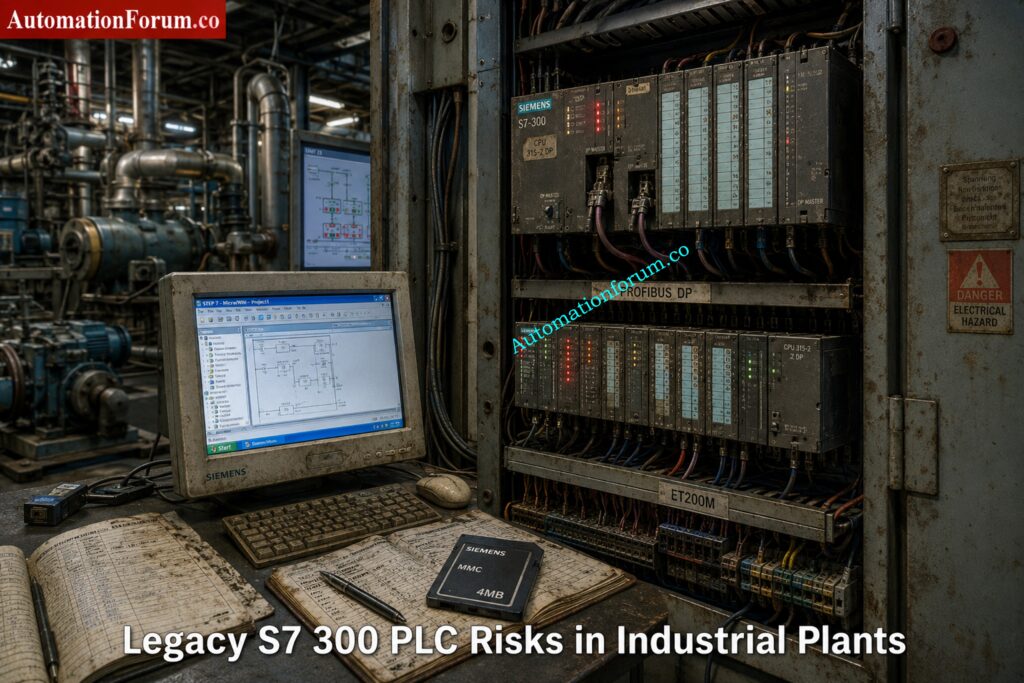
The phrase “Siemens S7 300 discontinued” often creates confusion among engineers and maintenance teams.
The reality is more nuanced.
Siemens introduced lifecycle management phases for automation products long before complete discontinuation. The S7 300 platform went through many lifetime stages, such as active sales, phase-out, spare-part support, and repair availability.
Siemens’ migration guidelines and lifecycle planning materials highly encourage moving to contemporary platforms like the S7 1500 for future sustainability.
Understanding Siemens PLC Lifecycle Stages
| Lifecycle Phase | Meaning |
| Active Product | Fully supported and actively sold |
| Phase Out | Gradual reduction in sales and availability |
| Spare Part Phase | Limited availability mainly for maintenance |
| Obsolete | Product no longer supported |
Difference Between Discontinued and Obsolete PLC Systems
Many engineers misunderstand the difference between discontinued and obsolete.
A discontinued PLC may still function perfectly for years.
However, risks increase rapidly when:
- Spare CPUs become expensive
- PROFIBUS cards disappear from stock
- MMC cards fail
- Legacy HMIs become unsupported
- STEP7 compatibility issues appear on modern Windows systems
This is why modernization planning matters now instead of waiting for a plant emergency.
Master Siemens TIA Counters Before Your Next Project: How to use Siemens TIA Portal to create Different Counter blocks in PLC?
Why Siemens S7 300 Migration Is Becoming Critical
Rising Spare Parts Cost for S7 300 Hardware
Many S7 300 CPUs and communication cards now cost significantly more in secondary markets than they did when originally released.
Critical modules such as:
- CP343 communication processors
- FM modules
- PROFIBUS cards
- ET200M interfaces
- Analog input cards
are becoming difficult to source.
In some plants, maintenance teams already purchase used modules from third party suppliers just to maintain operations.
That creates major reliability concerns.
STEP7 Classic and Unsupported Engineering Software Risks
Many facilities still rely on:
- STEP7 V5.5
- WinCC Flexible 2008
- Windows XP engineering stations
This creates severe operational problems including:
- Hardware driver incompatibility
- USB adapter failures
- Licensing problems
- Virtual machine dependency
- Cybersecurity exposure
Modern IT departments increasingly reject unsupported operating systems on industrial networks.
PROFIBUS Network Aging Problems in Old Plants
PROFIBUS networks still work reliably in many factories.
However, aging connectors, grounding issues, cable degradation, and network loading problems are becoming more common every year.
Many troubleshooting engineers report intermittent communication faults that only appear during production peaks.
These issues become extremely difficult to diagnose in legacy systems.
Shortage of Experienced Siemens STEP7 Engineers
Younger automation engineers are increasingly trained on:
- TIA Portal
- S7 1500
- PROFINET
- OPC UA
- Unified HMI
- Industrial Ethernet
Very few engineers now specialize deeply in:
- STL programming
- MPI communication
- PROFIBUS diagnostics
- Classic STEP7 architecture
That creates long term maintenance risk.
Typical Siemens S7 300 Architecture in Industrial Plants
Most existing plants follow a familiar architecture.
Common S7 300 PLC System Components
- S7 300 CPU
- ET200M remote I/O
- PROFIBUS DP backbone
- WinCC Flexible panels
- MCC communication
- VFD integration
- Third party Modbus gateways
- SCADA communication
- Batch systems
- PID control loops
Typical Water Treatment Plant S7 300 Architecture
A water treatment plant may contain:
- CPU315 2DP
- Multiple ET200M panels
- PROFIBUS connected VFDs
- SCADA interface
- Remote pumping stations
- GSM telemetry
- Analog instrumentation
- Hardwired interlocks
Pharmaceutical Plant PLC Architecture Using S7 300
A pharmaceutical plant may additionally include:
- Batch control
- Recipe handling
- Audit trail requirements
- Redundant servers
- Safety interlocks
- Validation documentation
Migration complexity increases significantly depending on these integrations.
Why ControlLogix 5590 Is Dominating Smart Manufacturing: ControlLogix 5590 Explained: Next-Gen PLC for Smart Manufacturing
Best Siemens PLC Migration Targets for Modernization
Choosing the right migration target is not just about replacing hardware. It is about matching the new controller to the plant structure, the network architecture, the future maintenance model, and the amount of downtime the plant can tolerate. Siemens’ migration guide makes the same point clearly: migration planning should consider the whole plant, not only the PLC rack, because the final system may require changes in hardware, software, communication, HMI, and service strategy.
When to Choose Siemens S7 1200 for Migration
- The S7 1200 is the better target for smaller applications where the control task is relatively compact and the architecture is not heavily distributed.
- It is a good fit for small standalone machines, OEM equipment, and systems with limited I/O, limited networking, and straightforward logic.
- In other words, it is ideal when the machine needs a modern controller, but does not need the scale or engineering depth of a larger plant platform.
- Siemens positions the S7 1200 as the basic controller class, while the S7 1500 is the advanced controller class.
When to Choose Siemens S7 1500 for Plant Modernization
- The S7 1500 is the preferred migration target for most industrial plants because it is built for higher performance, stronger diagnostics, modern communication, and long term modernization.
- Siemens highlights features such as Ethernet communication, PROFIBUS and PROFINET communication, integrated web server, integrated technology, integrated system diagnostics, industrial security functions, and safety versions for the CPU family.
- It also supports motion control and provides an integrated display for local diagnostics and operator support.
- For migration projects, this matters because the S7 1500 is not just a newer CPU. It changes the maintenance experience.
- Symbolic programming, optimized blocks, larger memory, built in diagnostics, and stronger security features make the plant easier to support over time.
- Siemens also notes that the S7 1500 offers much larger memory capacity and modern software handling compared with S7 300 and S7 400 systems.
Benefits of ET200SP for Distributed I O Migration
- ET200SP is a strong choice when the plant needs a compact, modular distributed I O system with modern PROFINET based communication. Siemens describes ET200SP as a control cabinet solution with IP20 protection and fine modular construction. It supports both PROFIBUS and PROFINET, and it is integrated in TIA Portal. That makes it especially useful for compact cabinets, machine sections, and modern distributed installations where space, wiring simplicity, and diagnostics matter.
Why ET200MP Is Ideal for Rack Based Modernization
- ET200MP is the right option when you want to modernize a traditional S7 300 style rack architecture without losing the feel of a centralized cabinet design.
- Siemens lists ET200MP as a control cabinet, IP20, multi channel distributed I O platform, and it can connect via PROFIBUS or PROFINET while remaining integrated in TIA Portal.
- That makes it a practical replacement where the original plant structure is rack based, but you still want a cleaner route into the S7 1500 ecosystem.
Practical PLC Selection Rules for Siemens Migration Projects
A simple way to choose is this:
- choose S7 1200 for small and self contained machine control
- choose S7 1500 for most plant modernization projects
- choose ET200SP for compact distributed stations
- choose ET200MP for rack like centralized modernization with better future support
Siemens also recommends planning migration by evaluating the whole installed base, communication dependencies, third party systems, and the final plant target, not by looking only at one controller in isolation.
PLC Documentation Mistakes That Cause Dangerous Plant Trips: PLC Alarm and Trip Documentation Procedure – EPC PLC Automation Engineer Guide
Siemens S7 300 vs S7 1500 Comparison
| Feature | S7 300 | S7 1500 |
| Engineering Platform | STEP 7 Classic | TIA Portal |
| Communication | PROFIBUS focused | PROFIBUS and PROFINET native |
| Diagnostics | Limited | Integrated system diagnostics |
| Web Server | External or not available in the same way | Integrated web server |
| Security | Basic | Integrated industrial security functions |
| Memory | Lower capacity | Much larger memory and bigger block support |
| Motion Control | Usually external or separate | Integrated technology and motion functions |
| OPC UA | Limited | Native ready for modern integration scenarios |
| Performance | Moderate | Higher system performance |
| Display | None | Integrated local display on many CPUs |
| Programming Style | Heavy absolute addressing and legacy patterns | Symbolic, optimized, more maintainable |
| Future Support | Declining lifecycle | Designed for long term modernization |
| Industry 4.0 Readiness | Limited | Strong fit for connected plants |
Why S7 1500 Is Better for Industry 4.0 Integration
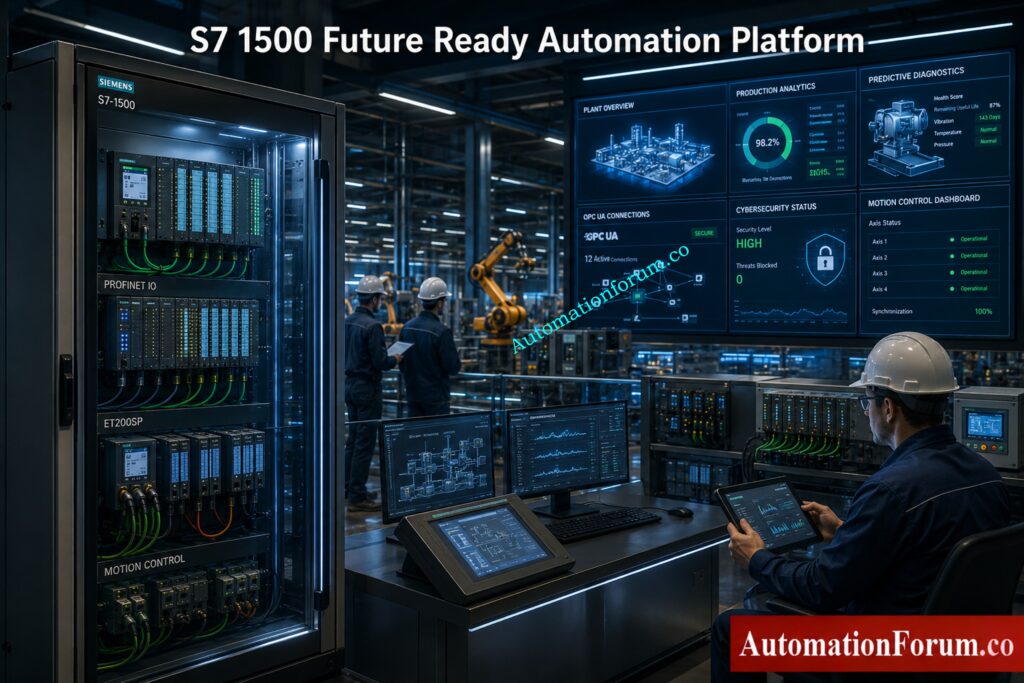
The technical gap is larger than it first appears. Siemens explains that S7 1500 uses optimized blocks, symbolic addressing, much larger data blocks, new data types, integrated diagnostics, versioned libraries, access protection, and modern online functions such as trace and complete uploads.
The biggest practical difference is this: S7 300 is usually maintained as a legacy platform, while S7 1500 is engineered to become the future operating standard. That is why the S7 1500 architecture provides major engineering advantages beyond simple hardware replacement.
PLC Resolution Secrets Every Automation Engineer Must Learn: Resolution in PLCs – The Complete Guide for Automation & Instrumentation Engineers
Complete Siemens S7 300 Migration Strategy
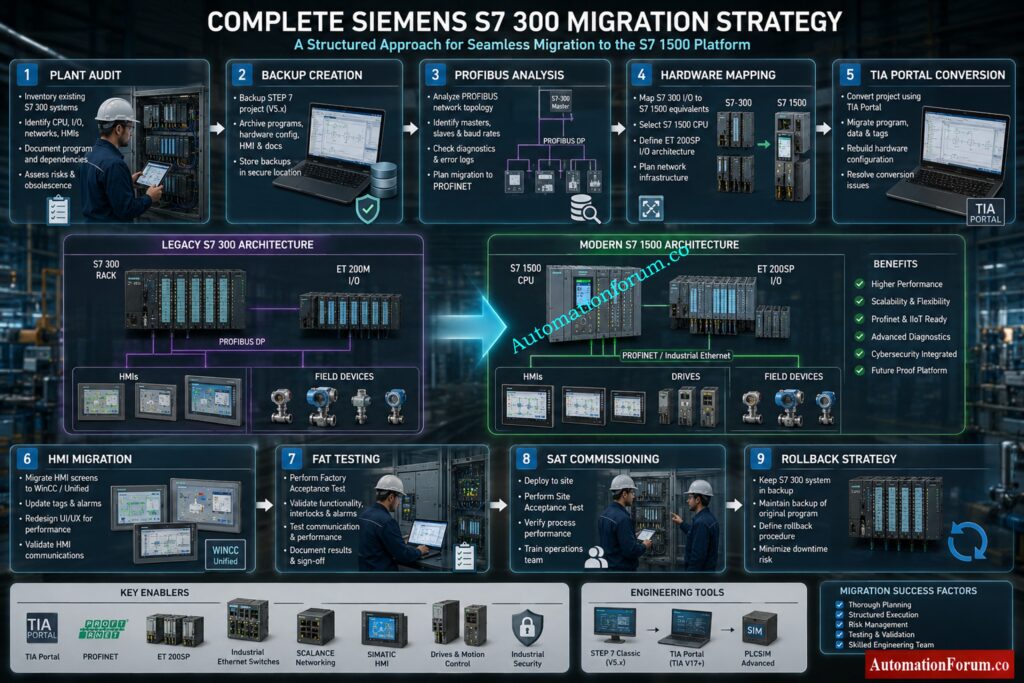
A successful Siemens PLC migration is never just a controller swap. Siemens’ migration guide stresses that the plant must be planned as a complete system, including dependencies, communication links, downtime windows, fallback strategy, and the final service concept.
Step 1 Perform Full PLC Asset Audit
Start with a full plant audit before touching hardware or software. This is where many migration projects succeed or fail.
Document every connected item, including:
- PLC hardware and CPU type
- Firmware versions
- Signal modules and communication modules
- Network topology
- HMI panels and operator stations
- Third party devices and gateways
- Analog instruments
- Drives and motor starters
- Safety components
- Remote I/O stations
- Existing cabinets, marshalling, and field wiring
A proper audit is not just a list of parts. It is a map of how the plant really works. Siemens specifically recommends identifying the status quo of the plant and analyzing all components, including third party systems and communication dependencies.
Scaling Analog Signals Correctly in PLC Automation Systems: Scaling Analog Values in Industrial Automation (PLC)
Step 2 Create Verified PLC and HMI Backups
Before any migration, create complete and verified backups of everything that may be needed for recovery.
Backup items should include:
- STEP 7 project files
- CPU uploads
- MMC card contents
- HMI projects
- SCADA project archives
- Drive parameter files
- Communication settings
- Recipe and batch data
- Alarm archives and historical data
Do not rely on a single backup copy. Keep one local, one external, and one archived version.
Many migration failures happen because the plant has an old project, but not a verified project. There is a big difference between having a file and having a backup that can actually restore the system after a fault.
Best practice:
Test the backup before migration day. A backup that has never been opened or restored is only a hope, not a recovery plan.
Step 3 Analyze PROFIBUS and Ethernet Networks
Check the following:
- PROFIBUS loading and bus health
- Cable shielding and grounding
- Connector condition
- Repeaters and segment limits
- Switches and managed Ethernet devices
- Fiber links
- IP address planning
- Device naming rules
- Communication watchdogs and timeout settings
Legacy PROFIBUS systems may look stable, but once the new PLC is installed, timing and communication behavior can change. That is why the network must be checked before hardware mapping begins.
Practical warning:
A plant can have good process equipment and still fail a migration because of weak grounding, bad connectors, or a noisy bus segment.
Step 4 Map Legacy Hardware to Modern Platforms
Once the audit is complete, map every old device to a modern target.
Typical migration paths include:
- ET200M to ET200SP
- PROFIBUS to PROFINET
- WinCC Flexible panels to Comfort Panels
- Legacy communication modules to integrated Ethernet based options
- Rack based architectures to modular distributed architectures
This step is more than choosing an equivalent part number. It is about deciding whether the old architecture should be preserved, simplified, or redesigned.
Siemens notes that partial migration, complete migration, or phased migration may all be valid depending on plant complexity, downtime tolerance, and future expansion plans.
Engineering tip:
If the plant still depends on old I/O or old communication structure, a phased migration is often safer than a full cutover.
Simple PLC Motor Starter Logic Engineers Must Understand: PLC Program for Motor Starter with Low-Level Switch Interlock
Step 5 Convert STEP7 Software to TIA Portal
Software conversion is where many projects become more difficult than expected.
A good migration must include:
- Code analysis
- STL and AWL review
- Addressing review
- Library restructuring
- Block naming cleanup
- PID loop review
- Sequence logic validation
- Data block conversion
- Symbolic programming strategy
Siemens recommends reviewing the project carefully before migration and using the readiness check tool where needed. It also notes that some older structures may need adjustments after conversion, especially when special instructions, options, or unsupported components are used.
Important reality:
Direct conversion is not always the best engineering choice. In many cases, rewriting selected blocks in a cleaner TIA Portal structure gives better long term maintainability than carrying forward every old programming habit.
PLC Data Type Mistakes Destroying Industrial Automation Projects: PLC Data Types Every Automation Engineer Must Know to Avoid Costly Programming Errors
Step 6 Migrate WinCC Flexible HMI Systems
HMI work is often underestimated because it looks smaller than the PLC migration, but in practice it can consume a large part of the project schedule.
HMI migration may include:
- Alarm mapping
- Tag remapping
- Recipe conversion
- Historical data migration
- Screen redesign
- User access updates
- Language changes
- Trend and archive conversion
Siemens’ migration guide also points out that older panels are discontinued and recommends moving to more modern HMI families such as Basic or Comfort Panels, with version compatibility requirements for project migration.
Step 7 Perform Factory Acceptance Testing FAT
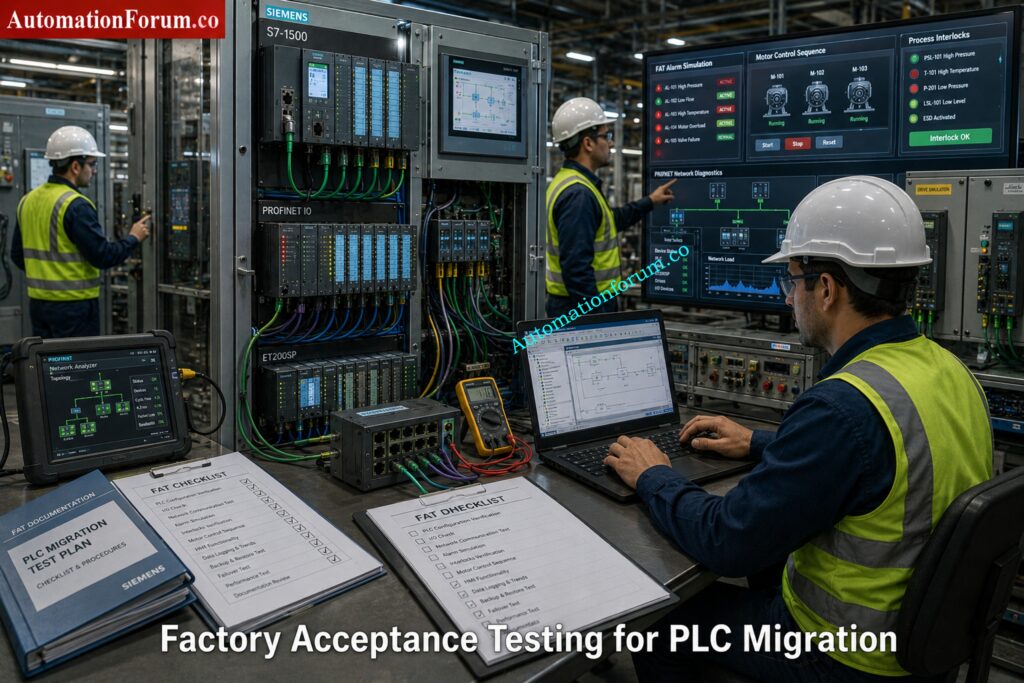
Factory Acceptance Testing is the point where the migration is proven before the system reaches the plant floor.
FAT should simulate:
- All key I/O operations
- Alarm handling
- Communication failures
- Power recovery behavior
- Startup and shutdown sequences
- Interlocks and permissives
- Drive commands
- Redundancy or fallback logic
- Operator actions
Best practice:
Do not limit FAT to “the machine starts.” Test abnormal conditions too. Many plants only discover logic weaknesses during alarms, power dips, or network drops.
Step 8 Execute Site Acceptance Testing SAT
Site Acceptance Testing confirms that the migrated system works under real process conditions.
SAT should verify:
- Actual field signals
- Real network communication
- Live instrument values
- Motor starting sequences
- Process interlocks
- Safety responses
- HMI operation
- Alarm response time
- Operator workflow
This is the last major checkpoint before the plant depends on the new system for production.
Practical warning:
SAT should not be treated as a formality. It is where commissioning differences between the test bench and the real plant often become visible.
NO vs NC Contact Confusion Ruining PLC Logic Designs: Understanding NO vs NC Contacts is key for Logic Writing in PLC Programming
Step 9 Build a Reliable Rollback Strategy
Every migration project needs a clear rollback strategy.
That means knowing in advance:
- What condition triggers rollback
- How long rollback will take
- Which backups will be used
- Which cables or modules must be restored
- How production restart will be managed
Without rollback planning, the plant is forced into a one way decision during commissioning. That is where downtime risk becomes dangerous.
Siemens’ guidance also emphasizes fallback strategy, sufficient time buffers, detailed planning, and testing before the point of no return.
Simple rule:
If the old system cannot be restored quickly, the cutover plan is incomplete.
Fastest Way to Troubleshoot PLC Permissive Logic Failures: PLC Permissive Logic Troubleshooting Procedure for Instrumentation Engineers
Best Practical Sequence for Siemens PLC Migration
A strong execution order is usually:
- Audit the existing plant
- Backup every project and device
- Analyze communication and dependencies
- Map hardware replacements
- Convert software in a controlled way
- Migrate the HMI separately if needed
- Run FAT with failure scenarios included
- Execute SAT under real process conditions
- Cut over during a controlled shutdown window
- Keep rollback capability until stable operation is confirmed
Critical PLC Panel Inspection Checks Engineers Often Ignore: Running Inspection Checklist of PLC Components in Control Panels
TIA Portal Migration Process for Siemens S7 300
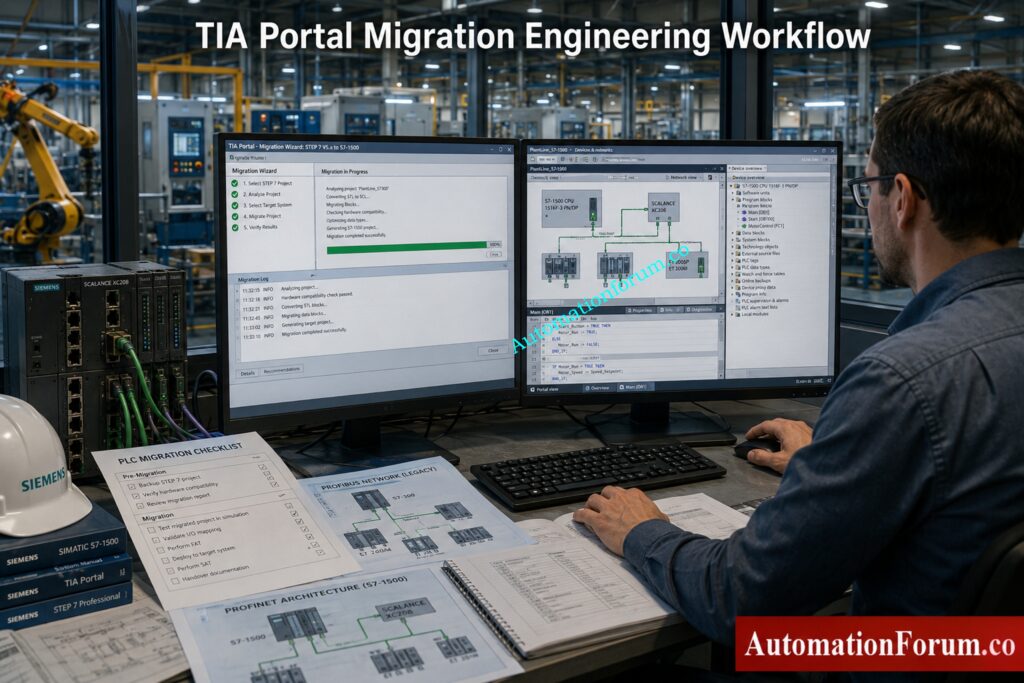
Migrating from STEP7 Classic to TIA Portal is one of the most critical phases in a Siemens PLC modernization project. On paper, the migration wizard looks simple. In real industrial environments, however, migration becomes a combination of software conversion, architecture redesign, hardware compatibility analysis, and commissioning risk management.
The Siemens migration guide explains that migration involves much more than opening an old project in TIA Portal. It includes project preparation, consistency checking, hardware inclusion, migration logs, compilation analysis, and correction of unsupported components.
For many plants, this is the first time the original PLC program has been deeply reviewed in years.
Why Hot Standby PLC Systems Prevent Costly Downtime: Hot Standby in PLC Systems: Architecture, Working, and Benefits
Basic STEP7 Classic to TIA Portal Workflow
A structured migration workflow reduces engineering risk and helps avoid commissioning surprises.
A practical migration sequence usually includes:
- Verify project consistency
- Run readiness check
- Open TIA Portal
- Start migration wizard
- Import STEP7 project
- Review migration logs
- Resolve unsupported components
- Compile project
- Correct errors
- Test communication
The most important part is not the import itself. The most important part is understanding what changed after conversion.
Triconex vs Traditional PLCs: Safety Differences You Must Know: Difference Between Triconex PLC and Other PLCs: A Complete Guide
Project Consistency Verification Before Migration
Before the migration can proceed, the original STEP7 project has to be cleaned and confirmed.
This includes:
- Block consistency checking
- Hardware diagnostics review
- Symbol table validation
- Communication verification
- Alarm configuration review
- Removal of obsolete objects
- Backup of original archives
The migration method can result in inconsistencies if the original project has problems incomplete or unstable results.
Siemens specifically recommends consistency checking before migration because corrupted or partially modified projects may fail during conversion.
Siemens Readiness Check Tool and Compatibility Analysis
The Readiness Check Tool is one of the most important migration utilities in Siemens modernization projects.
It helps identify:
- Unsupported hardware
- Obsolete communication modules
- Incompatible software blocks
- Unsupported HMI objects
- Safety conversion limitations
- Legacy functions requiring manual correction
A common example is discovering that the plant still depends on:
- Old CP communication cards
- Proprietary OPC drivers
- Legacy WinCC Flexible objects
- Unsupported GSD files
- Third party PROFIBUS devices
Without this assessment, migration planning becomes incomplete.
Why Smart PLC Programmers Prefer RTO Over TON: Why is RTO Used in Place of TON Timer in PLC Program?
Hardware Inclusion and Device Mapping in TIA Portal
During migration, TIA Portal attempts to include the original hardware configuration inside the new project environment.
However, not all legacy devices have direct replacements.
This usually requires:
- CPU replacement selection
- Communication module replacement
- Remote I/O migration planning
- HMI replacement mapping
- Network redesign
Many plants discover that the hardware migration itself is easier than adapting the communication structure around it.
For example:
- MPI networks may disappear completely
- PROFIBUS segments may migrate to PROFINET
- ET200M may move to ET200SP
- Old panels may require complete redesign
This is why migration projects should always be treated as system modernization projects rather than simple PLC upgrades.
Understanding Migration Logs and Error Handling
One of the most overlooked engineering tasks is analyzing migration logs properly.
TIA Portal generates logs that identify:
- Unsupported instructions
- Replaced functions
- Addressing conflicts
- Missing drivers
- Obsolete hardware references
- Failed conversions
Experienced engineers spend significant time reviewing these logs before testing begins.
Ignoring migration warnings is one of the fastest ways to create commissioning problems later.
Dangerous Rockwell PLC Vulnerability Every Engineer Must Address: Critical Flaw in Rockwell ControlLogix CVE-2024-6242 – Trusted Slot Bypass Vulnerability
Same PC vs Different PC Migration Methods
Same PC Migration
Same PC migration is possible when:
- STEP7 Classic and TIA Portal coexist
- Licensing is compatible
- Required drivers are available
- Windows compatibility is maintained
This approach is faster in smaller projects.
However, many industrial sites avoid this method because older STEP7 environments often depend on:
- Windows XP
- Legacy USB drivers
- Old MPI interfaces
- Unsupported licensing systems
Mixing old and new engineering software on the same machine sometimes creates instability.
Different PC Migration
Many engineers prefer using separate engineering systems for migration.
In practice, this usually means:
- One legacy engineering station for STEP7 Classic
- One modern engineering station for TIA Portal
- Separate backup environments
- Virtual machine support for legacy access
This reduces the risk of damaging the original project environment.
It also gives the engineering team a rollback option if conversion problems occur.
In many real plants, the old engineering laptop becomes a protected recovery system during the entire migration project.
Safety PLC vs Standard PLC: Shocking Industry Differences: Difference Between Standard and Safety PLCs: Features, Applications & Future Trends
Hidden Problems During Siemens S7 300 Migration
Most migration failures are not caused by hardware replacement.
These issues usually remain invisible until commissioning begins.
Absolute Addressing Problems in Legacy PLC Programs
Older STEP7 projects often rely heavily on:
- M memory
- Absolute DB addressing
- Pointer based logic
- Direct byte manipulation
These methods worked well in older architectures but become difficult to maintain in modern symbolic programming environments.
When migrating to S7 1500, symbolic programming becomes extremely important because optimized blocks behave differently from traditional absolute addressing structures.
Common Real World Problem
An old batching system may use:
- DB100.DBW12
- M250.0
- Pointer indirect access
across hundreds of functions.
After migration, troubleshooting becomes extremely difficult because the original memory relationships no longer behave exactly the same way.
Many engineering teams eventually choose partial code rewriting instead of carrying forward legacy addressing structures forever.
Prevent PLC I/O Failures Before They Shut Down Plants: Proactive Maintenance Strategies for PLC I/O Modules: Reduce Downtime & Improve Reliability
STL and AWL Compatibility Issues in S7 1500
Large industrial plants often contain extensive STL or AWL programming developed over decades.
These sections may include:
- Indirect addressing
- Jump logic
- Pointer arithmetic
- Custom communication handling
- Complex sequencing
While some STL logic can migrate, maintaining large STL based projects inside modern TIA Portal environments becomes increasingly difficult.
That is why many modernization projects gradually convert critical logic into:
- SCL
- Structured modular blocks
- Library based functions
Why Engineers Move Toward SCL
SCL improves:
- Readability
- Diagnostics
- Scalability
- Long term maintainability
- Team collaboration
Younger engineers are also far more comfortable supporting structured code compared with heavily compressed STL logic.
PROFIBUS to PROFINET Migration Challenges
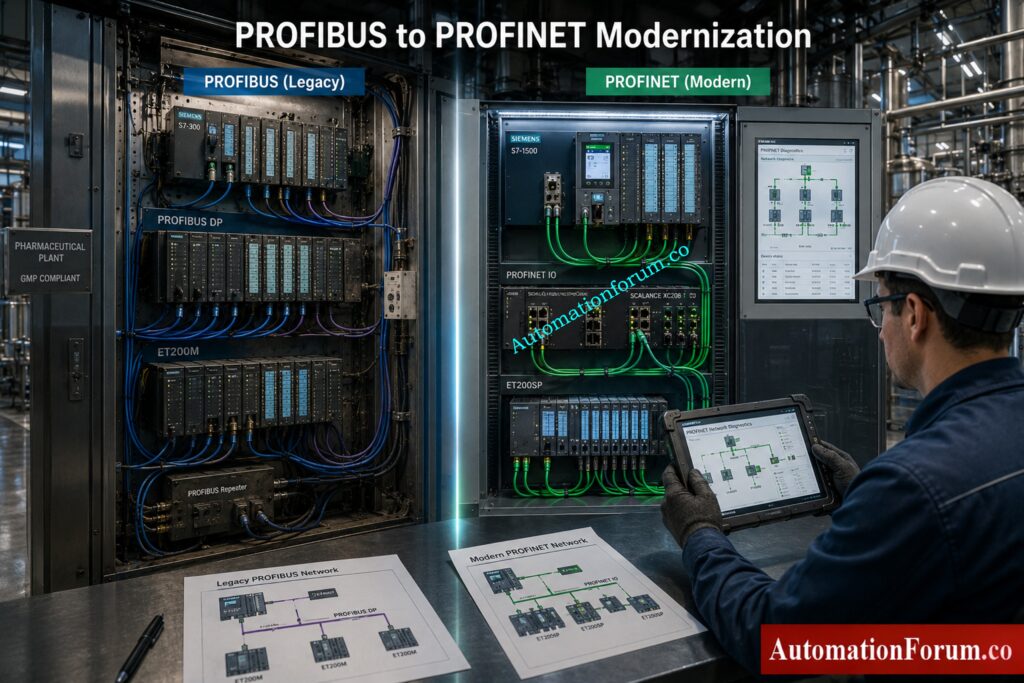
At first glance, replacing PROFIBUS with PROFINET seems simple.
In reality, engineers often encounter:
- Device naming conflicts
- IP addressing problems
- Network timing changes
- Communication latency differences
- Switch configuration issues
- VFD communication instability
The behavior of PROFIBUS systems was serial and deterministic. PROFINET introduces Ethernet based communication with different network behavior and infrastructure requirements.
Common Field Failure
A plant may successfully start motors during FAT testing, but experience intermittent communication drops during full production load because switch configuration or network segmentation was not properly designed.
Boost PLC Performance Using These Proven Optimization Techniques: How to Increase PLC Speed: 7 Optimization Tips + Advanced Programming Guide
HMI Communication Problems After Migration
Older HMIs often depend on communication methods that are no longer standard.
These may include:
- MPI
- PROFIBUS
- Proprietary drivers
- Old panel firmware
Migration frequently causes:
- Alarm failures
- Recipe corruption
- Communication timeout issues
- Historical data mismatch
Many engineers underestimate how tightly older HMIs are connected to the original PLC memory structure.
Once symbolic addressing changes, the HMI often requires extensive rework.
Scan Time Differences Between S7 300 and S7 1500
S7 1500 processors execute logic much faster than older S7 300 CPUs.
That sounds beneficial, but it can unexpectedly affect:
- Pulse timing
- Counter operation
- PID loop stability
- Conveyor sequencing
- Start and stop synchronization
Real Industrial Example
An old machine may rely on scan cycle timing assumptions created 15 years ago.
After migration, outputs react faster and sequencing overlaps begin appearing intermittently.
This creates startup failures that are difficult to reproduce during testing.
Third Party Driver and Gateway Compatibility Issues
Third party systems are often the most dangerous part of a migration project.
Examples include:
- Modbus gateways
- Barcode systems
- OPC servers
- Energy meters
- Packaging machines
- Weighing systems
Many older drivers were written specifically for:
- STEP7 Classic
- Windows XP
- Old communication libraries
During modernization, these systems may fail completely or require expensive replacement.
Most Widely Used PLC Brands in Industrial Automation Today: Which PLC is Mostly used in the Automation Industry?
Advanced FAQ About Siemens S7 300 Migration
Is Siemens S7 300 obsolete?
Siemens S7 300 is a legacy PLC platform, and S7 300 migration planning is now strongly recommended for long term plant reliability.
It may still run in production, but Siemens PLC modernization is the safer path for future support and spare parts availability.
Can S7 300 still be repaired?
Yes, some S7 300 repair options and spare parts support may still be available depending on the module type and region.
For industrial automation upgrade planning, engineers should not depend only on repair and should prepare a migration strategy.
Can I directly migrate STEP7 Classic to TIA Portal?
Yes, STEP 7 to TIA Portal migration is possible using the migration wizard and readiness check tools.
To migrate smoothly from a Siemens S7 300 to a S7 1500, begin by verifying project consistency and hardware compatibility.
Is STL supported in S7 1500?
Review or conversion of legacy code is typically necessary due to restricted STL support in S7 1500 compared to STEP7 Classic.
For Siemens TIA Portal migration the translation to symbolic programming and SCL conversion is preferred in general for improved maintainability.
Can ET200M be reused?
Yes, ET200M can sometimes be re-used during a phased S7 300 migration, depending on the plant design and the CPU target.
For long term ET200M replacement, ET200SP or ET200MP is usually a better choice in PLC modernization projects.
Should I migrate PROFIBUS to PROFINET?
Yes, moving from PROFIBUS to PROFINET is highly recommended for modern Siemens Plc upgrading projects.
PROFINET improves diagnostics, network flexibility, and future ready industrial automation performance.
Is WinCC Flexible still supported?
WinCC Flexible support is now limited, and many plants are moving to WinCC migration in TIA Portal.
For long term HMI modernization, Comfort Panels and Unified Panels are the better future proof option.
PLC Ladder Logic Rules Every Programmer Must Follow: Top 6 Important Rules for PLC Ladder Diagram Programming
Can I reuse existing field wiring?
Yes, existing field wiring can often be reused in a Siemens S7 300 to S7 1500 migration if the cabinet design allows it.
A proper hardware mapping study is needed before ET200M replacement or HMI migration begins.
What is the biggest migration risk?
The biggest PLC migration risk is unexpected downtime due by insufficient testing, missing backups or concealed communication problems.
A good FAT and SAT plan is crucial for safe execution of the industrial automation upgrade.
How long does migration take?
Migration time is a function of plant size, architecture complexity, scope of safety and amount of HMI or SCADA work needed.
A modest S7 300 transfer might be rapid, but a full TIA Portal migration from PROFIBUS to PROFINET will take significantly longer.
Is S7 1200 suitable for plant migration?
S7 1200 Ideal for tiny stand-alone systems and simple OEM automation applications.
For bigger Siemens PLC upgrade projects, S7 1500 is usually the preferred target because of performance and diagnostics.
Why is S7 1500 preferred?
S7 1500 is selected for higher performance, enhanced diagnostics, cyber security and good long term support.
It is the greatest solution for future proof automation, Industry 4.0 preparedness and current TIA Portal migration plans.
Can I migrate safety systems directly?
Migration of a Safety PLC must be approached cautiously, as validation, SIL standards, and safety testing are needed.
Direct conversion is not enough, so every safety system should be tested, documented, and approved before cutover.
Is virtualization recommended for legacy STEP7?
Yes, virtualization is often recommended for legacy STEP7 Classic environments when old engineering stations must be preserved.
Many plants use virtual machines to maintain S7 300 support while planning a controlled TIA Portal migration.
Should migration include cybersecurity upgrades?
Absolutely, every Siemens S7 300 migration should include cybersecurity upgrades as part of PLC lifecycle management.
Modern S7 1500 systems support stronger security, better access control, and safer industrial automation connectivity.
Allen Bradley PLC Datasheet Reading Made Extremely Simple: How to Read the PLC Datasheet: Allen-Bradley 1762 Model Step-by-Step Guide
Conclusion on Siemens S7 300 to S7 1500 Migration
The Siemens S7 300 platform transformed industrial automation and continues running critical infrastructure worldwide.
But the industrial landscape has changed.
Plants now face:
- Spare part shortages
- Cybersecurity pressure
- Aging networks
- Unsupported software
- Rising downtime risk
Migration is no longer just a hardware upgrade.
It is a strategic modernization project that impacts:
- Reliability
- Productivity
- Cybersecurity
- Maintainability
- Future scalability
The most successful migration projects are not the fastest projects.
They are the best planned projects.
A properly engineered S7 300 to S7 1500 migration can deliver:
- Higher availability
- Better diagnostics
- Faster troubleshooting
- Reduced downtime
- Future ready automation infrastructure
For automation engineers, system integrators, and modernization teams, the time to plan migration is now before the next unexpected failure becomes a production disaster.
Refer the below link for the Essential PLC Documentation Every Automation Engineer Should Maintain
