
- Why PLC Data Types Matter in Real-World Automation
- Common PLC Programming Problems Caused by Wrong Data Types
- PLC Data Types Explained for Instrumentation and Control Engineers
- Bit (BOOL) Data Type in PLC
- Byte Data Type in PLC
- Word Data Type in PLC
- Integer (INT) Data Type in PLC
- Double Integer (DINT) Data Type in PLC
- Real (FLOAT) Data Type in PLC
- String Data Type in PLC
- Double Word (DWORD) Data Type in PLC
- Time Data Type in PLC
- How to Choose the Right PLC Data Type (Best Practices)
- Impact of Data Types on PLC Scan Time & Performance
- PLC Data Types for Students vs Field Engineers
- Key Takeaways for Automation Engineers
- FAQ on Data Types in PLC
PLC data types aren’t just a syntax detail; they determine numeric accuracy, memory footprint, scan time performance, and how easy the system is to maintain. Good PLC data type selection prevents overflow, preserves precision for control loops, and makes diagnostics fast and predictable. In this article you’ll get a clear, practical walkthrough of the key PLC programming data types (PLC BOOL INT DINT REAL and more), real-world usage patterns, common PLC programming mistakes, and hardened best practices for PLC data type selection and PLC memory optimization. Read on for actionable guidance that helps you design reliable, high-performance automation logic.
PLC Permissive Logic Troubleshooting Step-By-Step: PLC Permissive Logic Troubleshooting Procedure for Instrumentation Engineers
Why PLC Data Types Matter in Real-World Automation
Correct data type choice affects multiple dimensions of a control system:
- Accuracy of measurements: wrong numeric type truncates or rounds process values (temperature, flow, pressure).
- PLC scan time: heavy types (floating point, long strings) and conversions increase CPU load and latency.
- Memory usage: data types determine tag size; inefficient choices bloat memory and slow backups.
- System reliability: overflow, conversion errors, or lost precision create logic faults and mis-actions.
- Troubleshooting speed: consistent, sensible types make it easy to figure out what’s wrong and why.
When engineering teams don’t think about data types until the last minute, they typically have to do a lot of expensive rework during commissioning or lose production later on.
PLC Control Panel Inspection Checklist Guide: Running Inspection Checklist of PLC Components in Control Panels
Common PLC Programming Problems Caused by Wrong Data Types
Real examples you’ll run into:
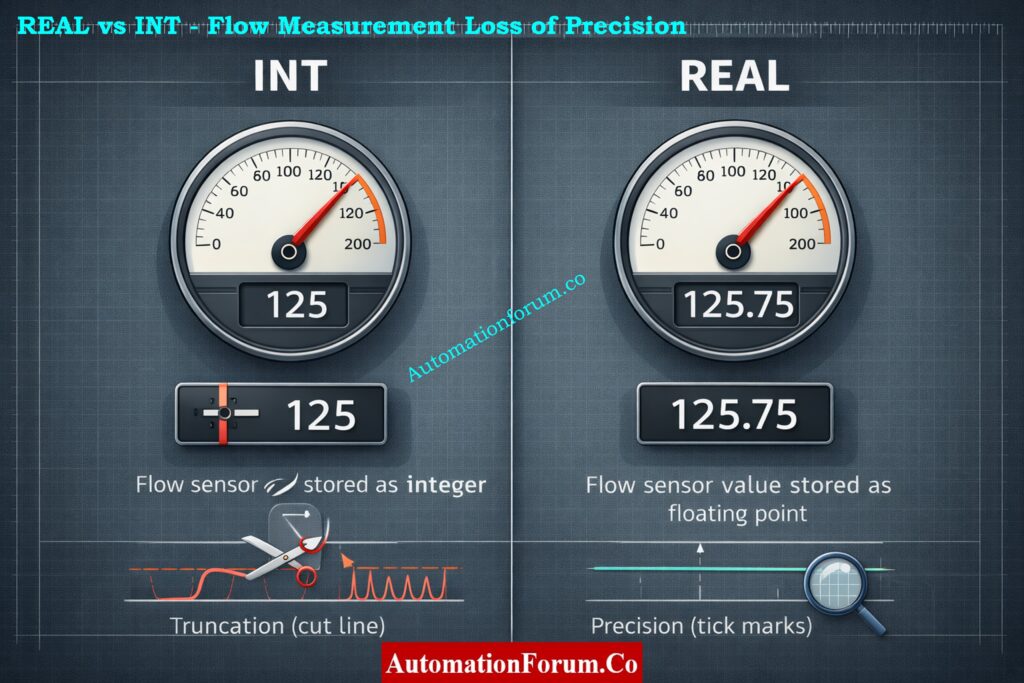
- INT vs REAL for flow values: When you store a flow of 125.75 L/min in INT, it gets cut off at 125, which gives PID the wrong input and causes a steady-state error.
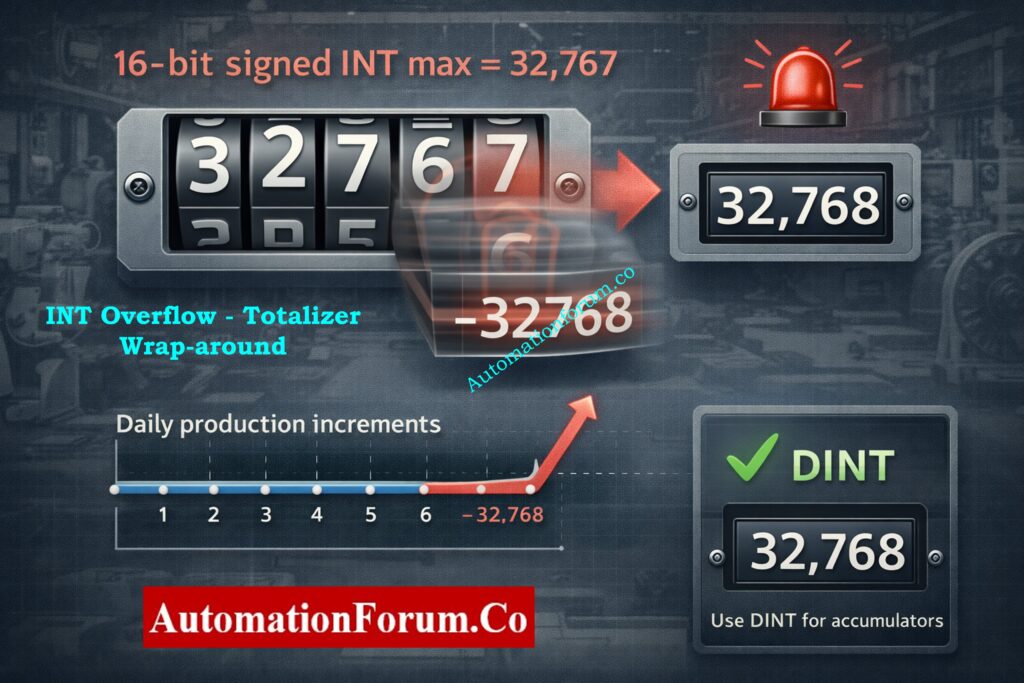
- INT overflow in totalizers: When totalizers have an INT overflow, the maximum value for a 16-bit signed INT is 32,767. A production counter that goes over that flips negative or wraps, which messes up logs.
- Excessive STRING usage: using STRING for anything other than user messages increases memory use and slows tag scans and backups.
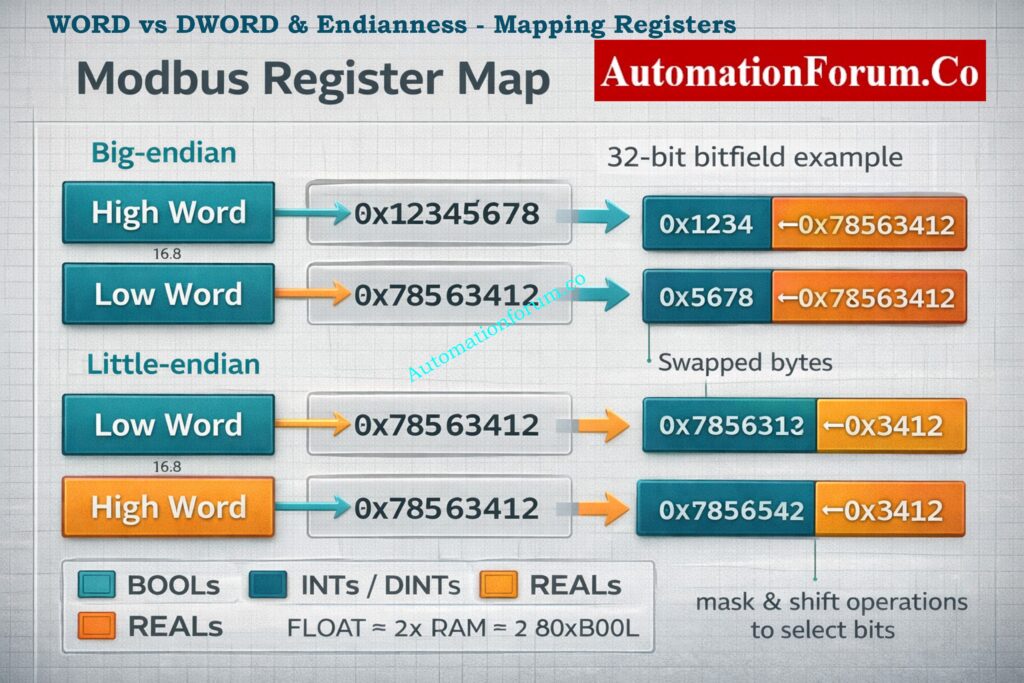
- Misuse of WORD vs DWORD: mapping device registers into WORD when device returns 32-bit values loses half the data or misaligns bitfields.
Consequences are practical: wrong control actions, erratic HMI values, spiking PLC CPU, and confusing alarm patterns.
Why RTO Timer Beats TON: Why is RTO Used in Place of TON Timer in PLC Program?
PLC Data Types Explained for Instrumentation and Control Engineers
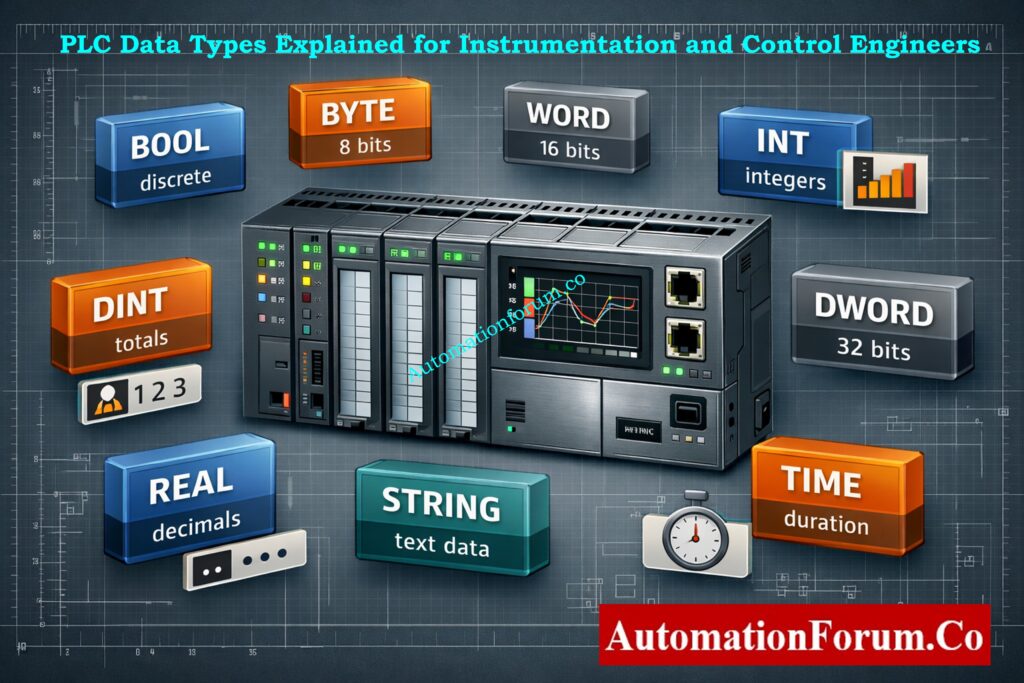
This comprehensive guide explains the most commonly used PLC data types in industrial automation and instrumentation systems. It is written for instrumentation engineers, control engineers, PLC programmers, maintenance engineers, and automation professionals working with PLCs, DCS, SCADA, and Modbus based systems. Each type of data has a definition, size, value range, uses, examples from the real world, remarks, and tips for fixing problems.
Increase PLC Scan Speed Proven Tips: How to Increase PLC Speed: 7 Optimization Tips + Advanced Programming Guide
Bit (BOOL) Data Type in PLC
Definition
A Bit or BOOL is a single binary value used in PLC programming.
Size
1 bit. Internally PLC platforms may pack multiple BOOLs into a byte or a word for memory efficiency.
Value Range
0 or 1. FALSE or TRUE.
What It Stores
Discrete inputs and outputs, status flags, permissives, trips, and interlocks.
Typical Applications
Practical Example
Pump_Run equals TRUE when the motor starter feedback contact is energized.
Real World Notes
- Many vendor toolchains support bit-level addressing (e.g., I:0/1), but communication protocols like Modbus often expose whole registers mapping and masking are needed.
- For safety/interlocks, treat BOOLs as status flags only; avoid using them for arithmetic or accumulation.
Quick Diagnostic and Best Practice
- Check for non-atomic writes and read-modify-write races when a single bit changes without warning.
- Put logically relevant flags into a byte or word to make communication faster, but be careful when masking and unmasking bits in your code.
Most Widely Used PLC Brands: Which PLC is Mostly used in the Automation Industry?
Byte Data Type in PLC
Definition
A byte is a data container that holds 8 bits of information.
Size
8 bits.
Value Range
0 to 255.
What It Stores
Small grouped flags, compact status information, simple encoded values.
Typical Applications
Device status bytes, communication data, simple codes returned by instruments.
Practical Example
A field device returns a status code between 0 and 200 stored in a single byte.
Real World Notes
- Bytes are commonly used for compact status encoding and simple ASCII characters. They’re useful when reading/writing modbus registers that return 8-bit status bytes.
- Watch BCD and ASCII encodings a value of 0x31 can mean ASCII ‘1’ (49 decimal) or the numeric 31 in BCD depending on vendor. Clarify encoding in device docs.
- Byte arithmetic overflows wrap around explicit checks or use larger types when summing many bytes.
Quick Diagnostic and Best Practice
- Always check to see if a byte is raw data, ASCII, BCD, or bit flags.
- To get nibble-level information without making mistakes, use masking (byte & 0x0F).
Essential PLC Documentation Engineers Must Maintain: PLC System Documentation Guide: Essential Records for Industrial Automation Success
Word Data Type in PLC
Definition
A Word is a 16 bit unsigned integer. Naming conventions may vary between PLC vendors.
Size
16 bits.
Value Range
0 to 65535 unsigned.
What It Stores
Raw analog values, bit mapped registers, register based counters.
Typical Applications
Raw ADC counts from analog input modules, Modbus holding registers.
Practical Example
AI_raw equals 27648 read as a 16 bit word from an analog input module.
Real World Notes
- Many field devices export 16-bit registers; interpreting them correctly is fundamental. If the sensor produces negative values it may be in two’s complement (signed) even if the documentation calls it a register.
- Common use: store raw ADC counts (0–32767 or 0–65535) and then apply scaling (engineering_value = scale * raw + offset). Keep scale factors documented with the tag.
- Endianness isn’t an issue within a single word, but when combining multiple words into 32-bit values you must align word order (Modbus big-endian vs vendor-specific).
Quick Diagnostic and Best Practice
- When a value reads “crazy”, confirm signed vs unsigned interpretation and check scale factors.
- Reserve WORDs for register-level data and use INT/DINT for arithmetic/accumulators.
Hot Standby PLC Architecture Explained Clearly: Hot Standby in PLC Systems: Architecture, Working, and Benefits
Integer (INT) Data Type in PLC
Definition
INT is a 16 bit signed integer.
Size
16 bits.
Value Range
Minus 32768 to plus 32767.
What It Stores
Small whole numbers, counters, indexes, scaling factors.
Typical Applications
Small counters, loop indexes, simple operator setpoints without decimals.
Practical Example
Temperature_display = 85 (no decimals).
Real World Notes
- INT is the go-to for small whole numbers and is efficient for CPU arithmetic. However, signed range limits are small accidental use as a totalizer leads to wrap or negative values.
- Many PLCs use INTs for internal loop indices and small state counters; these should be kept within range by design. Add saturation logic (LIMIT) when values increment under uncertain inputs.
- Conversions: casting between INT and REAL can introduce rounding; explicitly control rounding logic when you need deterministic behaviour.
Quick Diagnostic and Best Practice
- Add range checks (if value > MAX_INT then alarm) before incrementing.
- For cumulative counters that may exceed 32k, default to DINT.
PLC Analog Scaling Explained Step-By-Step: Scaling Analog Values in Industrial Automation (PLC)
Double Integer (DINT) Data Type in PLC
Definition
DINT is a 32 bit signed integer.
Size
32 bits.
Value Range
Minus 2147483648 to plus 2147483647.
What It Stores
Large whole numbers, totalizers, production counters.
Typical Applications
Production totals, cumulative runtime, long duration counters.
Practical Example
TotalUnits equals 2500000 stored in a DINT.
Real World Notes
- DINTs are perfect for production totals, timestamps (seconds since epoch), and high-resolution counters. They avoid frequent overflow issues that INTs suffer from.
- When communicating with devices that use unsigned 32-bit values, be careful interpreting DINT vs DWORD negative DINTs indicate interpretation mismatch.
- DINT arithmetic is slightly heavier than INT but still far cheaper than floating point on many controllers.
Quick Diagnostic and Best Practice
- Use DINT for accumulators, and document expected lifetime totals to prove headroom.
- For unsigned large totals (e.g., raw pulse counts), consider DWORD if negative values are impossible.
NO vs NC Contacts Explained Clearly: Understanding NO vs NC Contacts is key for Logic Writing in PLC Programming
Real (FLOAT) Data Type in PLC
Definition
REAL or FLOAT is a 32 bit IEEE 754 floating point data type.
Size
32 bits.
Value Range
Very wide dynamic range with fractional support.
What It Stores
Decimal values, measured process variables, PID inputs and outputs.
Typical Applications
Flow rates, pressure values, temperature values, PID control calculations.
Practical Example
Flow_Lpm equals 125.75 used directly by a PID controller.
Real World Notes
- FLOAT supports fractions and large dynamic ranges but introduces issues: rounding errors, NaN/INF states (divide-by-zero), and non-intuitive equality comparisons. Use tolerances rather than == when comparing floats.
- Many PLCs implement floating-point in hardware, but some use software libraries check CPU specs because floating math can be costly for scan time on low-end CPUs.
- For high-speed loops, consider scaled integers (store flow_x1000 in DINT) to avoid floating math overhead while preserving precision.
Quick Diagnostic and Best Practice
- Avoid frequent float↔int conversions; when necessary, do it in controlled, infrequent steps.
- Protect math with IF NOT IS_NAN(value) and add clamp logic for extreme values.
Rungs And Rails PLC Ladder Basics: Understanding Rungs and Rails: The Foundation of PLC Ladder Logic
String Data Type in PLC
Definition
String is a variable length text data type.
Size
Variable, based on declared maximum length.
Value Range
Text characters.
What It Stores
Human readable text such as messages and names.
Typical Applications
HMI alarm text, batch names, recipe identifiers, operator messages.
Practical Example
Process_State equals Pump Running displayed on the HMI.
Real World Notes
- Encoding matters ASCII vs UTF-8 and some PLCs have fixed-length string buffers that must be zero-terminated. Unexpected characters or missing terminators can corrupt displays.
- Avoid encoding numeric data in strings; it prevents arithmetic and forces conversions.
Quick Diagnostic and Best Practice
- Declare the minimal max length required (e.g., STRING[32]) and avoid dynamic string concatenation in fast tasks.
- When integrating with SCADA, standardize encoding and trimming rules.
Critical Rules For PLC Ladder Programming: Top 6 Important Rules for PLC Ladder Diagram Programming
Double Word (DWORD) Data Type in PLC
Definition
DWORD is a 32 bit unsigned integer or bit field.
Size
32 bits.
Value Range
0 to 4294967295.
What It Stores
Large unsigned values, bit mapped status registers.
Typical Applications
Communication status mapping, combined Modbus register values.
Practical Example
A device returns a 32 bit status mask stored in a DWORD.
Real World Notes
- DWORDs are commonly used for 32-bit masks, unique identifiers, and combining two 16-bit registers from devices. When used as bitfields, they allow efficient status mapping and single-read writes.
- Endianness and word-order matter when merging two 16-bit Modbus registers into a 32-bit value check whether the high word comes first (big-endian) or last. Wrong ordering yields swapped bytes/words.
- When performing bit operations, prefer bitwise operators (AND, OR, SHR, SHL) rather than numeric math to avoid sign/overflow confusion.
Quick Diagnostic and Best Practice
- Document bit assignments in comments (bit 0 = Alarm A, bit 1 = Alarm B, etc.).
- Confirm register pairing and test with known patterns (0x12345678) to verify ordering.
Basic Parts Of PLC Ladder Diagram: Understanding Basic Parts of Ladder Diagram (LD) in PLC Programming
Time Data Type in PLC
Definition
Time is a specialized PLC data type used to represent durations or timestamps.
Size
Variable depending on vendor and resolution.
Value Range
Milliseconds to hours depending on implementation.
What It Stores
Timer values, delays, event timestamps.
Typical Applications
On delay timers, sequencing delays, time stamped events.
Practical Example
T#5s used to implement a five second interlock delay.
Real World Notes
- Time types often have native syntax (T#5s, T#100ms) and built-in timer functions that are easier and safer than implementing your own counters. They preserve units, so code is more readable and less error-prone.
- Beware of resolution: some timer types are limited to 10ms or 100ms granularity. For precise sequencing or short pulse captures, verify the ms resolution supported.
- For timestamps, decide whether you use relative time (durations) or absolute RTC-based timestamps (epoch seconds stored in DINT/DWORD) and standardize across the system.
Quick Diagnostic and Best Practice
- Use native time types for delays and sequences; avoid home-brew counters unless you need special behaviour.
- When logging events, store both a human-readable time (string) and a numeric epoch (DINT/DWORD) for easier post-processing.
PLC Hardware Modules Types Functions Explained: PLC Hardware: Modules,Types, Functions, and Applications
How to Choose the Right PLC Data Type (Best Practices)
- Start with the physical requirement: Does the value need decimals? Use REAL for process variables; INT/DINT for counts.
- Plan headroom: Choose a type that can easily handle the predicted growth. If monthly totals could go over 32,000, use DINT for production totals.
- Prefer native types: Use the PLC vendor’s built-in numeric types to avoid having to convert data.
- Pack bits logically: When mapping to field device registers or Modbus, group similar BOOLs into BYTE/WORD to make communication clearer.
- Minimize STRING size: Declare strings only as long as you need them (for example, 20 to 40 characters), and don’t use strings for math.
- Document assumptions: To avoid making mistakes in the future, tag comments should specify units, scale factors, and intended ranges.
- Consider future expansion: If new features could need bigger values, pick a bigger type now instead of taking a chance on migrations later.
PLC Redundancy Cold Warm Hot Explained: Understanding PLC Redundancy: Cold, Warm & Hot Redundancy
Impact of Data Types on PLC Scan Time & Performance
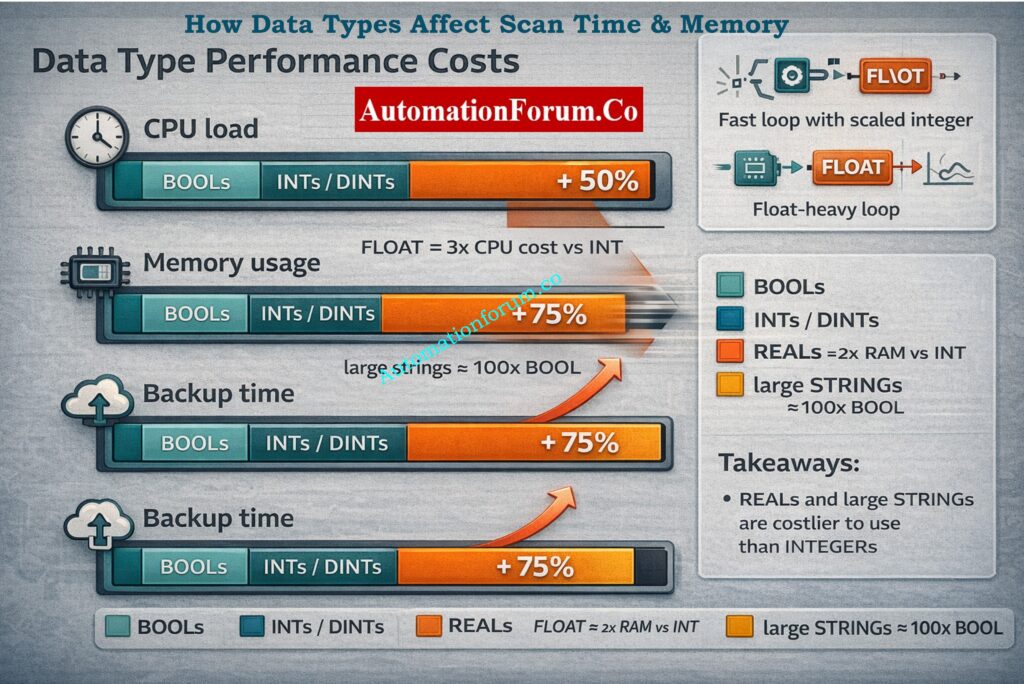
- Floating point costs more CPU: Floating point math (REAL math) consumes more CPU than integer math. If possible, use scaled integers or hardware FP in high-frequency control loops.
- Strings are heavy: Big strings make copying memory and backing up take longer and take up more space. Frequent string operations can make scan time a lot longer.
- Conversions add latency: Converting back and forth between INT and REAL or handling byte order for communication adds CPU cycles.
- Best practices for performance: utilize as few floats as possible in tight loops, utilize integer scaling for high-speed counters, don’t concatenate strings too often in the main task, and group relevant processing into tasks with the right priority (fast, normal, slow).
Calculate And Reduce PLC Voltage Drop: How to Calculate and Minimize Voltage Drop in PLC Wiring?
PLC Data Types for Students vs Field Engineers
Students (Learning perspective):
- Focus on understanding type ranges, signed vs unsigned, and conversion behaviour.
- Practice mapping real process values into scaled integers and floats.
- Use simulation to see overflow and rounding effects.
Field Engineers (Troubleshooting perspective):
- Check for overflow symptoms, unexpected casting, and mismatched endian/word order.
- Prioritize changing data types only when necessary; add guards (limits, saturation logic) before swapping types.
Designers tend to be conservative and plan for growth; maintenance engineers favour predictable, debuggable types.
PLC Watchdog Timers Explained Simply: Understanding Watchdog Timers in PLCs
Key Takeaways for Automation Engineers
- Choose types to match the unit and precision required (REAL for decimals, DINT for large counts).
- Prevent overflows: pick DINT for cumulative counters and totalizers.
- Optimize memory and CPU by avoiding excessive STRING and FLOAT usage in tight loops.
- Pack bits and use WORD/DWORD carefully for communication mapping.
- Document units, scale, and expected range for every tag it saves hours in troubleshooting.
- Balance accuracy vs performance: consider integer scaling for high-speed loops where floating point is costly.
Good PLC data type selection is a small design choice with outsized impact it’s what separates a robust, maintainable system from one that surprises you during operation.
PLC Racks And Chassis Explained: Understanding PLC Racks and Chassis: Types, Differences, and Purposes
FAQ on Data Types in PLC
What are the data types in PLC?
PLC data types tell a controller how to store and work with data.
Some of them are Boolean, integer, real, time, and string types.
PLCs can do logic, math, timing, and communication with these data kinds.
PLC Tag Naming Best Practices Guide: Best Practices for PLC Tag and Address Naming Conventions
What are the 4 data types?
There are four main categories of data: Boolean, Integer, Real, and String.
Boolean deals with ON and OFF logic, and integers deal with full numbers.
String saves text data, while real manages numeric quantities.
What are 5 common data types?
Some popular forms of data are Boolean, Integer, Real, Timer, and Counter.
For digital signals, you use Boolean, and for numbers, you use integers.
Timers and counters manage delays, sequences, and event counting.
What are the different types of automation in PLC?
PLC automation includes fixed, programmable, and flexible automation.
Fixed automation is repetitive, while programmable automation allows changes.
Flexible automation supports fast changeovers and advanced control.
What are the 4 types of automation?
The four types of automation are fixed, programmable, flexible, and integrated automation.
Each type varies in flexibility, cost, and complexity.
PLCs are mainly used in programmable and flexible automation systems.
Control Algorithms Implementation In PLCs: Implementation of Control Algorithms in PLC Programming
What are the 7 parts of a PLC?
The power supply, CPU, memory, input modules, output modules, communication module, and programming device are the seven basic pieces of a PLC.
All of the parts work together to govern industrial processes.
Inputs read signals, the CPU processes logic, and outputs control devices in the field.
ON Delay OFF Delay Timers Explained: Understanding ON Delay and OFF Delay Timers in PLC Programming
