
- What are the Main Components of a Distributed Control System (DCS)?
- Engineering Station (ES): The Heart of DCS Configuration
- Operating Station (OS): The Operator’s Window to the Process
- Automation Station (AS): The Brain of the DCS
- Comparison Between ES, OS, and AS in DCS
- Why Understanding DCS Components Important
- Test your Expertise in DCS Cascade Control Loop Instrumentation
- FAQ on DCS Components and Automation Systems
What are the Main Components of a Distributed Control System (DCS)?
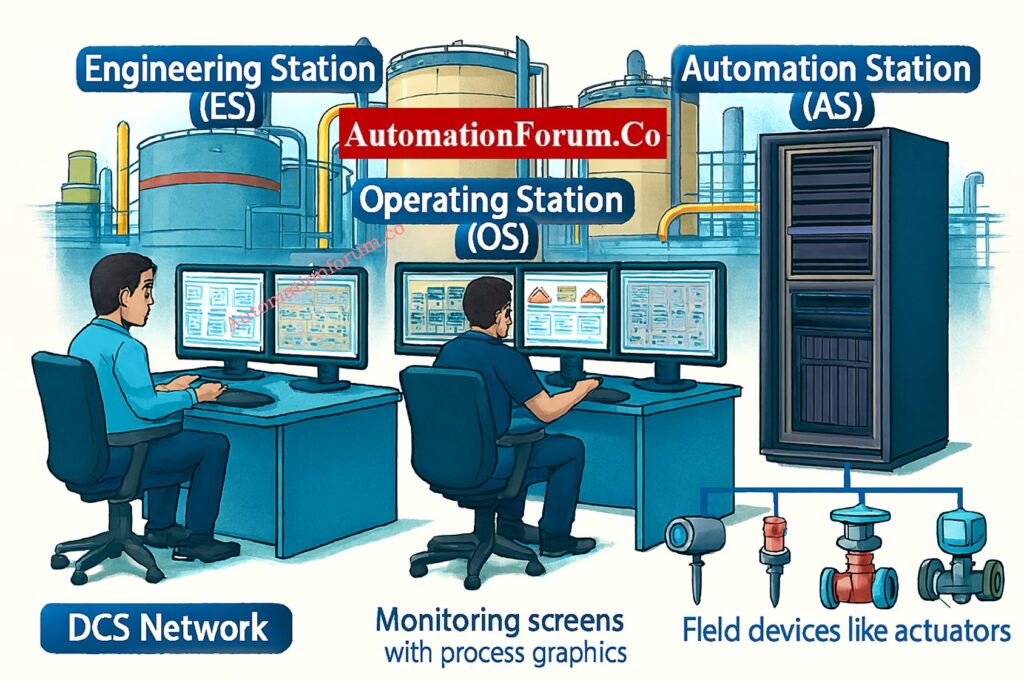
A Distributed Control System (DCS) is the most important part of modern industrial automation. A DCS makes sure that refineries, chemical plants, and power generation facilities run safely, reliably, and efficiently by seamlessly connecting the operations of operators, engineers, and field equipment.
A DCS, on the other hand, is not just one device; it is a network of connected parts, each with its own job to do. Engineers, control room operators, and automation specialists who design, build, and fix complicated process systems need to know how all of these components function together.
In this post, we will look at the main parts of a DCS Engineering Station (ES), Operating Station (OS), and Automation Station (AS), as well as their functions, distinctions, and importance in controlling industrial processes.
See the detailed comparison between PLC, DCS, and SCADA systems and when to choose each one: Comparison between PLC, DCS, and SCADA
Engineering Station (ES): The Heart of DCS Configuration
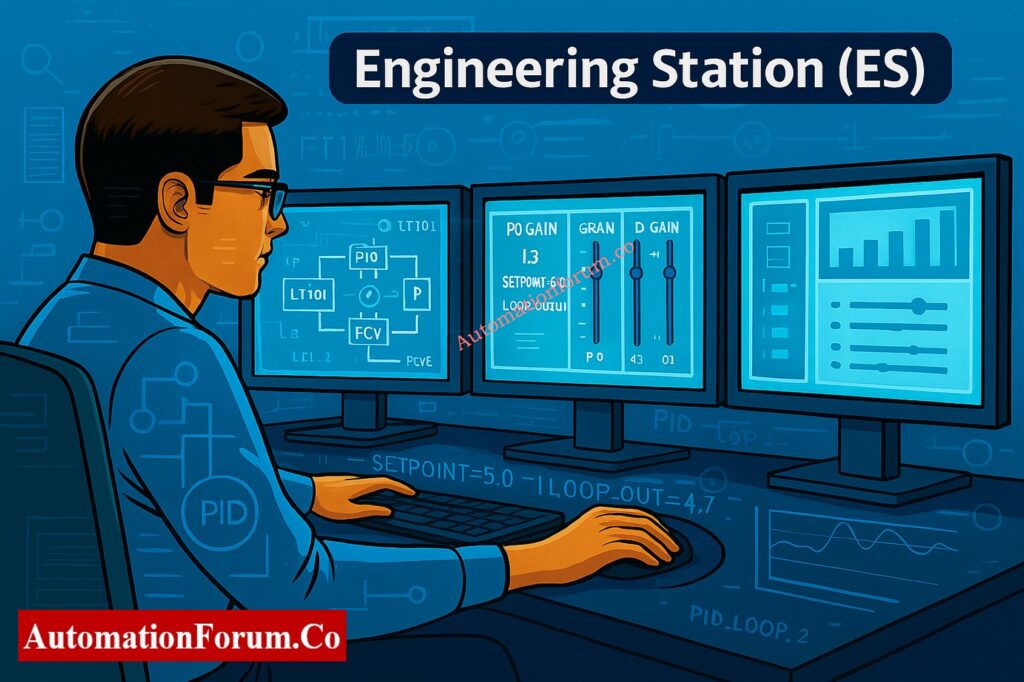
The Engineering Station (ES) is where the whole DCS is built on. Engineers use it as their main workstation to set up, program, and keep the control system running. There would be no control strategy, no communication mapping, and no parameter adjustment if there were no ES.
Key Functions of the Engineering Station
System Configuration
The ES lets engineers set up the whole DCS architecture, choose how communication will happen, and set up control techniques. This is where every controller, fieldbus, and I/O module is mapped out so that they all work together smoothly.
Programming Control Logic
The ES uses vendor-specific tools like Function Block Diagrams (FBD), Ladder Logic, or Structured Text (ST) to build control logic like PID loops, interlocks, and sequence control. This is where the process’s “intelligence” comes from.
Parameter Setting and Loop Tuning
Transmitters, actuators, and control valves are examples of instrumentation instruments that need to be set up very carefully. Engineers utilize the ES to establish these parameters, tune the loop, and improve the process response to make it more accurate and stable.
Diagnostics and Maintenance
The ES is also a place to troubleshoot and figure out what’s wrong. It has instruments to verify the health of communication, the condition of the controller, and the variables in the process. Engineers can find problems, change firmware, and arrange maintenance ahead of time.
Learn how permissive logic and trip interlocks ensure safe startup and shutdown in industrial automation: Understanding Permissive Logic and Trip Interlocks in Industrial Systems
Importance of the Engineering Station in DCS
The Engineering Station is the “brain center” for setting things up and keeping them running. It makes sure that all of the system’s parameters and control strategies are set up appropriately before they are sent to the Automation Station for real-time execution.
Explore the key strategies for enhancing DCS cybersecurity and mitigating cyber threats in automation networks: DCS Cybersecurity: Mitigating Risks in Industrial Automation
Operating Station (OS): The Operator’s Window to the Process
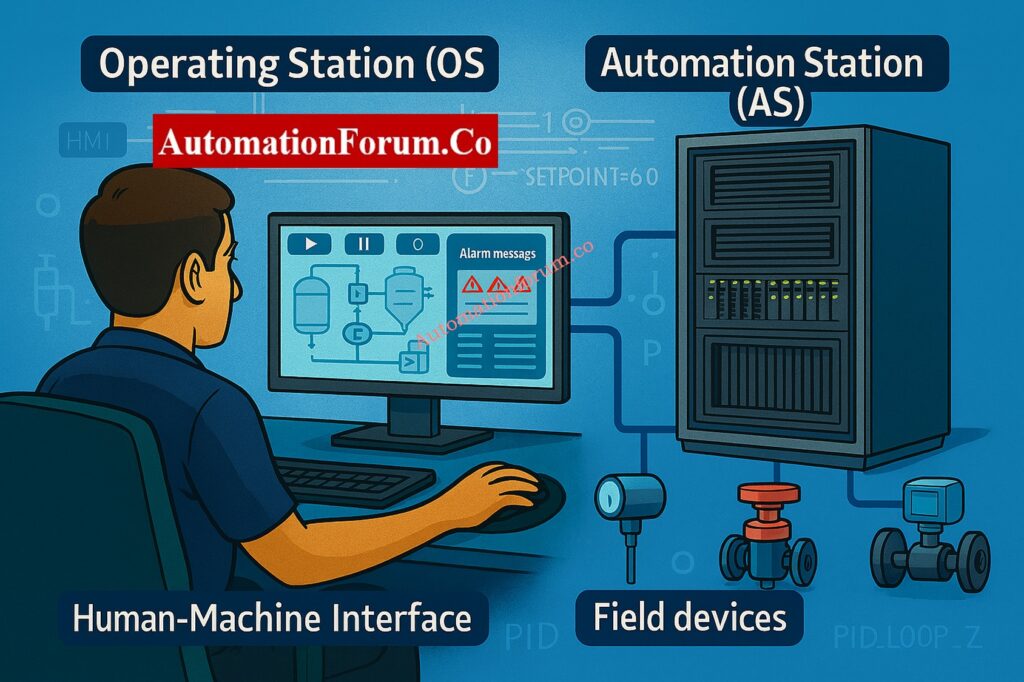
The Operating Station (OS) is the control room interface that links operators to the process. It gives operators a real-time graphical view of how the plant is running, letting them see data, handle warnings, and operate process equipment.
Use this DCS control valve troubleshooting checklist to identify loop issues quickly and accurately: Checklist for Troubleshooting Control Valve in DCS Loop
Key Functions of the Operating Station
Real-Time Monitoring
The OS shows real-time process information like temperature, pressure, flow rate, and tank levels. To keep the plant stable, operators can keep an eye on trends, see how well the process is working, and look at deviations.
Alarm Management
The OS makes sounds and shows alarms when process values go above typical levels. Operators can acknowledge alarms, look at event records, and take quick action to fix problems to keep things safe.
Control Actions
Operators utilize the OS to start and stop pumps and compressors, modify setpoints, and take over automatic control loops when necessary.
Graphical User Interface (HMI)
Modern DCS Operating Stations have advanced Human-Machine Interfaces (HMI). These interfaces combine real-time images, color coding, and diagrams that seem like real things to make complicated process data easy to understand and act on.
Implement effective alarm handling using this DCS alarm management checklist for control room engineers: DCS Alarm Management Checklist
Importance of the Operating Station in DCS
The operator’s command center called the Operating Station. It connects people with machines, making sure the facility functions smoothly and safely all the time. Without the OS, operators wouldn’t be able to see or control what was going on in the plant.
Learn the difference between alarm, trip point, and alarm priority in DCS and PLC systems: What are alarm, trip point, and alarm priority in DCS & PLC?
Automation Station (AS): The Brain of the DCS
The Automation Station (AS), which is also called the Controller or Process Station, is the DCS’s real execution engine. It controls things in real time and talks directly to field equipment like sensors, transmitters, and actuators.
Key Functions of the Automation Station
Control Logic Execution
The AS runs the control programs that were made in the Engineering Station. It constantly does computations like PID control, logic sequences, and interlocks to make sure that process variables stay within the intended range.
Communication with Field Devices
The AS connects to the field layer by communication networks like PROFIBUS, FOUNDATION Fieldbus, or HART, or through analog and digital I/O modules. It gets information from sensors and tells valves and actuators what to do.
High Availability and Redundancy
AS units are usually set up in redundant pairs to make sure they are as reliable as possible. This guarantees that operations will continue without interruption, even if one controller fails. This is especially important for industries like oil and gas, pharmaceuticals, and power generation.
Integration with Higher-Level Systems
Automation Stations talk to other control systems and enterprise software, like MES or ERP, to provide you a view of all the data in the plant and make it easier to make informed business decisions.
Importance of the Automation Station in DCS
The Automation Station is the main part of the DCS that runs. By running the configured logic in real time, it makes sure that all automated procedures function safely, accurately, and all the time.
Test your knowledge with this expert-level DCS quiz designed for experienced automation professionals.: Quiz on Distributed Control Systems(DCS)
Comparison Between ES, OS, and AS in DCS
Here’s a full comparison to help you understand how these three DCS parts work together:
Summary Table – Roles and Responsibilities
| Feature | Engineering Station (ES) | Operating Station (OS) | Automation Station (AS) |
| Primary Users | Engineers | Operators | Control System |
| Main Function | System configuration, logic programming, diagnostics | Real-time monitoring, alarm handling, control actions | Logic execution, process control, field communication |
| Interface Type | Configuration tools, programming environment | HMI, process graphics, trends | Control algorithms, I/O connections |
| Critical Role | Design and maintenance | Operation and supervision | Execution of control strategies |
| Data Interaction | Defines control logic and parameters | Displays and controls live process data | Acquires and acts on process data |
This structure makes it clear who is responsible for what:
- ES focuses on what should happen (design).
- AS focuses on how it happens (execution).
- OS ensures who monitors and controls it (operation).
Follow this practical integration checklist for connecting third-party systems with your DCS architecture: Integrating Third-Party Systems with a Distributed Control System (DCS): Checklist
Why Understanding DCS Components Important
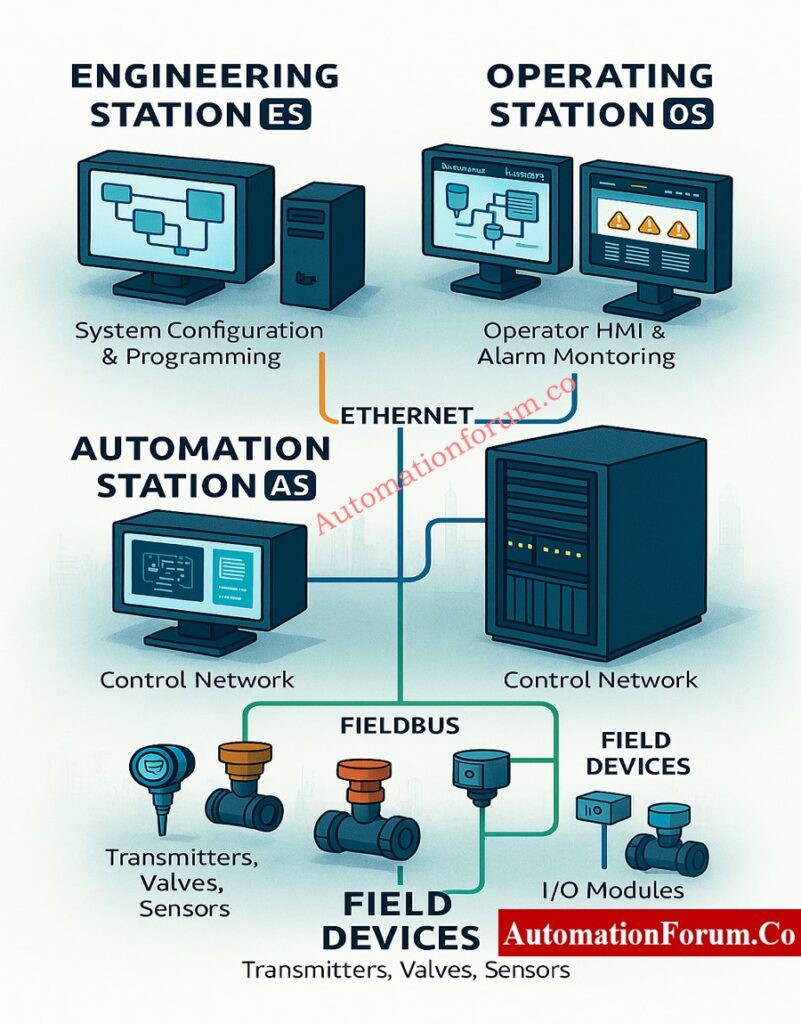
Better system design, faster troubleshooting, and safer plants all come from knowing what the ES, OS, and AS roles are.
Enhanced Troubleshooting
When anything goes wrong, such a signal mismatch or a control loop failure, Engineers can rapidly figure out what’s wrong when they know which part does what.
- Is there a problem with communication? Most likely in the AS or network.
- Values on the display are wrong? Look at how the OS is set up.
- Logic not updating? Check out the ES programming.
Discover the top 10 DCS manufacturers leading the global industrial automation market: Top 10 DCS manufacturing companies
Optimized Plant Performance
The plant runs at its best when all of its DCS parts are set up and kept in good shape. The ES makes sure that the loops are well-tuned, the OS makes sure that the system responds quickly, and the AS makes sure that the process control is smooth.
Safety and Compliance
In industries with strong safety rules (IEC 61508, IEC 61511, ISO 13849), each part of a DCS is part of the functional safety chain.
- ES makes ensuring that the logic is correct and the design is safe.
- AS carries out safety interlocks and shutdown tasks.
- OS shows alarms and emergency statuses to operators.
Scalability and Flexibility
It’s easier to add to or update a system if you know how the DCS architecture works. Engineers may add more AS units, implement new OS interfaces, or alter ES configurations with little to no downtime, which makes automation ready for the future.
The Engineering Station (ES), the Operating Station (OS), and the Automation Station (AS) are the three main parts of any Distributed Control System.
- The ES is in charge of programming and setting things up.
- The OS is the interface that the operator uses to monitor and control.
- The AS runs control logic and talks to the field.
When they work together, they make a stable, safe, and efficient ecology for modern industrial automation systems.
For engineers and operators, knowing the distinction between ES, OS, and AS is more than just a theory; it’s the basis for making, installing, and keeping reliable control systems that keep plants running smoothly.
By using the unique qualities of each part, businesses can improve their operations, cut down on downtime, and make sure they follow worldwide automation standards.
Understand the essential network switch requirements for reliable SCADA and DCS communication: Network Switches requirements in “SCADA” and “DCS” Architecture
Test your Expertise in DCS Cascade Control Loop Instrumentation
Refer the below link to test your knowledge on DCS Cascade Control Loop Instrumentation with our 25 Expert-Level Questions
FAQ on DCS Components and Automation Systems
What is the full form of ESD in DCS?
Emergency Shutdown System is what ESD stands for. It’s a safety mechanism in factories that is meant to safely stop processes when things go wrong or are potentially hazardous.
What is the difference between ESD and DCS?
DCS regulates and improves plant processes all the time, while ESD safeguards the plant by starting safe shutdowns in case of an emergency.
- DCS focuses on process optimization and control.
- ESD focuses on process safety and shutdown.
What is different between DCS and SCADA?
DCS is used to regulate processes inside a plant.
SCADA is used to keep an eye on and control things from afar in many places.
What are the main components of a DCS?
A DCS typically includes:
- Engineering Station (ES): Setting up and programming
- Operating Station (OS): Keeping an eye on things and controlling them
- Automation Station (AS): Running control logic and talking to the field
What is the full form of DCS and ESD?
Both systems work together in industrial automation DCS for control and optimization, ESD for safety and protection.
What is DCS and SCADA?
DCS controls one plant all the time, while SCADA collects data and controls a lot of plants or sites at once.
What is the difference between HMI and DCS vs SCADA?
- HMI (Human-Machine Interface): A user interface that allows operators to interact with automation systems visually.
- DCS: A control system that performs process control and includes HMIs as part of its structure.
- SCADA: A supervisory system that uses HMIs for monitoring remote field sites.
What are the three types of SCADA?
- Monolithic (Old) SCADA: Standalone systems that don’t connect to other systems very well.
- Networked (Modern) SCADA: systems that work with the Internet and the cloud to support IoT, real-time analytics, and cybersecurity.
Is PLC used in DCS systems?
Yes. PLCs and DCS typically work together to control machines or discrete devices. They talk to each other using protocols like Modbus or Profibus.
Refer the below link to Master DCS cascade control loop diagrams with a step-by-step guide and real-world example
, Operating Station (OS), and Automation Station (AS) in DCS systems with functions, roles, and comparisons.)